START
QUICK START
/
STOP/CANCEL
POWER
CONVECTION
GRILL/
MICRO+GRILL
MICRO+
CONVECTION
WEIGHT/CLOCK
TIME
MENU
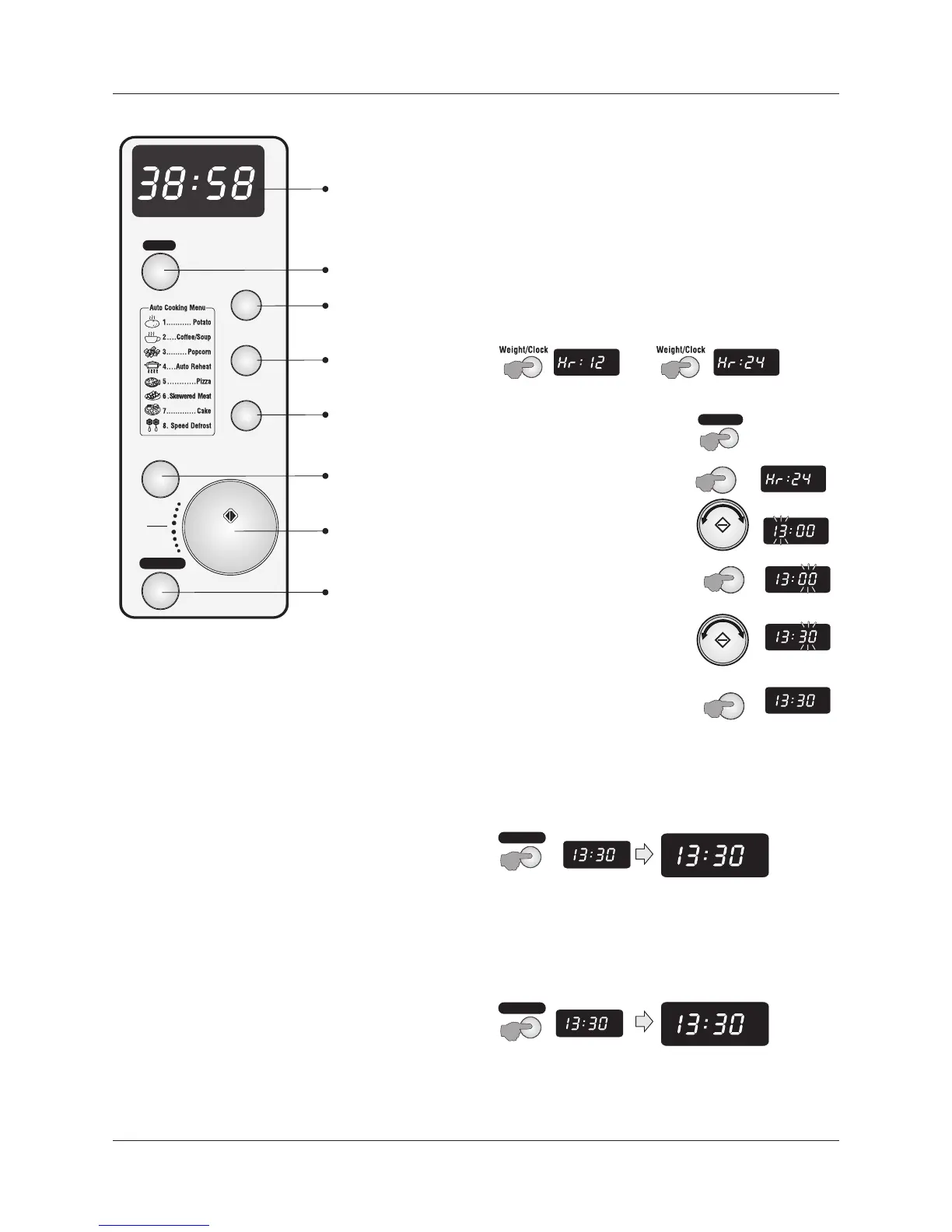
CONTROL PANEL USING THE OVEN
SWITCHING ON
$Unwrap and uncoil the power cord fully.
$Plug the mains plug into a suitable wall socket.
$Switch the mains power on.
$Your oven is now ready to be programmed
SETTING THE TIME
When first switched on the screen will display 1:00. This is the
factory default setting. If you switch the product off at the mains
and switch on again the clock will always reset to1:00
The clock can be set to display 24 hours or 12 hours (AM/PM)
$Press WEIGHT/CLOCK to toggle 12 -24 hr display
Example: Setting the time to 13:30 (24 Hr Clock)
$Press the STOP/CANCEL button
$Select 24 Hr
$Turn the TIME/MENU knob to 13
$Press the WEIGHT/CLOCK button
$Turn the TIME/MENU knob to 30
MENU ACTION SCREEN
Displays cooking time, power, action indicators, and clock time.
POWER
Repeatedly press to set microwave cooking power level
$Press the WEIGHT/CLOCK button
CONVECTION
$The time is now set.
Press to select convection cooking.
SETTING THE CHILD LOCK
GRILL/MICRO+GRILL
The child lock disables all the oven functions.
Press once to select grill cooking.
To set the Child lock:
Press twice to select a microwave/grill cooking program.
$Press and hold the STOP/CANCEL button
MICRO+CONVECTION
Press to select a microwave/convection cooking program.
WEIGHT/CLOCK
Press to access the clock setting routine
After a few seconds the oven will ‘beep’ and the word ‘LOCK’ will
With other programs: Press to select the weight of food.
appear in the display.
TIME/MENU This performs a number of functions:
In Child Lock mode only the clock time is displayed and all
Rotate to select a Preset Cooking Program
controls are disabled.
In conjunction with other programs: Rotate to set the clock or
To remove the Child lock:
cooking time. Rotate to select the weight of food
$Press and hold the STOP/CANCEL button
To start cooking: Press once to start a cooking program.
Express Cooking: Press repeatedly to set a cooking time and
start the oven automatically.
STOP/CANCEL Press to cancel a setting or reset the oven
Press once to temporarily stop cooking, or twice to cancel
After a few seconds the oven will ‘beep’ and the word ‘LOCK’ will
cooking altogether.
disappear from the display. The oven controls will now operate
Press and hold to set/release the Child Lock.
normally.
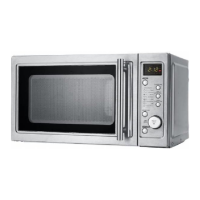
Grill Button/
Micro+ Grill Combi
Microwave
Power Selector
STOP/CANCEL Button
Menu Action Screen
Convection Button
Weight/Clock Button
Time/Menu Knob/
Oven Start
Micro + Convection
Combi Button
CLOCK
CLOCK
CLOCK
LOCK
CLOCK
LOCK
CLOCK
Page 5
WEIGHT/CLOCK
WEIGHT/CLOCK
WEIGHT/CLOCK
CLOCK
TIMEENTER
CLOCK
TIMEENTER
STOP/CANCEL
STOP/CANCEL
CLOCK
TIMEENTER
CLOCK
TIMEENTER
CLOCK
TIMEENTER
CLOCK
TIMEENTER
STOP/CANCEL


 To Next Page