STATUS LED
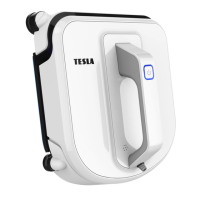
Connect the device to the mains and switch it on by pressing the
„Switching suction On/Off (14)“ down ( - ).
The device may not be properly sucked into the window surface,
see the Troubleshooting table.
The backup battery is discharged, the device will not work until the
battery is charged. Charging may take 2 hours.
The device is on, ready to be sucked on the window.
The device has suctioned to the surface successfully and is ready
for cleaning.
TROUBLESHOOTING
The LED
flashes blue
while the
device is
sucked on the
window
surface.
Cleaning mops are not
correctly fitted.
Remove the cleaning mops and reattach
them.
An edge detection sensor
reports an error.
Check that the cleaning mops do not
obscure the sensors.
Window surface is too
dirty.
Clean the area where you want the device
to suck in manually.
The red LED is
permanently
on.
The battery is exhausted.
Please remove the device from the window
and charge the battery.
The power supply has
been interrupted.
Plug the machine into a power outlet. Use
the directional buttons to navigate your
device to a place where you can safely
remove it from the window.
The device has lost
vacuum.
Use the directional buttons to navigate your
device to a place where you can safely
remove it from the window.
An edge detection sensor
reports an error.
Check the sensor for obstruction.
The device
moves
irregularly.
Clean the belts, replace the cleaning mops
and start cleaning again.



 To Next Page