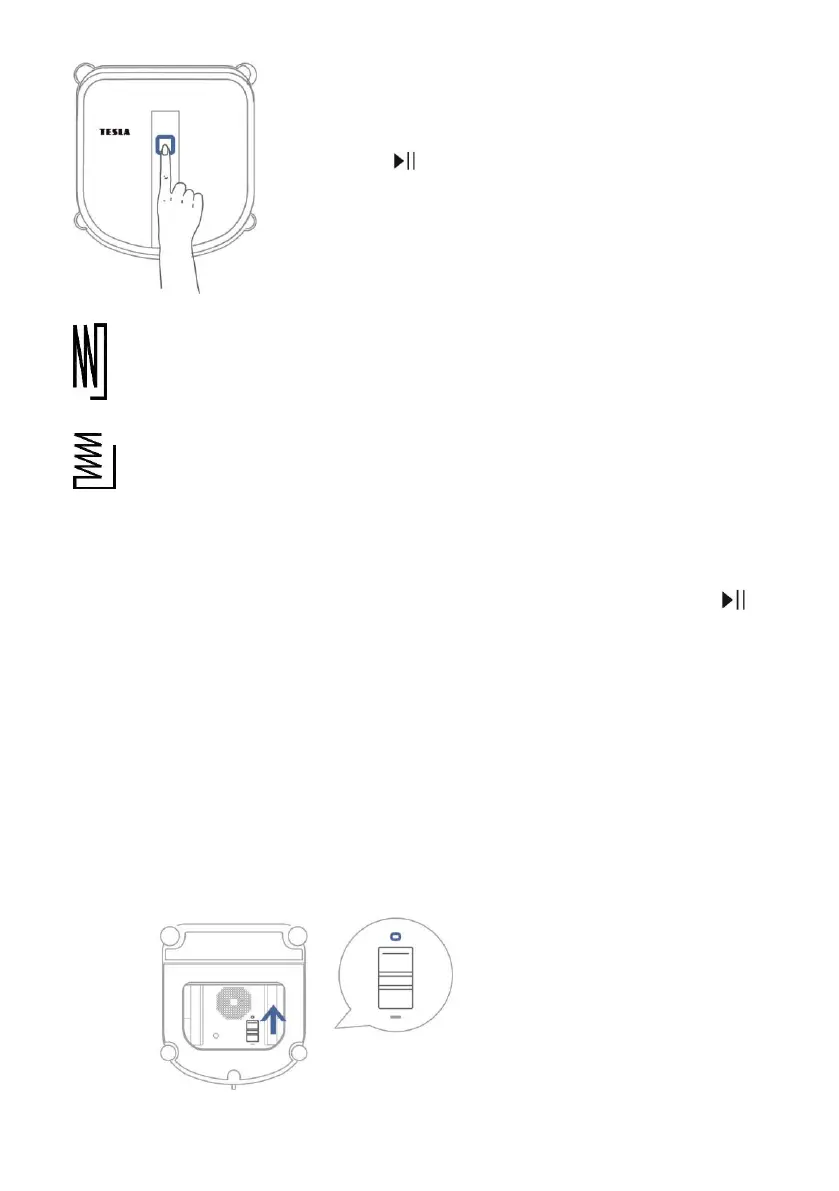
Press on the device body „Control button
START/PAUSE/STOP (2)“, or use the Remote controler,
button .
Shape cleaning mode „N“ is suitable for high windows.
Shape cleaning mode „Z“ is suitable for wide windows.
Pause cleaning, Mode („N“ – „Z“), Local cleaning (Up/Down) and Side
cleaning (Right/Left)
Press the „Control button START/PAUSE/STOP (2)“ on the device or use the Remote control
button. In the „Pause cleaning“ mode, you can operate the machine with the direction buttons. You
can also change the cleaning mode („N“ or „Z“) or start „Local cleaning (Up/Down)“ and „Side
cleaning (Right/Left)“.
TURN OFF THE DEVICE
After the cleaning is completed, the device will return to the cleaning start point and notify you by a
beep.
1. Hold the device by the handle. Press and hold the „Control button START/PAUSE/STOP (2)“ for
about 3 seconds. The machine stops generating vacuum and can be removed from the window.
2. Switch off the suction by moving the „Switching suction On/Off (14)“ up ( o ).



 To Next Page