Chapter 3 – Operation
TestEquity FS Series Ovens Page 3-3
Setting the Timer
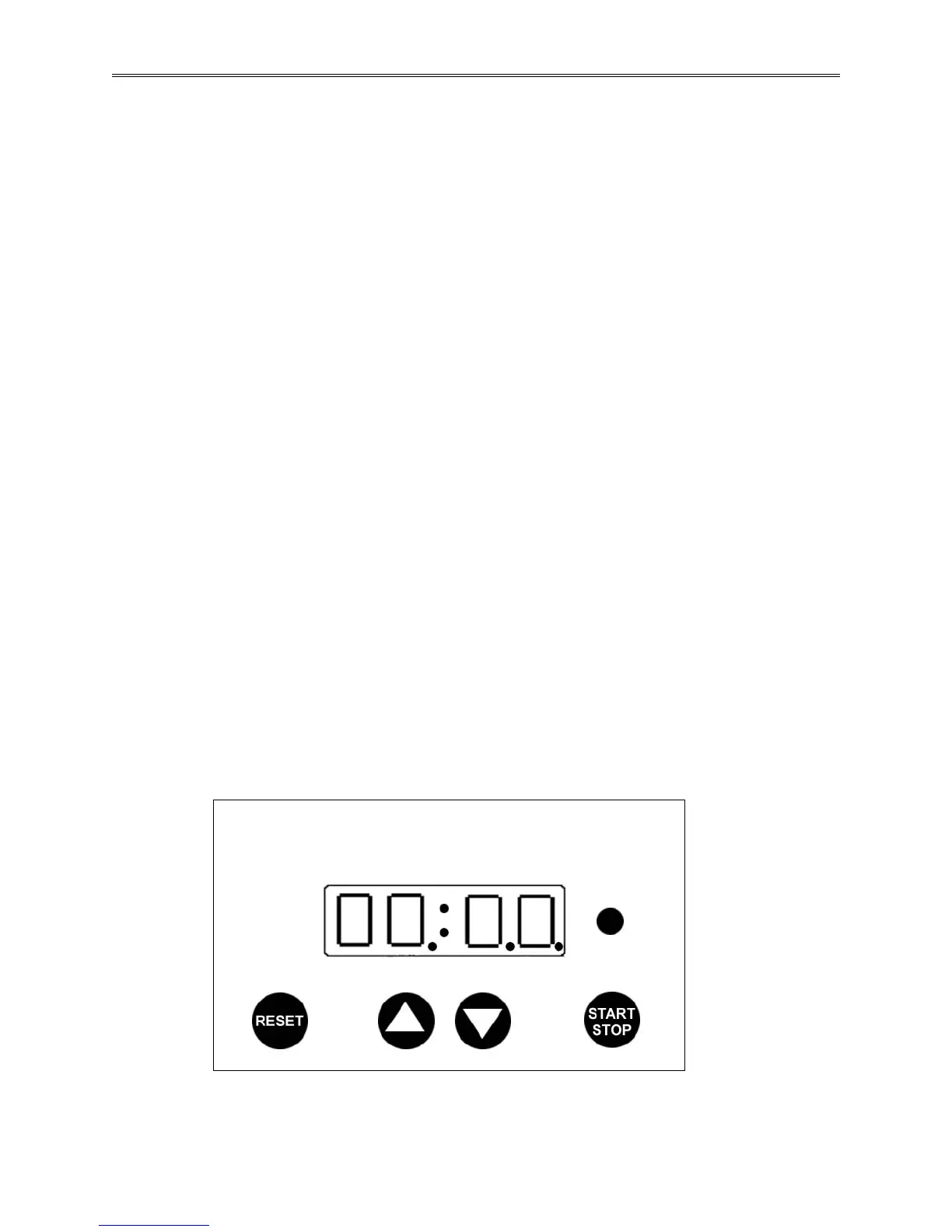
(Optional for timed operation only) Turn the timer switch to the I (ON) position. TIMER
display digits will light with no decimals showing. Note that if several seconds elapse with no
arrow or reset pad activity during any of the following steps, the TIMER will default to the
present displayed setting and it will be necessary to restart all functions over again. The values
must be entered in a consecutive manner with no delays between settings or the default will
occur.
Hour Function: Press and hold the RESET pad until the digits start blinking, and the left most
decimal blinks. In this mode, pressing the UP or DOWN arrow pads increases or decreases the
whole hour value from 0 to 99.
10 Minute Function: After the desired value for hours is set, push the RESET pad again. The
middle decimal will now blink. Pushing the UP or DOWN arrow pads will increase or decrease
the 10 Minute function allowing values between 0 and 5 to be set.
1 Minute Function: After the desired 10 Minute value is set, push the RESET pad again. The
right most decimal point will blink. Pushing the UP or DOWN arrow pads will increase or
decrease the 1 Minute function allowing values between 0 and 9 to be set.
Activation: Wait until the timer stops blinking. After all settings are made, push the
START/STOP button. The TIMER ACTIVE light will come on and after a brief pause, the oven
temperature set point will be active. The oven will now heat up, control at the set point and stop
after the timed period has elapsed.
Note that when the system is in the timer mode, the heating circuit is de-energized until the
START/STOP button is pushed or the TIMER switch is turned OFF. If a time change or
correction is necessary and the timer has already been activated, push the START/STOP button
to stop the timer, then repeat the above steps.
To set the timer so that timed operation will not start until the oven is stable at set point, pre-heat
the oven with the TIMER switch OFF until the desired temperature has stabilized. Turn the
TIMER switch ON. Push and hold the RESET button until the TIMER display blinks (to be sure
that the pre-set timed value is correct). Press the START/STOP button to activate the timer.
ACTIVE
Blinking Decimal > Hour 10 Min. 1 Min.



 To Next Page