7. Operation6
7. Operation
7.1 Switching on/off
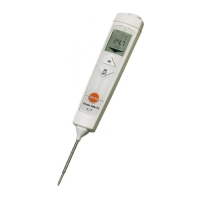
Switching on via fold-out probe
Fold out the probe.
- All display segments light up briefly. Contact measurement is
enabled ( lights up).
Switching on/off via control keys
Switch the instrument on: press [ON].
- All display segments light up briefly. IR measurement is
enabled ( lights up).
Switch off the instrument: press and hold down [OFF] until the
display goes off.
The instrument switches off automatically if no key is pressed:
for 10 minutes when the probe is folded out, or for 1 minute
when the probe is folded up.
7.2 Changing the measuring mode
Contact measurement —> IR measurement: press [].
IR measurement —> contact measurement: press [].
7.3 Measuring
Observe the information on IR measurement/contact
measurement (see chapter below).
IR measurement
- Instrument is on, IR measurement is enabled.
1 Start measurement: press and hold down [].
2 Lock in on measurement object using the laser points: laser
points mark the edges of the measuring range.
- The current measuring value is displayed.
3 End measurement: release the key.
- Hold lights up. The last measuring value and min./max. value
are saved until the next measurement, or until the instrument is
switched off.
Switch between min., max. and recorded value: press [HOLD /
MIN / MAX].
The min./max. values can be reset:
· press [] or switch the instrument off.
Restart measurement: press and hold down [].



 To Next Page