10. Questions and answers8
9. Service and maintenance
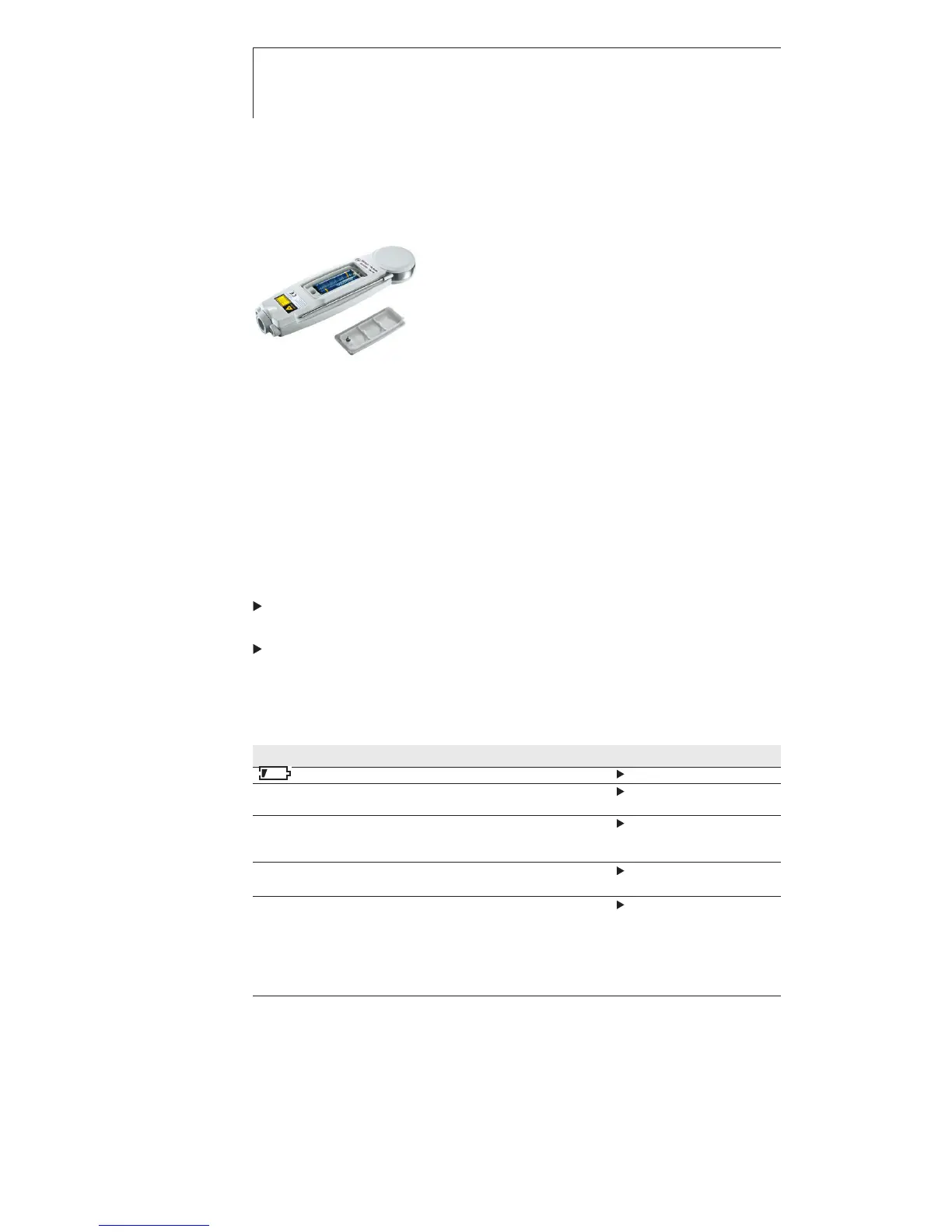
9.1 Changing the batteries
1 Use a slotted screwdriver to undo the
screw on the battery compartment.
2 Open the battery compartment.
3 Insert batteries (2x type AAA). Observe
the polarity!
4 Close the battery compartment.
5 Tighten the screw.
9.2 Cleaning the instrument
Only use weak, commercially available neutral/ household cleaning
agents (e.g. washing-up liquid) to clean the instrument. Do not
use aggressive cleaning agents or solvent!
The housing and probe can be disinfected using an alcohol-
based spray. In doing so, always follow the manufacturer’s
instructions.
Clean the housing and probe under running water and rub dry
with a towel.
Clean the lens carefully with a cotton bud dipped in water or
medical alcohol.
10. Questions and answers
Question Possible causes Possible solution
lights up Low battery Change batteries.
IR measurement: Measuring values Keep to permissible
- - - lights up. outside measuring range measuring range.
Contact measurement Valores de medición Keep to measuring
- - - lights. outside permissible range.
upmeasuring range
Instrument cannot Batteries dead. Change batteries.
be switched on
Instrument Instrument switches off Switch the
switches itself off. automatically instrument on again
after 10 min in contact
measurement mode and after
1 min after switching on in IR
measurement mode.
If we have not been able to answer your question, please contact
your local dealer or Testo Customer Service. For contact details,
please visit www.testo.com/service-contact.



 To Next Page