6 Using the App
12
6 Using the App
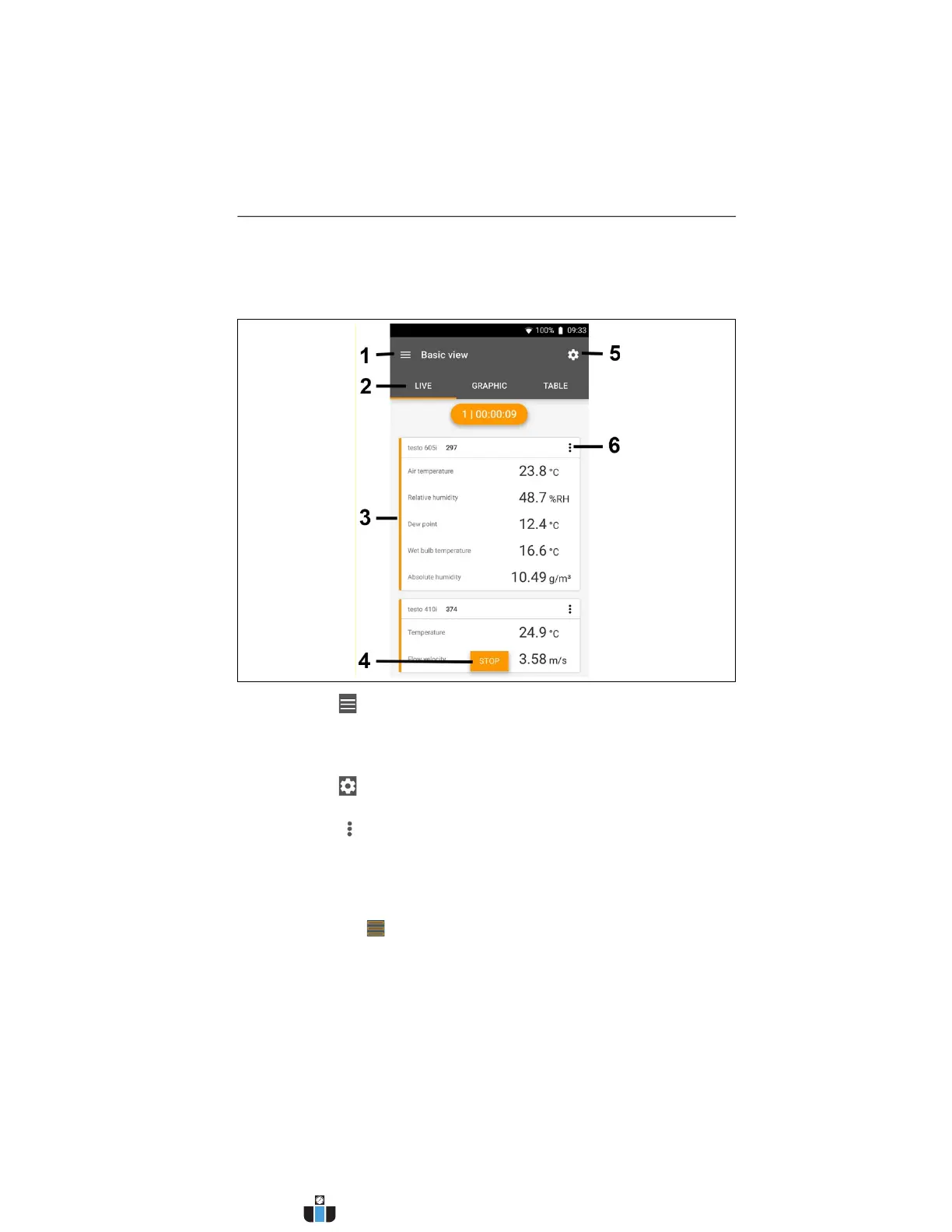
6.1. Overview of operating controls
1 Choice of applications.
2 Switch between the views (list, graphic diagram, table)
3 Display of connected Smart Probes including readings
4 Start/stop
5 Measurement configuration (the menu changes depending
on the Smart Probe connected and the application selected)
6 Smart Probe configuration
6.2. App options
6.2.1. Set “Language”
1. Tap -> Settings -> Language.
- A selection list is displayed.
2. Tap the required language.
- The language has been changed.
www.calcert.com sales@calcert.com1.800.544.2843
0
5
10
15
20
25
30



 To Next Page