APPLIANCE CHECKING
How to Test an Appliance
1)
Plug the appliance into the miniPAT, then touch a metal
part of the appliance (unpainted screw or chassis) with the
tip of the test probe, making sure there is a good contact.
2)
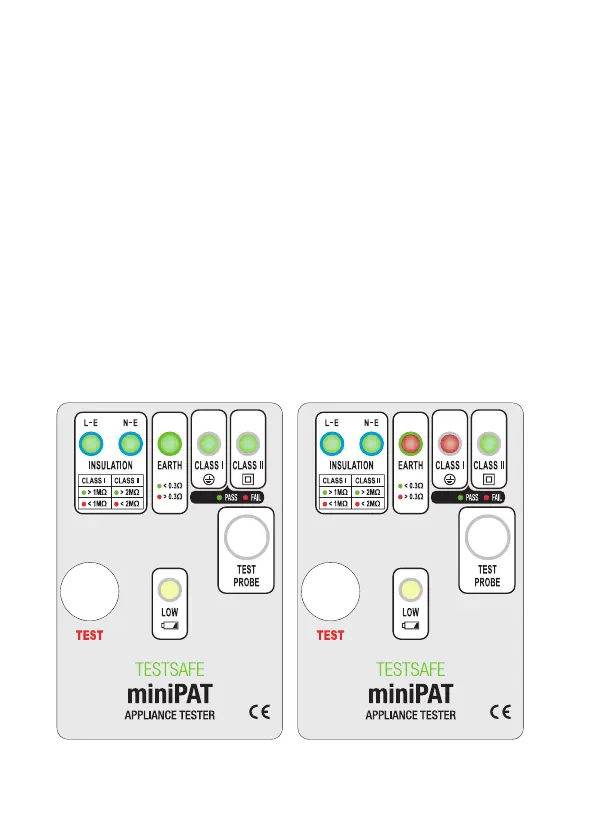
Press the "TEST" button and check the LEDs. The
appiance is a pass only if:
Class I
: Insulation, Earth and Class I LEDs are green. See
Fig 1.
Class II
: Insulation and Class II LEDs are green. See Fig 2.
Fig 1 Fig 2
11


 To Next Page