10
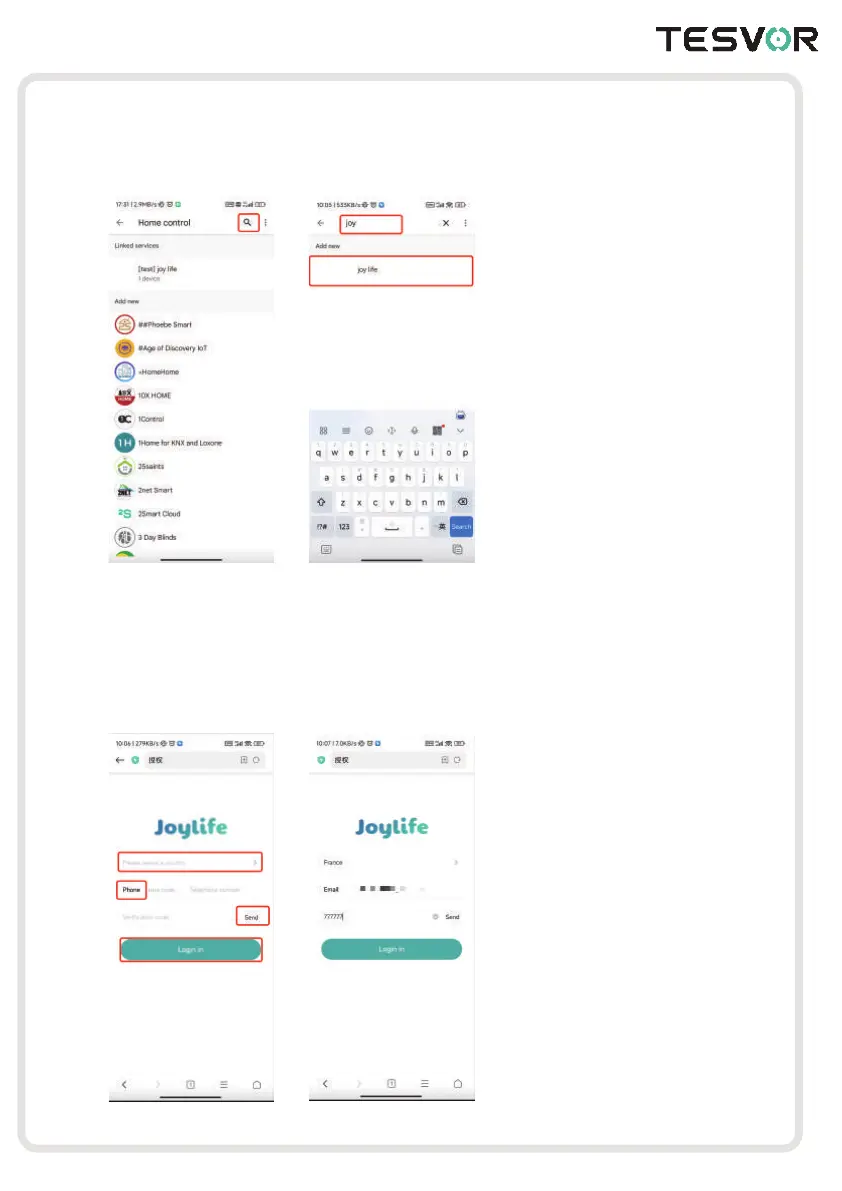
2.Click the Search Button on the top right corner and enter “Joy Life”
3.On the logging page, click “Please select a country”, then choose your Country and
District, enter your Area Code and Phone Number, click” Send”, finally your will receive
a Verification Code and log in.
(Note: if you want to log in with Email, you can click“ Phone” to switch the Logging type)



 To Next Page