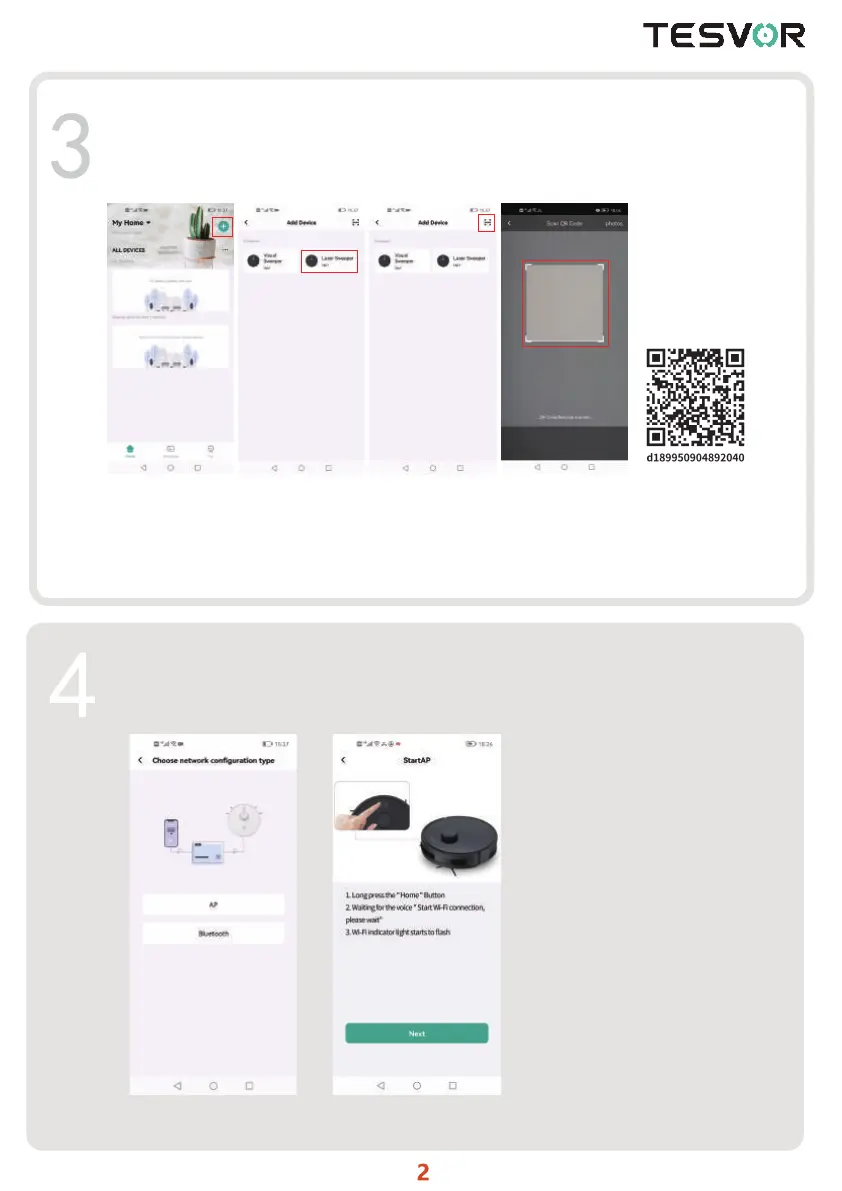
After logging in, click "+" on the upper right corner to add the robot. On the device
selection page, choose the "Laser Sweeper(AP)", or scan the QR code below and add the
robot vacuum manually
Then follow the APP page to connect the robot, select the "AP" (You can also choose
"Bluetooth" if your robot is with Bluetooth function and then follow the steps for fast
connection according to the page)
Long press the “Home"button and follow the APP page to connect the robot
scan not clear,edd manually



 To Next Page