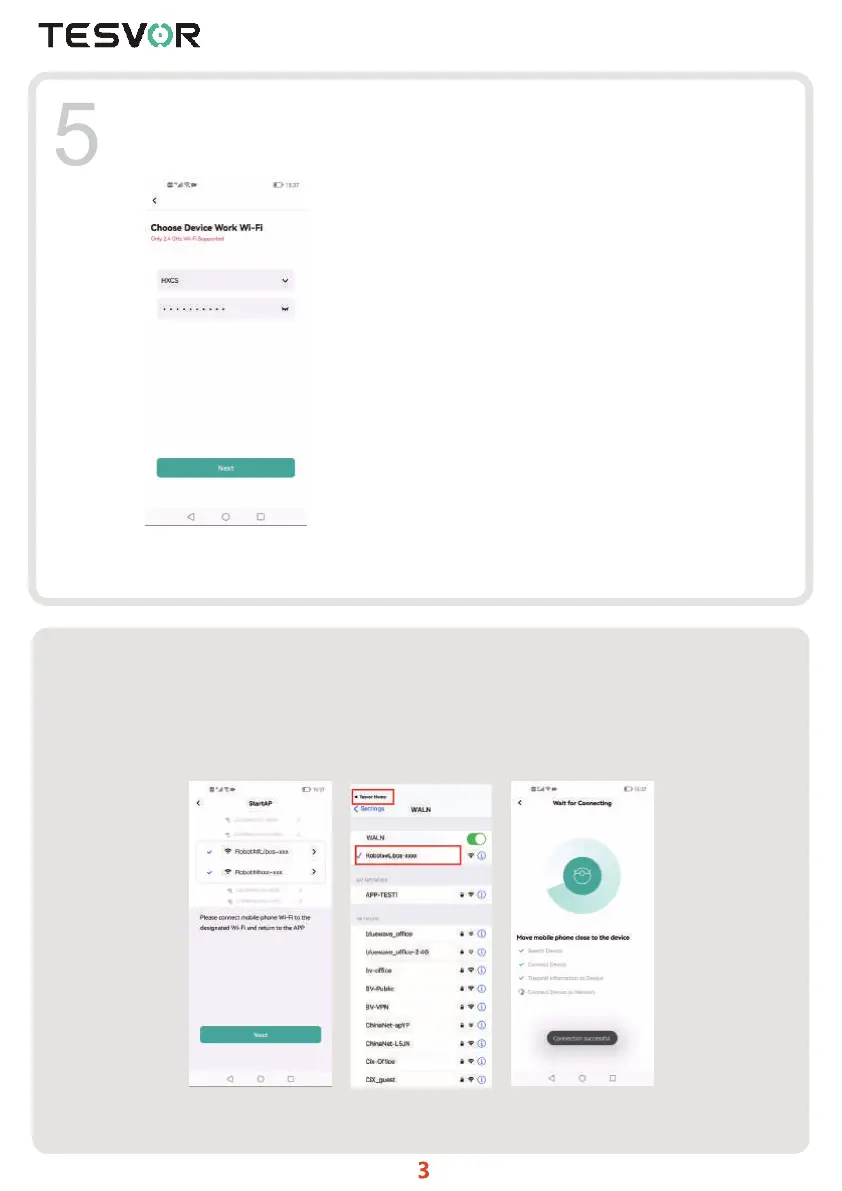
Select the working Wi-Fi of the robot (only support 2.4Ghz Wi-Fi, Wi-Fi name does not
support Chinese and full-angle symbol).Input wi-fi password and click“Next”.
1. Connect the robot according to the APP page(Picture 1)
2. Select and connect the phone to the hotspot Wi-Fi of the robot "Robot## Libos -xxx" or
"Robot##xxx-xxx" (Picture 2) and then return to the App (Picture 3). If the phone is
connected successful to the robot hotspot, it will show (Picture 4).
If the phone is not connected to the robot hotspot, it will show Picture 1 to reconnect. if
the connection is confirmed, click "Confirm that the AP of the
6
Picture1 Picture2 Picture3



 To Next Page