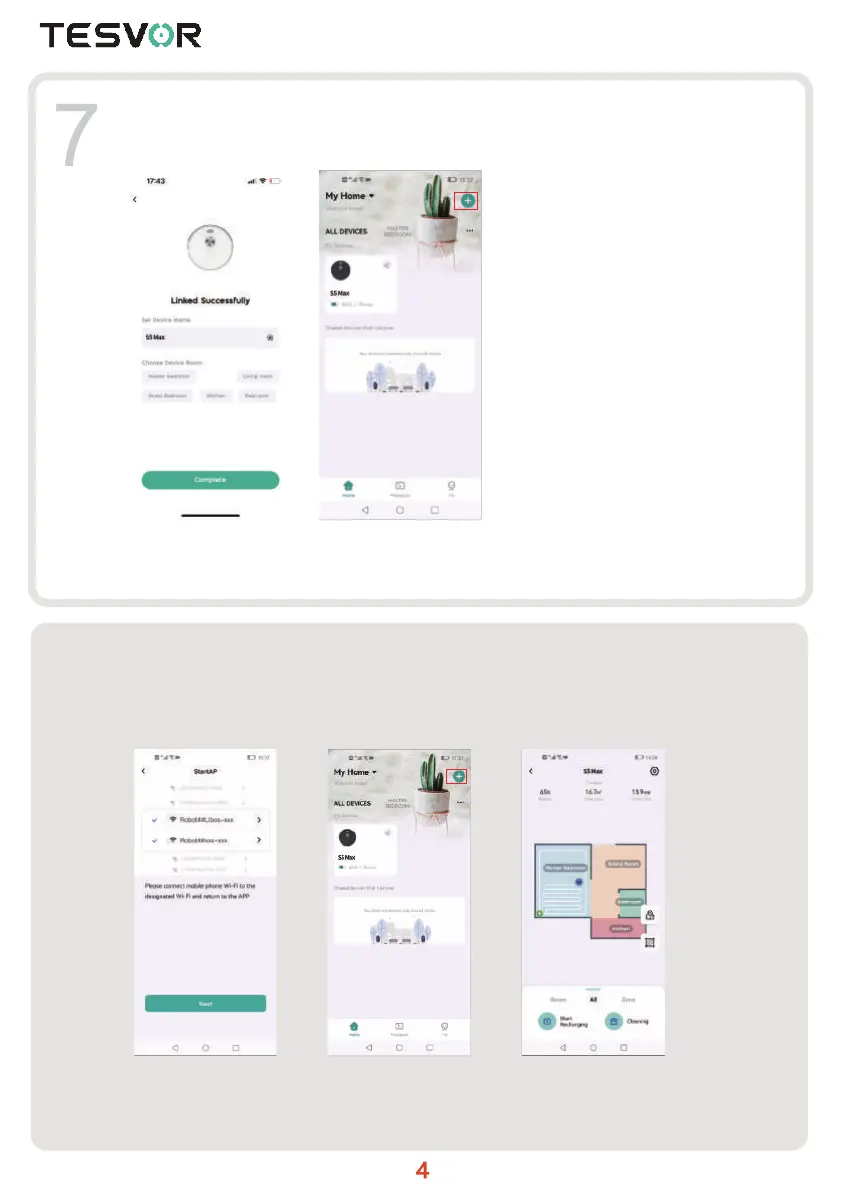
Jump to home page after successful connection.
After the robot is successfully connected, click it to enter the robot control page (Picture 5).
Android:
Picture 1: Wait for the hotspot "Robot## Libos -xxx" or "Robot##xxx-xxx" to pop up of the
robot. Choose it and wait for the connection.
Picture 2: Jump to home page after successful connection and click the robot to work.
8
Picture 1 Picture 2 Picture 3
Picture 4 Picture 5



 To Next Page