EN
10
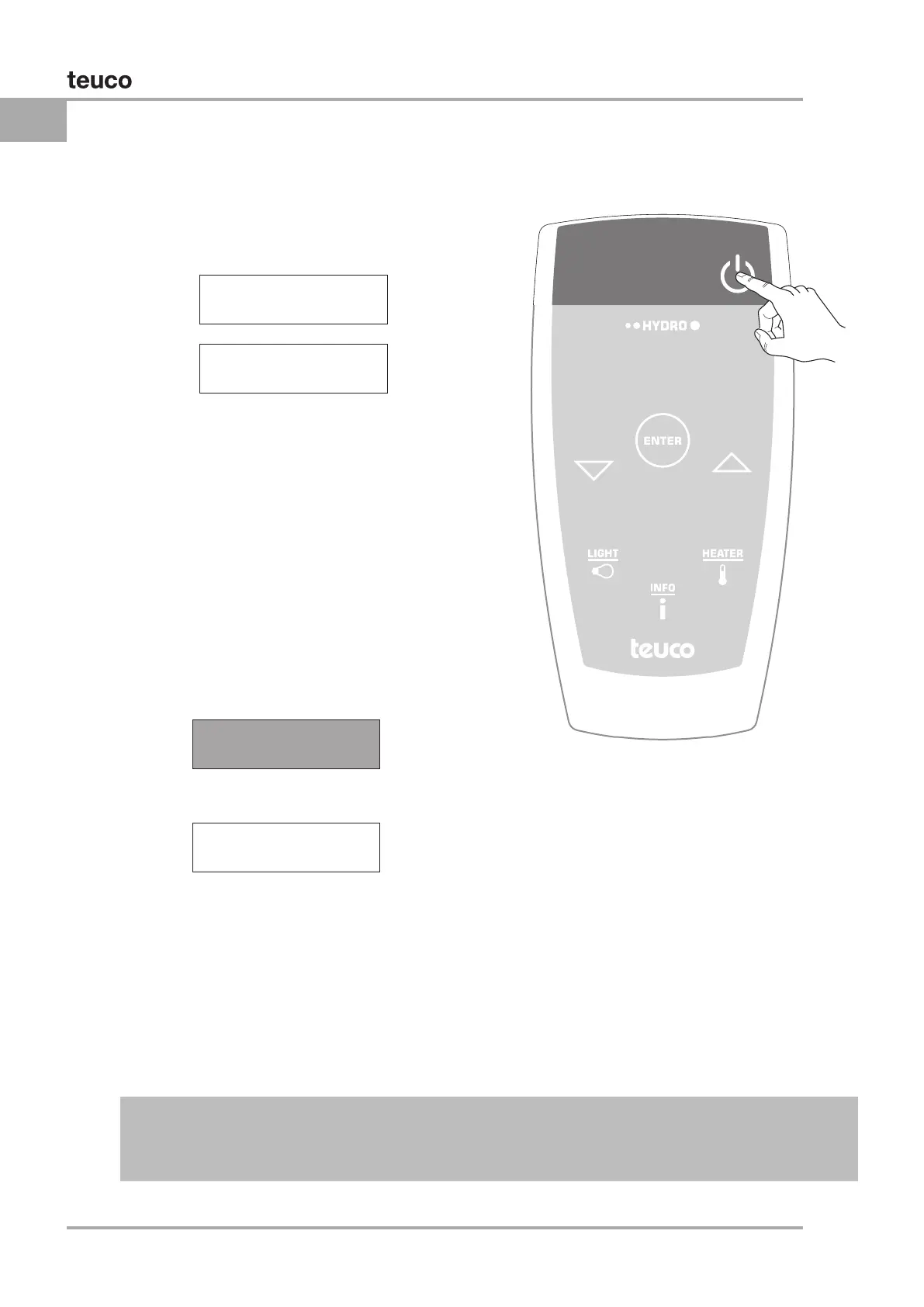
To switch on, press the “0/I” button; the welcome
message will appear in the control panel display for
a few seconds.
To switch off the panel, press the “0/I” a second
time:
if no whirlpool cycle has been selected, the
system shuts off and the display reverts to
If at least one Whirlpool cycle has been selected,
a message will be displayed prompting
SWITCHING ON FROM THE REMOTE CONTROL
Display showing
Disinfection prompt
20:30
AUTOMATIC SHUTOFF:
If no control panel or remote control button is pressed within 30 minutes following power-up or since
the last function was active (TIMER setting) the system shuts off and the display reverts to STAND-
BY. DISINFECTION of the system is not carried out (see DISINFECTION).
WELCoME To
HYDRoToP
36
o
C 20:30
READY
START
DISINFECTIoN?


 To Next Page