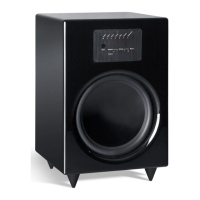
The subwoofer is not working
If the Power LED lights up, set the subwoofer vol-
ume level to “Min”,
unplug the subwoofer RCA
cable from the amplifier,
turn up the volume
slightly and touch the tip of the RCA connector
with your finger. If this produces a hum or crackle,
the fault is with the amplifier or the amplifier-
settings. If the subwoofer remains completely si-
lent, please contact our support team.
The subwoofer is making a humming noise
Hum may be caused by any connected audio de-
vice as well as by problems with the mains power.
In most cases, excessive hum is caused by one of
the following:
1.
The subwoofer is connected to a different
electrical circuit
than the other components.
Make sure that all connected devices (inclu-
ding any computers) are powered from the
same electrical circuit, i.e., the same mains
socket.
2. The antenna connected to the audio sys-
tem or TV
has a different ground potential
to the antenna socket. To test this, simply dis-
connect all the antenna cables from the wall
socket. If this makes the hum disappear, you
will need a ground breaker (available from most
electronics stores). Simply insert the ground
breaker between the antenna socket and the TV/
receiver.
3. A line filter (to be purchased separately)
can
also be useful for hum removal. Note that you
will need to connect all your electrical devices
to the line filter. Make sure you can return the
line filter for a refund if it does not produce
the desired results.
4. Some types of power multiboxes are
also
known to produce hum. Try eliminating
your multibox and plug the subwoofer's
power cable directly into the mains socket.
5. If possible: Unplug the mains cable, rotate
the connector plug by 180°,
and plug it back
into the mains socket.
6. If you have trouble locating the source of the
hum,
check whether the subwoofer is less noisy
when you plug it into the mains connection in
another room (e.g., using an extension cable).
Also, try disconnecting the subwoofer's RCA
cable from the receiver
to see whether the hum
is caused by one of the other connected
audio
devices.
Problems and solutions · Cleaning · Technical specifications
Cleaning
Please take note of the following guidelines to
protect the components and maintain the finish
of your Teufel loudspeakers:
Avoid placing the speaker cabinets in direct sun-
light. Avoid extreme temperature fluctuations
and protect your loudspeakers against humidity.
When cleaning the speaker cabinets, only use dry
or moist cloths. Never use abrasive or alcohol-
based cleaning products. If you need to clean a
speaker membrane, do so very carefully using a
dry cloth.
Technical specifications
All technical specifications are listed on our web-
site at www.teufel.eu


 To Next Page