• IP 3000 BR Mk 2 23
Selecting files
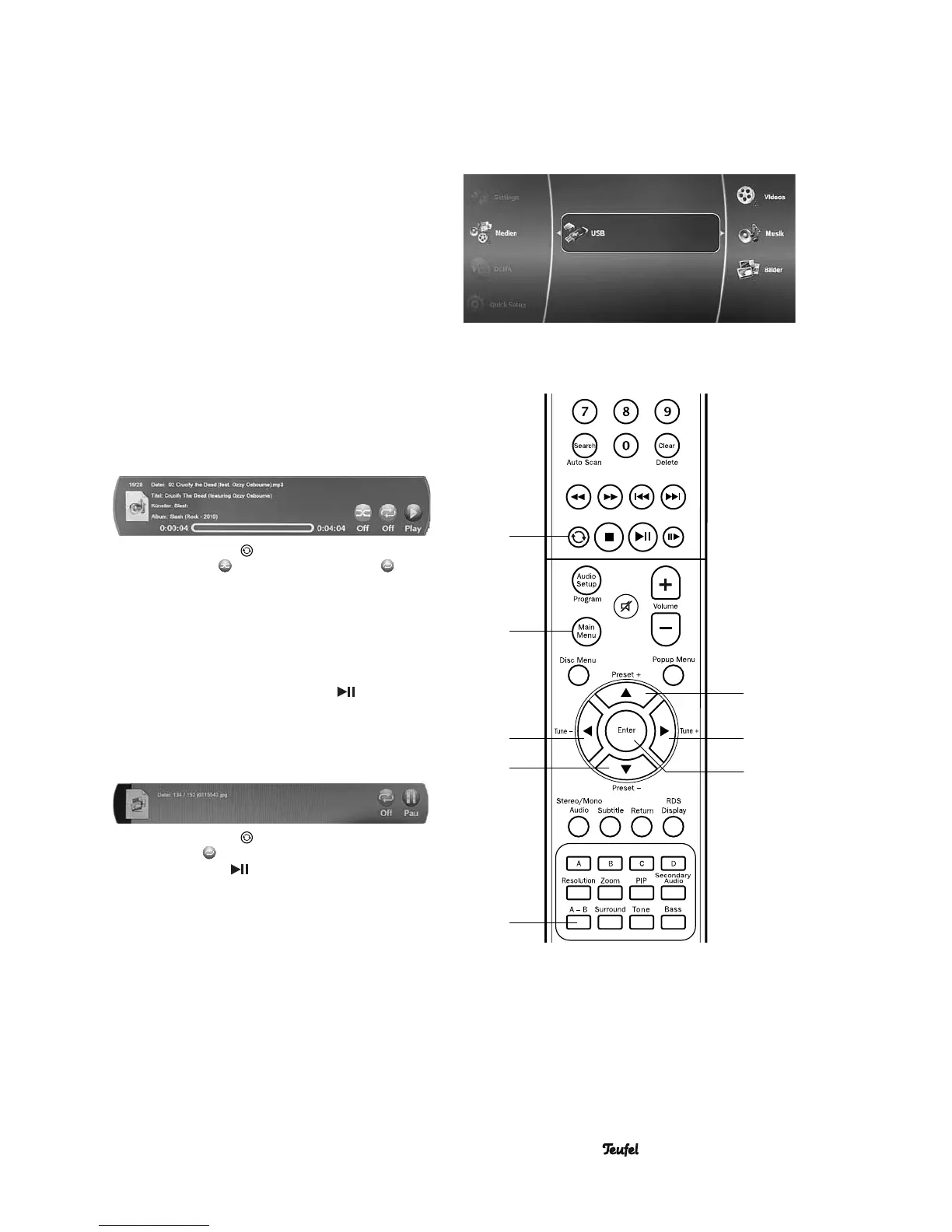
The content of DVDs, CDs and USB sticks, on which
media fi les are saved, is displayed on the screen in a
browser.
1. With the button 68 “AV Source” select “DISC” as
source.
2. Open the main menu with the button 61 “Main menu”.
The left column will display the main menu items.
The categories “ Music”, “ Pictures” and “ Videos” are
displayed under the menu item if corresponding fi les
are present.
3. With the buttons 42 “▲”, 43 “►”, 58 “▼” and 59 “◄”
navigate through the menu levels and select the de-
sired category with the select button 44 “Enter” or start
playback of a media fi le.
Music playback
• Select the desired music track as previously described
in the chapter “Selecting fi les”.
The track and all subsequent music tracks located in
the folder are played.
• The following info window appears during playback:
• Pushing the button 63 activates and deactivates
random playback and the playback function .
Image playback
• Select the desired image as previously described in the
chapter “Selecting fi les”.
The image is then shown on the television set.
• If you would also like to playback all subsequent imag-
es from the folder, push the button 37 “ ”. Pl ayback
will now automatically begin as with a slideshow.
Showing information
• You can display an info window by pushing the button
46 “RDS/Display”.
• Pushing the button 63 activates and deactivates the
repeat function .
• With the button 37 “ ”, you start and interrupt auto-
matic playback (slideshow).
58
59
63
61
42
43
44
53


 To Next Page