15/19
55908014-17
CAREL IR33 Controller
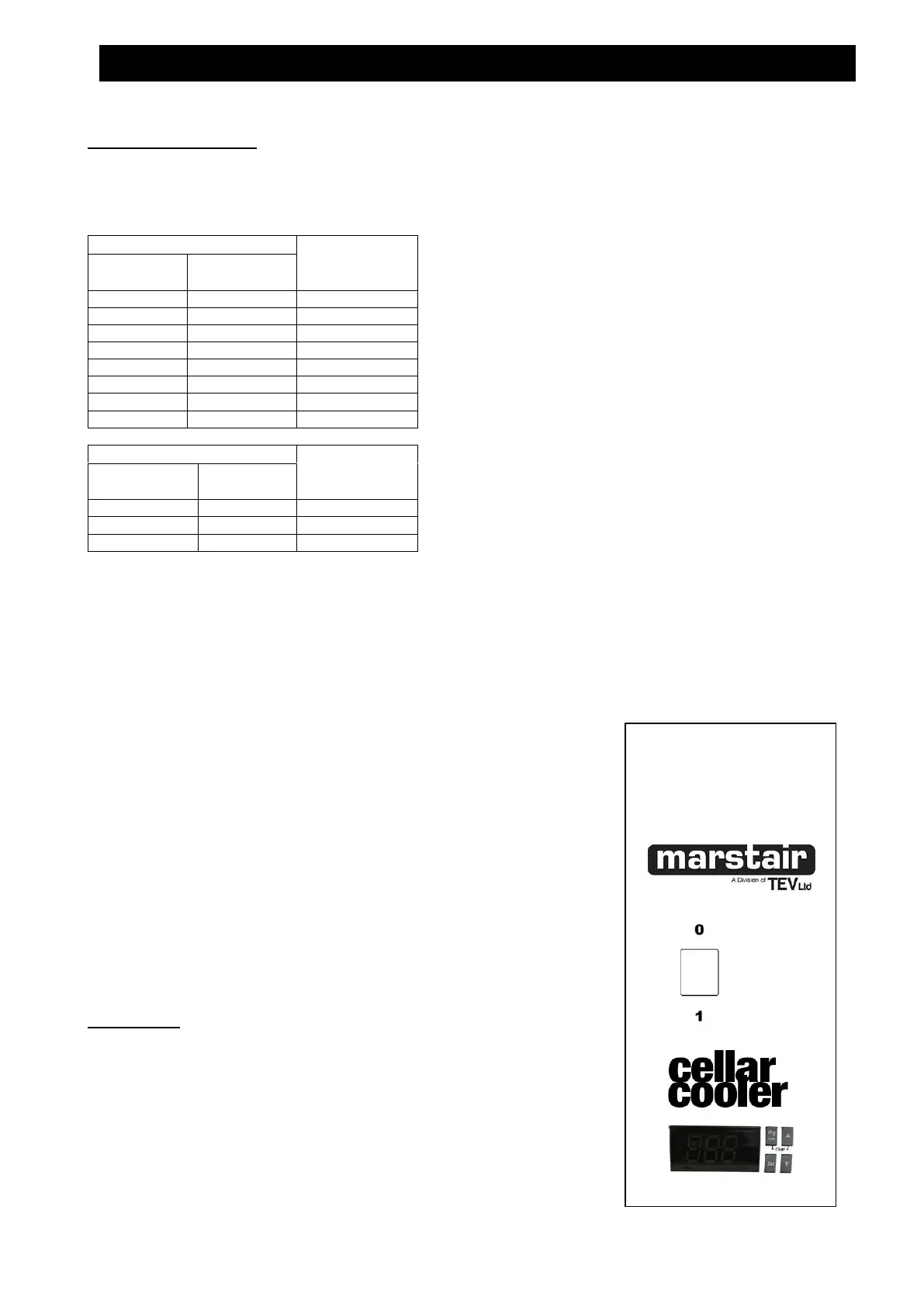
ON/OFF SWITCH
The switch operates the fan motor and is illuminated when power is supplied to the indoor unit. When switched OFF, the
fan stops, the switch remains illuminated and the crankcase heater in the outdoor unit (if fitted) remains live.
TEMPERATURE CONTROL (Do not set the controller below 4⁰C.)
The SET temperature is factory set at 12⁰C.
The digital display normally displays the return air temperature.
To change the SET temperature, press and hold down the SET button. If no alarms active, the ‘St1’ label appears and
the current value is shown on the screen and will flash.
To change the Setpoint value, press ▲ and ▼ keys within 60 seconds.
The display will revert to the return air temperature after 60 seconds.
The fitted de-ice thermostat will activate a de-ice cycle when there is a build up of ice on the evaporator coil.
Cellarators will only heat a room if the electric heater option is fitted.
Displaying inputs on screen display
Press ▼ to display the current input. There are 6 inputs to select from to display
onto the screen. These are as follows:
b1: probe 1;
b2: probe 2;
di1: digital input 1;
di2; digital input 2;
St1: set point 1;
St2: set point 2;
Press ▲ and ▼ to select the input to be displayed. Press set for 3
seconds to confirm your choice.
To display the live temperature in the room you need to select
b1: probe 1
WARNING
The following actions could damage your system:
1. Switching the unit OFF and ON quickly
2. Setting the unit to HEAT and then back to COOL quickly
NB: Allow at least 3 minutes between the above actions.
CXE ELECTRONIC COOLING SYSTEM CONTROLS


 To Next Page