10
PC Mode
1. Installation
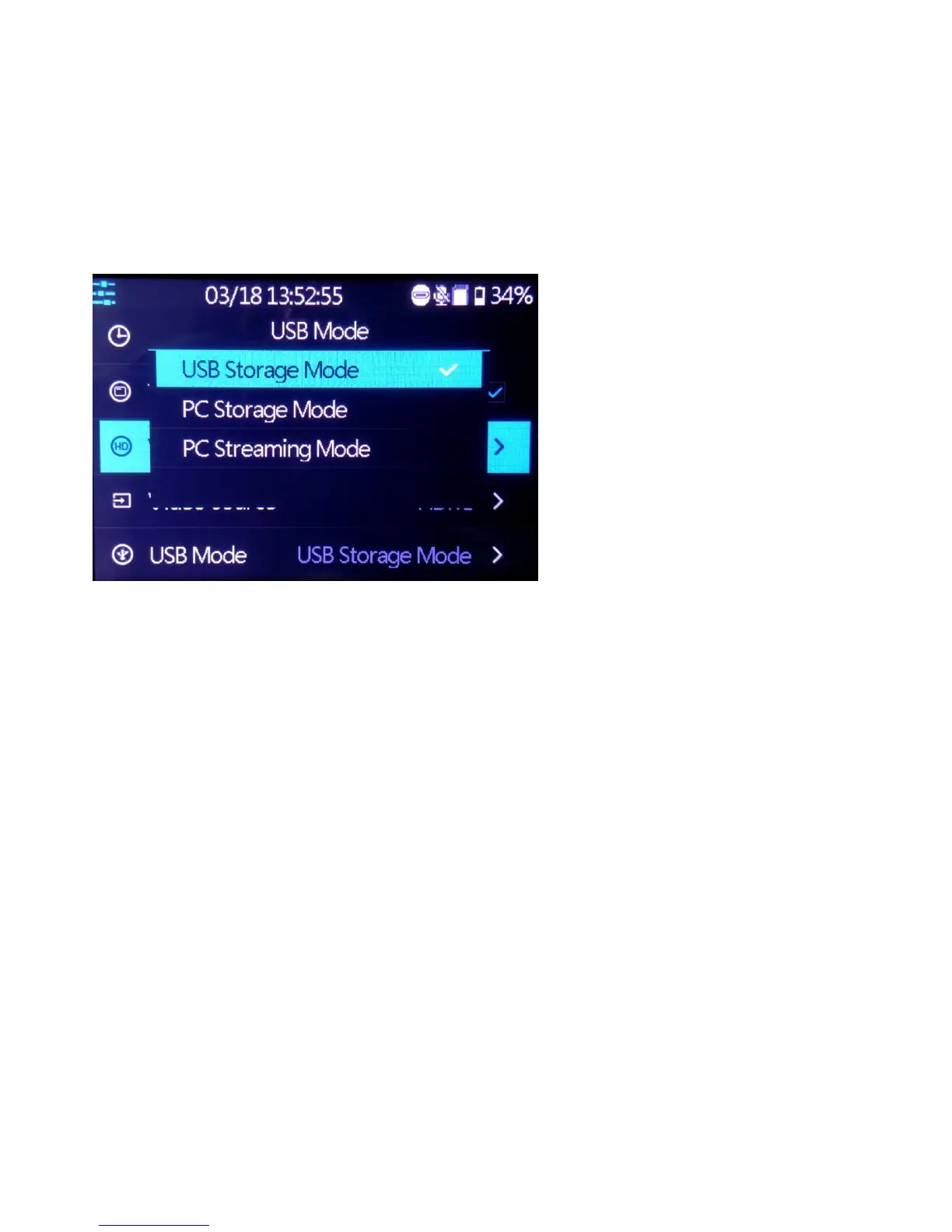
Connect the micro USB cable between the USB TO PC port of HD60 Video
Recorder and the USB port of PC, the menu below will pop up. Or you can
manually open it after USB cable connected.
(1) USB Storage Mode: record/playback video on USB Flash Drive / USB HDD.
(2) PC Storage Mode: PC can detect SD card in HD60 Video Recorder & access
files on SD card.
(3) PC Steaming Mode: HD60 Video Recorder can stream video from input source
to PC instantly. With live-streaming software like OBS/XSplit, PC can live stream
to twitch/YouTube/facebook..etc.
Note:
The PC Mode requires high performance computer used in this case,
otherwise you may see“WARNING: High encoding CPU usage! Consider
turning down settings.”


 To Next Page