5
Product Components
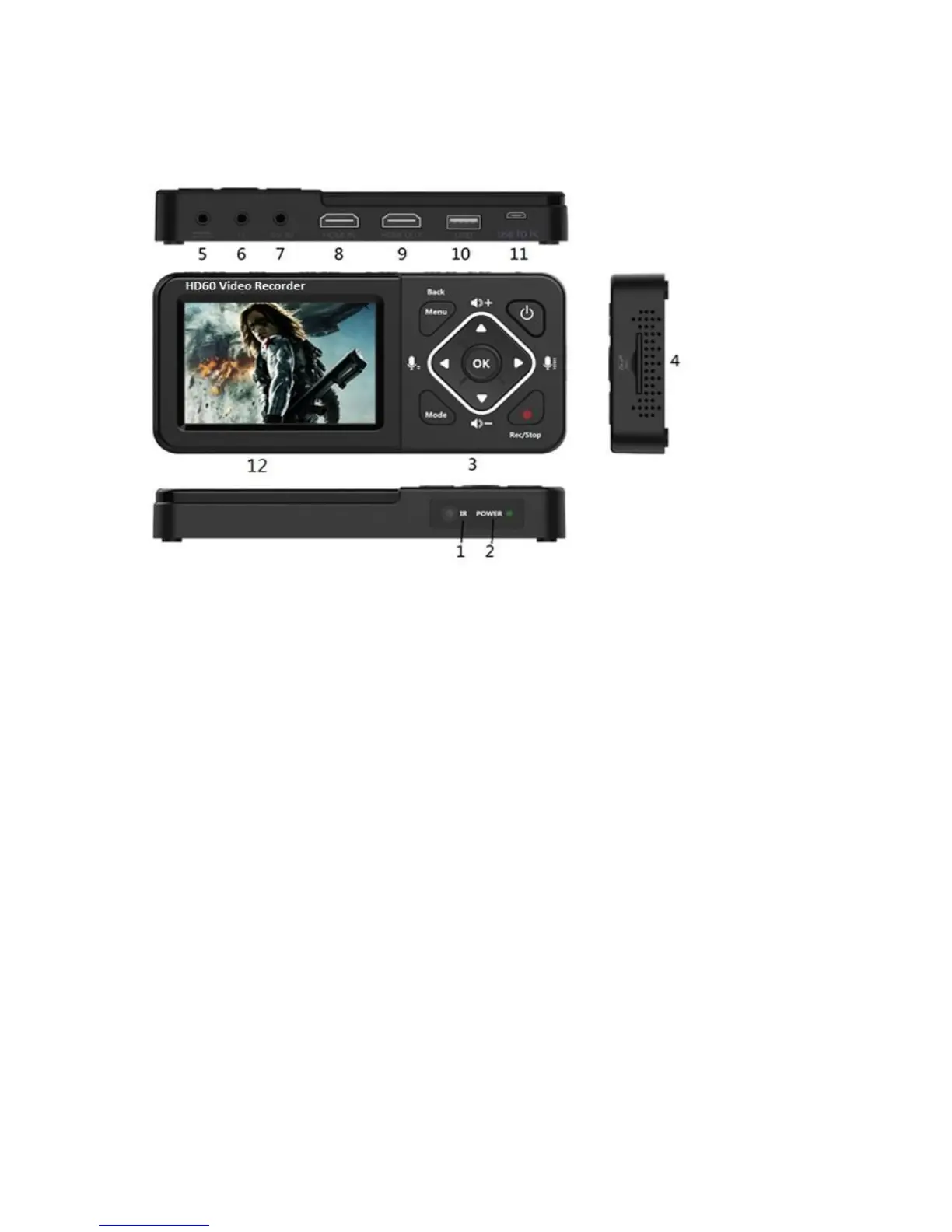
1. IR Receiver: Receives Infra-Red signals from Remote Control
2. LED indicators: The HD60 Video Recorder is power on when Blue light is on;
Blue blinking means running low of memory. Red blinking means running low of
battery& it needs charging immediately. The Red light is on when the Recorder is
power off & charging.
3. Panel Buttons:
Power: During power on state, press shorter than 2 seconds to turn on/off LCD
screen, press longer than 2 seconds but shorter than 10 seconds to show
shutdown dialog, press longer than 10 seconds to force shutdown. During power
off state, press longer than 2 seconds to turn on.
Menu/Back: Press this button to enter or exit menus.
Vol+/-,Mic+/-: Press these buttons to control Speaker/Microphone volumes.
Mode: Press this button to switch among Record/Photo/Playback preview. Long
press to delete a recording in playback preview.
Rec/Stop: Short press to start/stop recording in record preview state. Long press
to capture a photo in photo preview state.
4. SD card slot: Insert SD card for record or playback.
5. DC input 5V/2A: DC jack for USB power adaptor
6. Earphone: Earphone output with Microphone input interface.
7. AV IN: earphone jack for CVBS video + L/R Audio input.
8. HDMI IN: HDMI input
9. HDMI OUT: HDMI output.
10. USB: for plug into an external USB storage device.
11. USB TO PC: micro USB for connecting to PC. HD60 Video Recorder works as an USB


 To Next Page