Helpline No. UK/Northern lreland 0161 975 0458 Rep.lreland 1800-882912
Web Support www.fascin8.co.uk
Model Number: 40699
11
DVD Operation
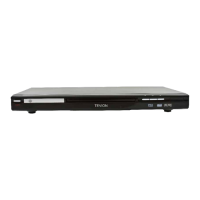
After completing the connection of your appliance you can now switch the power to on and press the
power button on the front of the unit. When you switch on your DVD your TV may automatically
divert to the DVD mode and will display the Tevion logo on your TV screen (this is not the case for all
appliances.) If this does not display then you may need to change your TV into the input mode you
chose example scart, AV or RGB (refer to your TV user manual on how to do this.)
You will also need to press the ’Video’ button on your remote to select the input mode of the DVD
• S-Video, choose S-video mode
• (Y.Cb,Cr) choose YUV mode
• Scart choose RGB mode
If you have an audio system connected you will need to choose the correct audio output on the
amplifier (refer to your amplifier manual on how to do this.)
Disc Loading
Do not play any cracked broken or deformed disc. The disc is rotated at high speed, so it is very
dangerous to play any broken or deformed disc and this may cause damage to the player.
Step 1: Press the ‘open/close’ button, the disc tray will slide out automatically
Step 2: Load a disc into the tray and press ‘open/close’ the screen will indicate loading and the player
will identify the format of the disc, and then indicate it on the upper left of the TV screen
• After reading the disc it will it will go to the menu of the DVD or title menu
• When playing CD discs it will play in the sequence chapter number
Operation
During disc playback to pause the DVD press the ‘play/pause’ button and press this again to resume
normal play
Press the ‘stop’ button once to stop your DVD and press ‘play/pause’ to resume. Press the stop button
for the second time to stop the DVD completely.
Press ‘previous’ button, the previous chapter will be played
Press ‘next’ button, the next chapter will be played
By pressing the ‘forward’ or ‘rewind’ button continuously you can change the speed of skipping x2, x4,
x8, x16, x32


 To Next Page