16
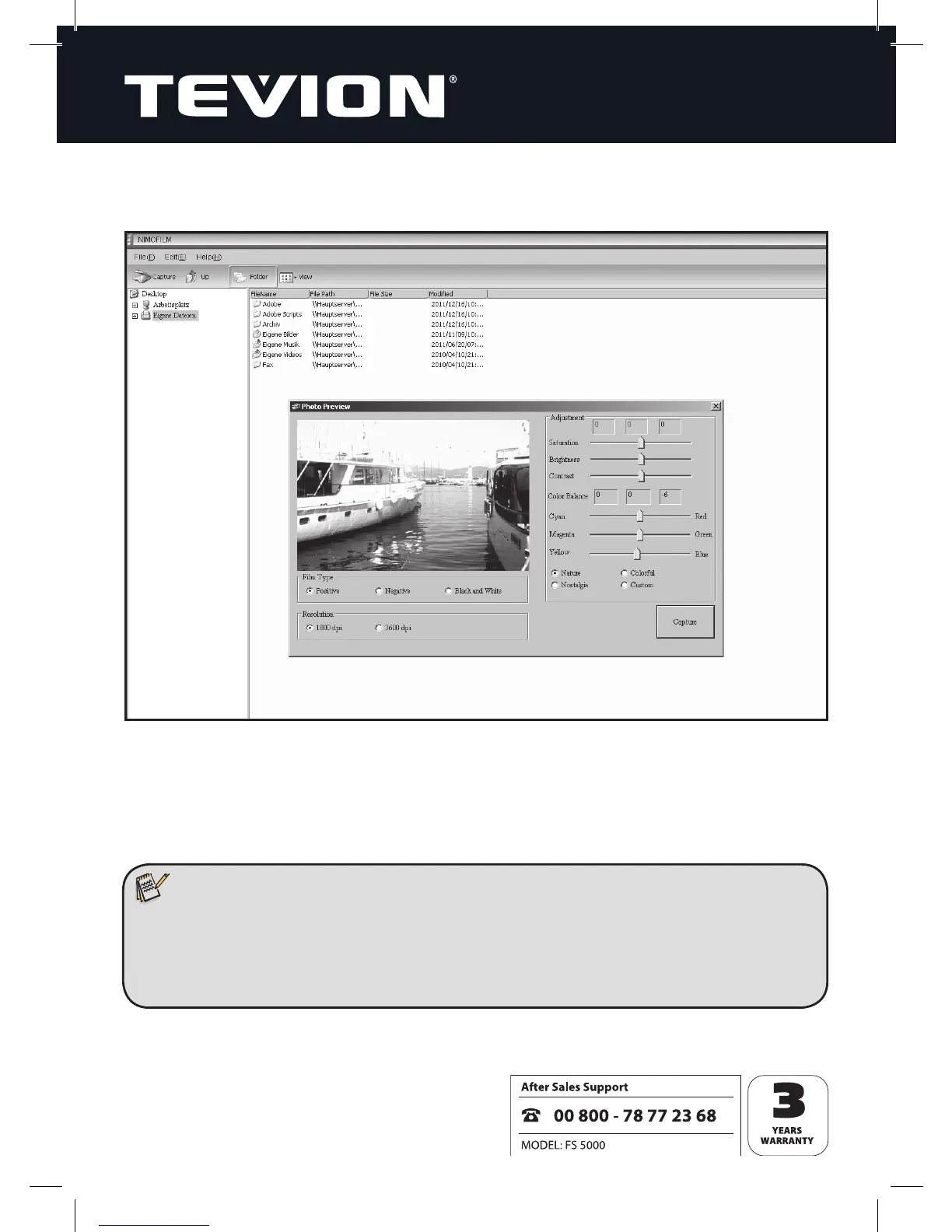
On the “File” drop-down menu, select “Capture”. This opens the “Photo preview” win-
dow which handles the scanning-in process.
Now place slides or negatives into the Film Scanner using the appropriate original-
image holder. The image is then displayed in the preview window showing how it will
look when scanned in.
Note:
• Inserting the slide feeder or negative holder into the scanner from the wrong
side will damage the scanner’s protective aps! Such damage cannot be
repaired under warranty! See Section 5 on page 6 (Inserting Negatives) and
Section 6 on page 7 (Inserting Slides).


 To Next Page