6
5. Inserting negatives
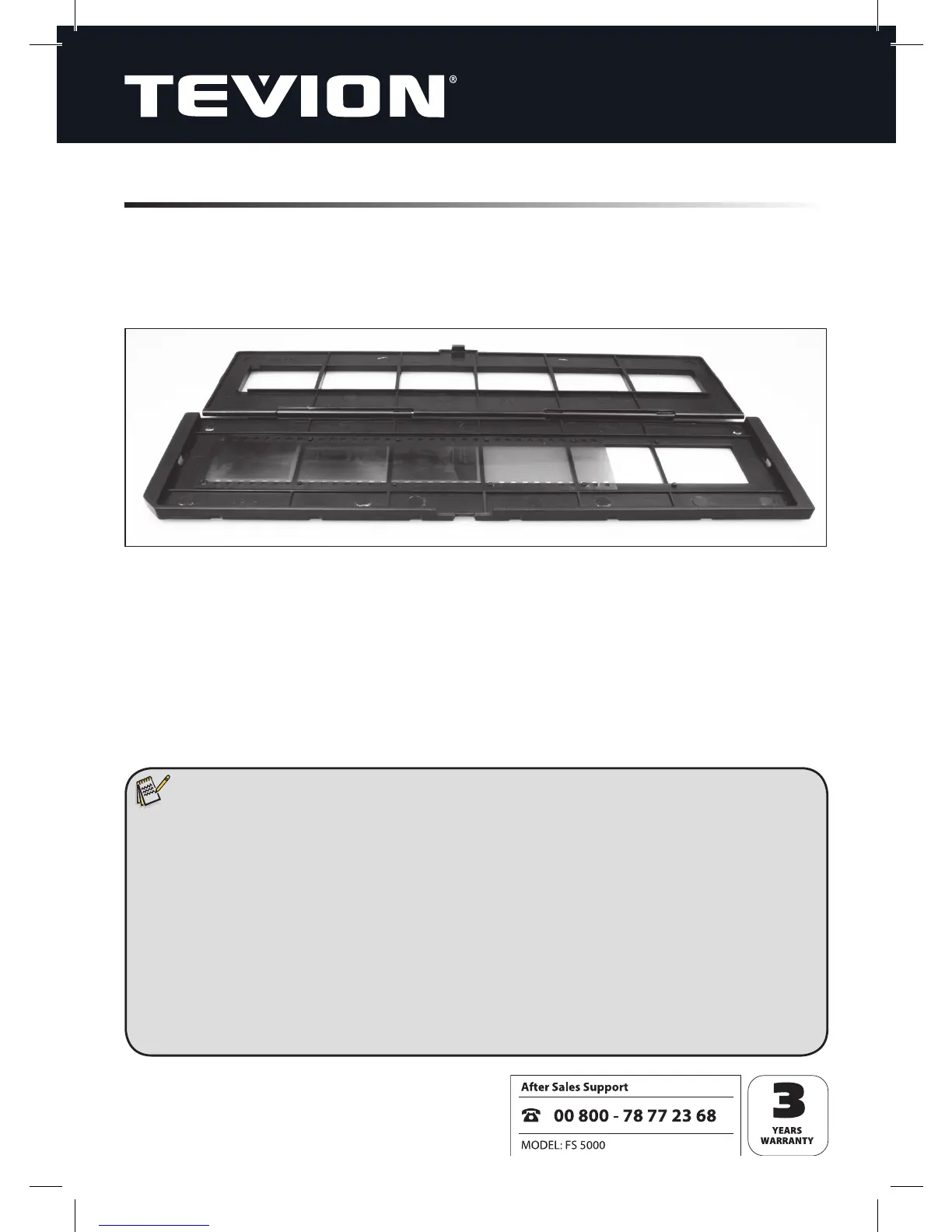
Open the negative holder at the position marked “Open” and place the holder, open-
ed, in front of you as shown below. Then place the negatives the usual way up (neither
turned nor upside down) into the recesses provided in the holder for this purpose. Use
the numbering on every negative strip as a guide.
Close the negative holder and press down on the edges until they click into place.
Then insert the negative holder into the Film Scanner from the right-hand side in such
a way that the white triangular marking is to the front and visible. Push the negative
holder into the Film Scanner until you can feel it click into the rst negative position.
Note:
• Always handle negatives with care. Dust, scratches and ngerprints will all
be visible on the digital image. If possible, wear cotton gloves whilst handling
negatives. Use compressed air to remove dust from the negatives. A com-
pressed air unit is not included with the scanner but can be purchased in any
electronics or offi ce equipment store.
• The design of the negative holder corresponds with ISO standards. In certain
cases the negative holes will not t precisely onto the holder if non-standard
cameras have been used. In such cases a small black line will be visible at the
edge of the image. This line can be removed quite simply using a digital
image processing program.


 To Next Page