5
After Sales Support TEL: 1300 886 649
Operating instructions
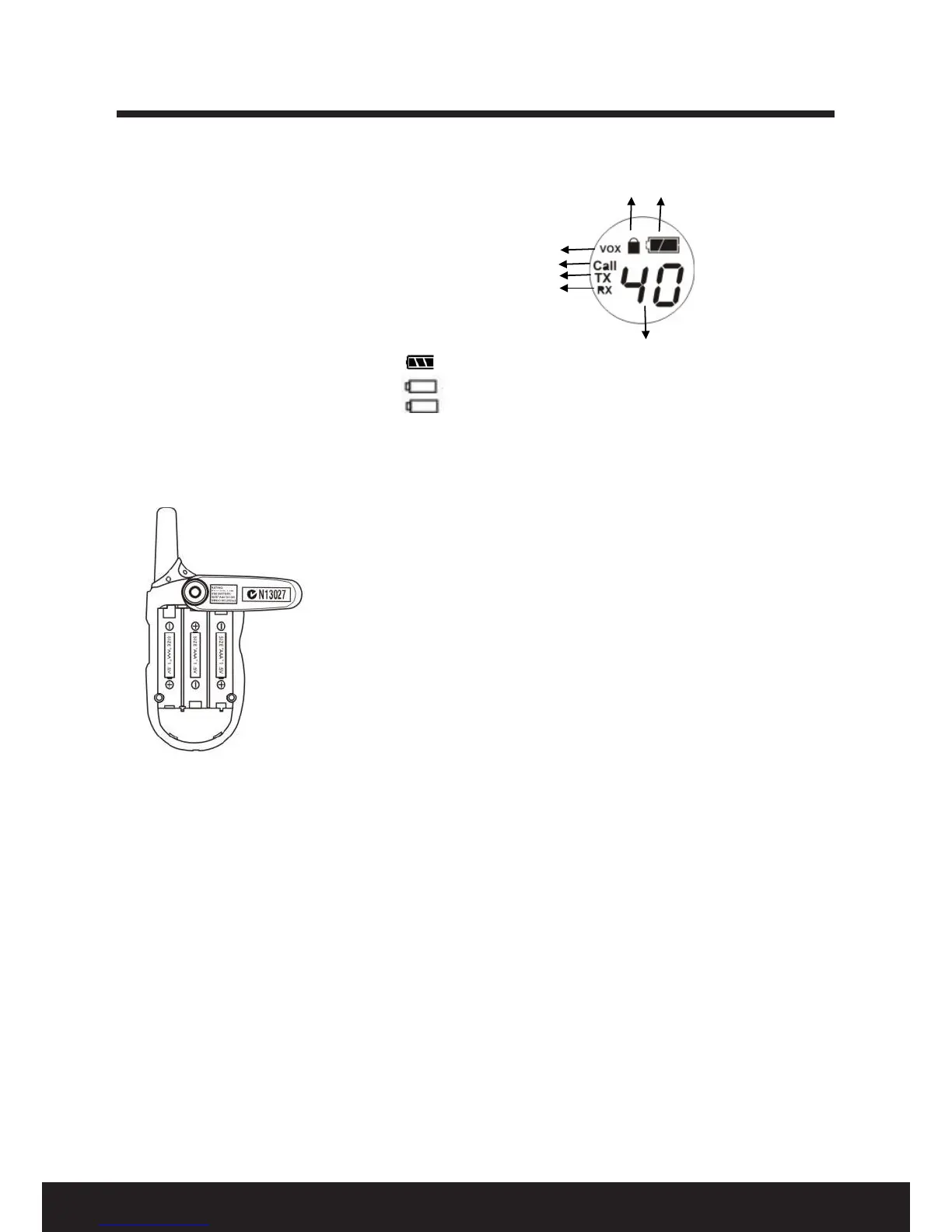
Main screen
See Fig. 1 for an illustration of the main screen.
1 VOX indicator
2 Call mode (Call)
3 Transmitting mode (TX)
4 Receiving mode (RX)
5 Channel number: displays current channel (1-40)
6 Battery level indicator
-- Full
-- Reminder to change the batteries.
-- Blinking: batteries must be changed.
7. Key lock indicator
Battery installation
1. Ensure the unit is o. Press the button on the belt clip and rotate
clockwise or counter-clockwise 90°.
2. Open the battery compartment door.
3. Install 3 AAA batteries according to the + / - signs in the battery
compartment.
4. Close the battery compartment door. Press and rotate the belt clip to
its normal position.


 To Next Page