8
After Sales Support TEL: 1300 886 649
Volume level adjustment
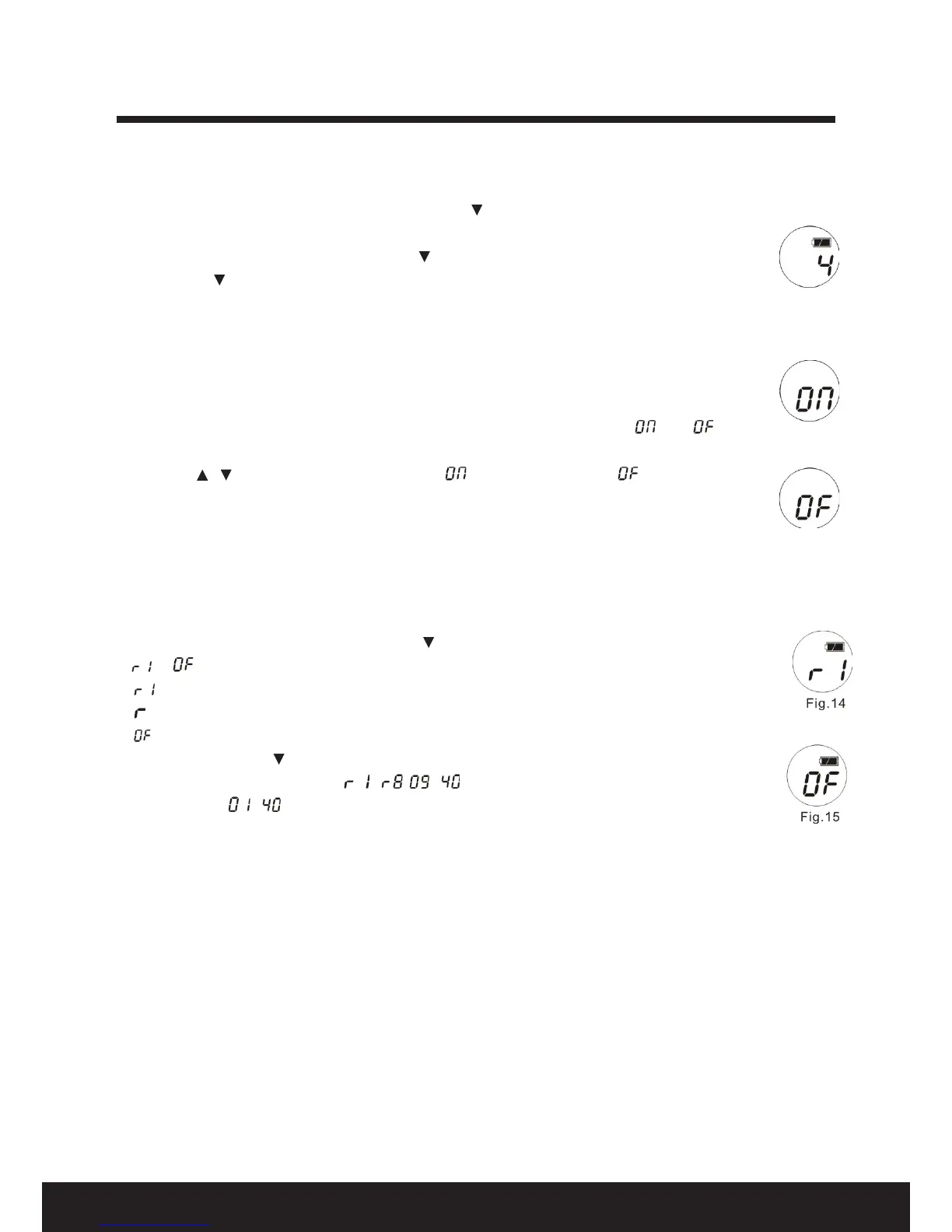
1. Press and hold the FUNCTION key, then press the / VOL key to alter the volume level from
“1” to “4” (Fig. 11 shows the volume level).
2. The volume level changes once when the / VOL key is pressed once.
3. Release the / VOL and FUNCTION key to return to normal mode.
Other functions
“Roger beep”
This is the short beep sound you hear at the end of each transmission. You can turn it on or o.
1. Turn o the unit.
2. Press the CALL and FUNCTION key for three seconds to turn on the unit: “ ” or “ ”
shows on the screen (Fig. 12 and Fig. 13).
3. Press the / key to select “Roger Beep” on ( ) or “Roger Beep” o ( ).
4. Press the FUNCTION key for three seconds to conrm the setting and return to normal mode.
Repeater function
Under this function, you can transmit the message to the message transmission station, the signal
will then be retransmitted to the other partner in the same channel and/or sub-code within the
communication range of the repeater station. It enables signal transmission over longer distances.
1. Press and hold the PTT key, then press the key within one second to select the repeater function.
2. or Indicates the current status of the repeater function (on or o, see Fig. 14 and Fig. 15).
Enables the repeater function, the current channel will reset to Channel 1.
Indicates the radio is in repeater mode.
Disables the repeater function.
3. Release the PTT and key to conrm and return to normal mode.
4. The channel number displays “ - , - ” on the screen with the repeater function on,
or it displays “ - ”. (There are eight repeater channels: channels 1 to 8.)
Screen backlight
The screen backlight will stay on for ve seconds if any key is pressed.


 To Next Page