6
After Sales Support TEL: 1300 886 649
A. Start operation
Power on / o
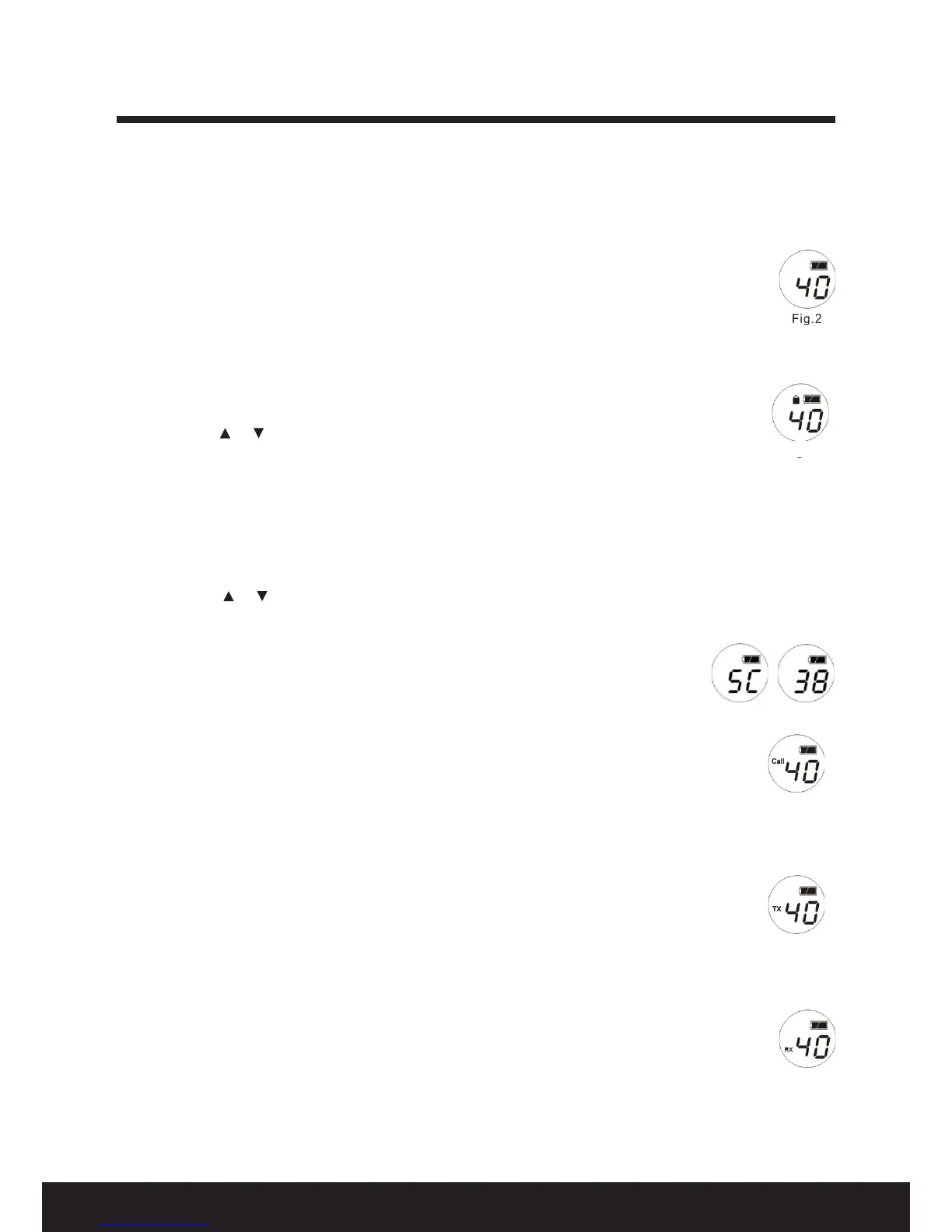
1. Press and hold the FUNCTION key for three seconds, a “tic” sound indicates the radio is ready (Fig. 2).
2. Repeat the same to turn o the radio.
Key lock / unlock
1. To lock the keys, press and hold the FUNCTION key, then press the PTT key. A lock will
appear on the screen display (Fig. 3).
2. To unlock the keys, repeat the same as above (Fig. 2).
NOTE: Under key lock mode, all keys will be locked except PTT and CALL.
B. 2-way radio operations
Selecting a channel
1. Press the / key to select the channel, e.g. Channel 40 (Fig. 2).
2. Set both units into the same channel for communication, e.g. both screens will show 40.
3. Australian regulations prohibit use of Channels 22 and 23 for speech telephony (data only).
Selecting a sub-code
1. Press the FUNCTION key twice within one second to enter the CTCSS sub-code setting (this will
reduce the incidence of other users sharing the two-way radio communications channel). The
screen will display as illustrated in Fig. 4. One second later, it will be blinking and show the current
sub-code (Fig. 5).
Quick start guide
2. Press the / key to select sub-code 00/01-38.
3. Press the FUNCTION key again one more time to conrm and return to the main screen.
4. If the sub-code is not conrmed after two seconds, the setting will be conrmed
automatically and return to the main screen.
5. Set both units into the same sub-code, e.g. both units will show 38 as the sub-
code.
Making a call
1. Press the CALL/MON key once to transmit to the other unit (Fig. 6).
(Brief audio signals indicate the start and end of a call tone transmission.)
2. Australia regulations prohibit use of Channels 5 and 35 for calling function
(emergency only).
NOTE: A call tone (of not more than three seconds) can be transmitted once only within a
minute in the same channel. To make a call tone immediately, switch to another channel.
Transmitting a message
Press and hold the PTT key to speak into the microphone, keeping it about 2.5–5cm from
the mouth (Fig. 7). The screen displays TX, indicating the unit is in transmission mode.
NOTE: Maximum continuous transmission, while holding the PTT key, is three minutes.
Receiving a call
At the end of the call, release the PTT key to receive the signal from the other device (Fig. 8).
“RX” will display on the screen, indicating the radio is in receiving mode. You can hear the call ring
tone or the voice from the other user.
Using earphones (not supplied)
Plug your earphone into the earphone socket, speak into the microphone and press the PTT
key of the earphone.


 To Next Page