EasyManua.ls Logo

Texas Instruments TI-99/4A - Restore

Texas Instruments TI-99/4A
204 pages
Print Icon
To Next Page IconTo Next Page
To Previous Page IconTo Previous Page
Loading...
RESTORE
RESTORE
#fjle-numberi
.REC
num
eric-expressionI
(For'
a
dC3Cription
of
the
RESTORE
statement
used
with
the
READ
and
DATA
statements.
see
"Input-Output
Statements.
")
The
RESTORE
statement
repositions
an
open
file
at
its beginning
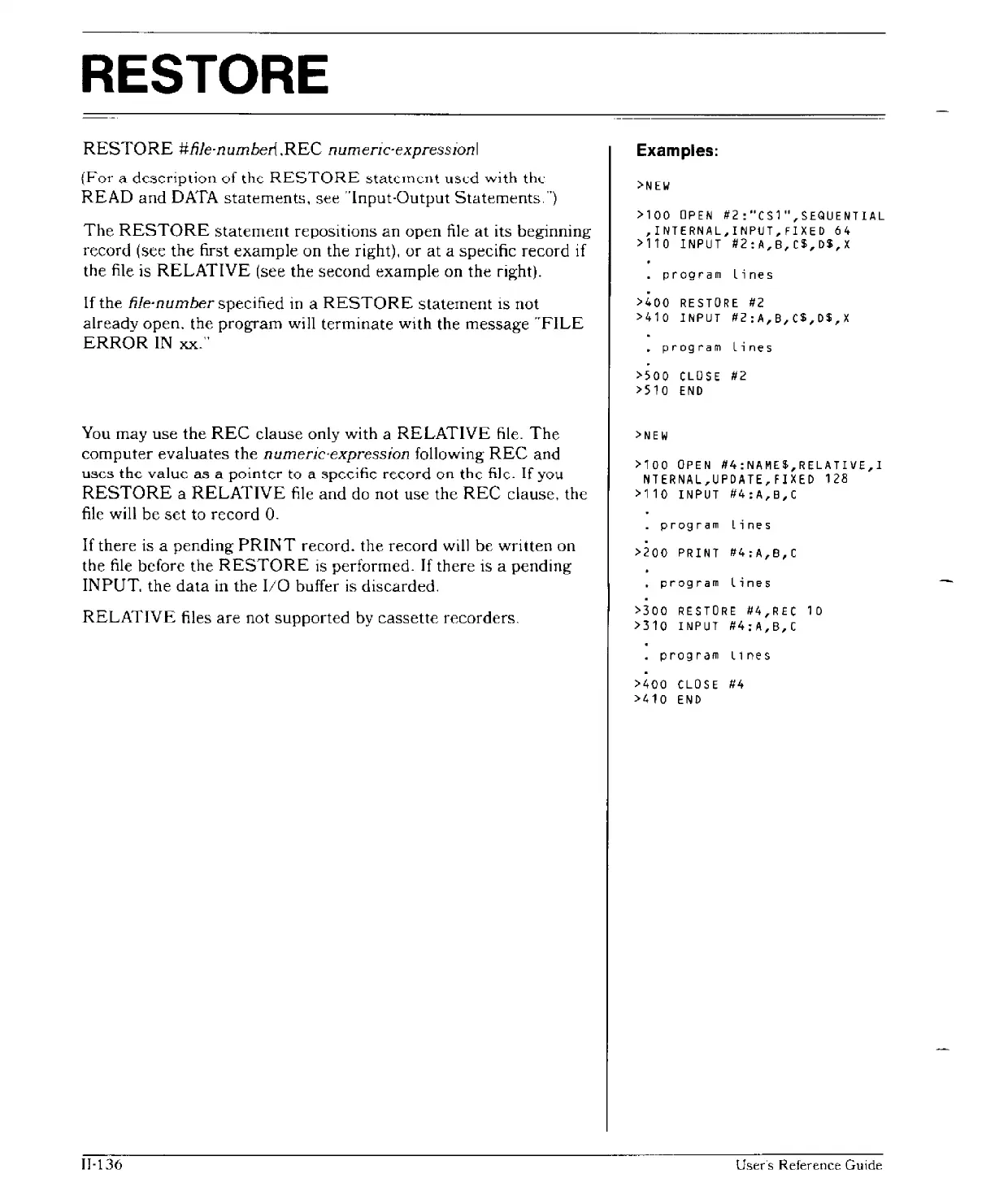
record (see the first
example
on the right).
or
at
a specific record if
the file is
RELATIVE
(see the
second
example
on the right).
If the
file-number specified
in
a
RESTORE
statement
is
not
already
open.
the
program
will
terminate
with the
message
"FILE
ERROR
IN
xx."
You may use
the
REC
clause only with a
RELATIVE
file.
The
computer
evaluates
the
numeric·expression
following
REC
and
uses
the
value
as
a
pointer
to
a
specific
record
on
thc
file.
If
you
RESTORE
a
RELATIVE
file
and
do not use the
REC
clause. the
file will be
set
to
record
O.
If
there is a
pending
PRINT
record. the
record
will
be
written
on
the
file
before the
RESTORE
is performed.
If
there is a
pending
INPUT.
the
data
in
the
I/O
buffer is discarded.
RELATIVE
files
are
not
supported
by
cassette
recorders.
II·136
Examples:
>NEW
>100
OPEN
#2:"CS1",SEQUENTIAL
,INTERNAL,INPUT,FIXED 64
>110
INPUT
#2:A,B,C$,D$,X
program
lines
·
>400
RESTORE
#2
>410
INPUT
#2:A,B,C$,D$,X
program
Lines
>500
CLOSE
#2
>510
END
>NEW
>100
OPEN
#4:NAME$,RELATIVE,I
NTERNAL,UPDATE,FIXED 128
>110
INPUT
#4:A,B,C
_
program
Lines
>200
PRINT
#4:A,B,C
program
Lines
>300
RESTORE
#4,REC 10
>310
INPUT
#4:A,B,C
program
llnes
>400
CLOSE
#4
>410
END
User·s
Reference
Guide

Other manuals for Texas Instruments TI-99/4A

Related product manuals