16 GRAPHICS CALCULATOR INSTRUCTIONS
SPECIFIC STORAGE TO MEMORY
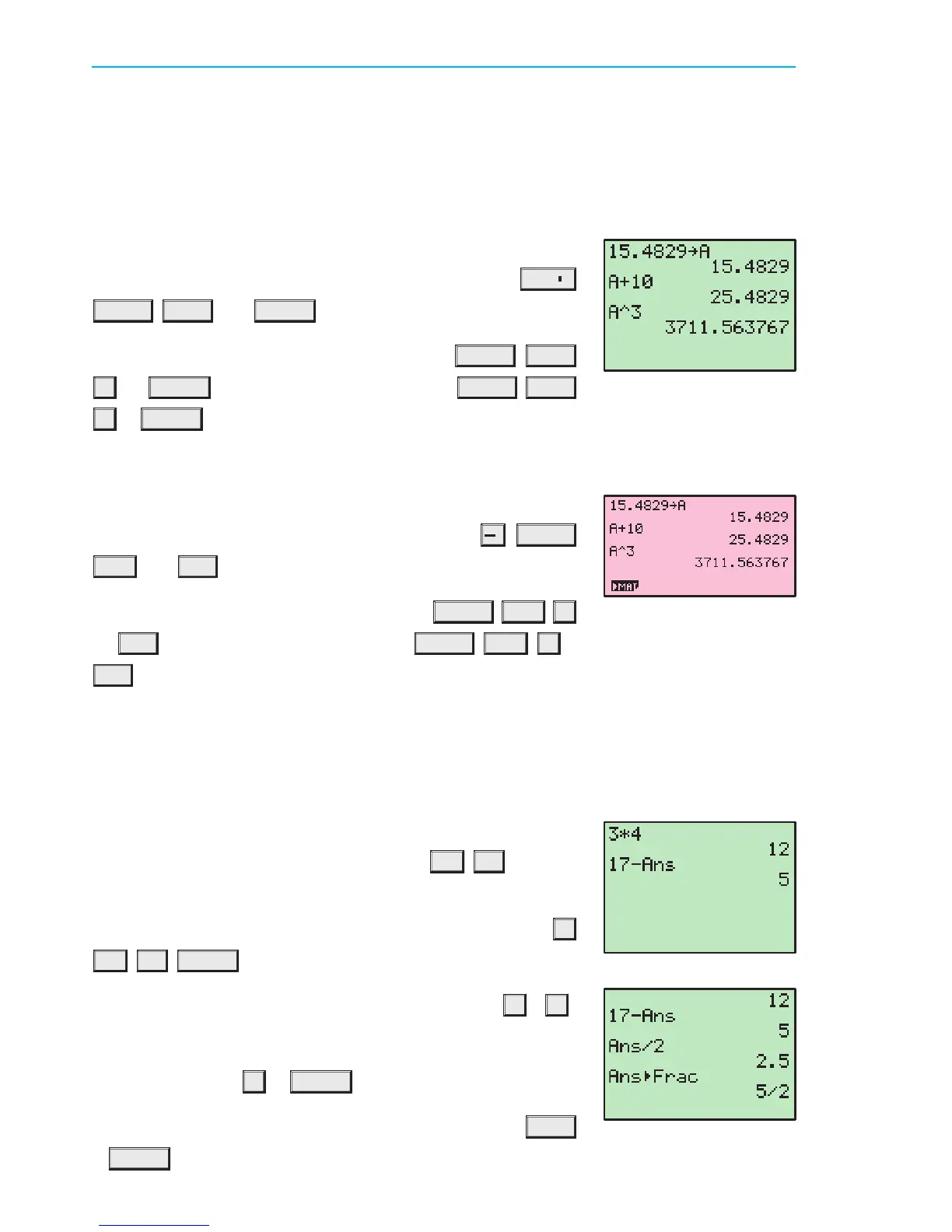
Values can be stored into the variable letters A, B, ..., Z using either calculator. Storing a
value in memory is useful if you need that value multiple times.
Texas Instruments TI-83
We can now add 10 to this value by pressing
ALPHA MATH
+
10 ENTER , or cube this value by pressing ALPHA MATH
^
3 ENTER .
Casio fx-9860g
Suppose we wish to store the number 15:4829 for use in a number
of calculations. Type in the number then press
I
ALPHA
X,µ,T (A) EXE .
We can now add 10 to this value by pressing
ALPHA X,µ,T
+
10 EXE , or cube this value by pressing ALPHA X,µ,T
^
3
EXE .
ANS VARIABLE
Texas Instruments TI-83
The variable Ans holds the most recent evaluated expression,
and can be used in calculations by pressing
2nd
(¡)
.
If you start an expression with an operator such as
+
,
¡
,
etc, the previous answer Ans is automatically inserted ahead of
the operator. For example, the previous answer can be halved
simply by pressing
¥
2 ENTER .
If you wish to view the answer in fractional form, press
MATH
1 ENTER .
Suppose we wish to store the number 15:4829 for use in a
number of calculations. Type in the number then press
STO
I
ALPHA MATH (A) ENTER .
For example, suppose you evaluate 3 £ 4, and then wish to
subtract this from 17. This can be done by pressing 17
¡
2nd
(¡)
ENTER .
IB10 plus 2nd ed
magentacyan yellow black
0
0
5
5
25
25
75
75
50
50
95
95
100
100
0
0
5
5
25
25
75
75
50
50
95
95
100
100
Y:\HAESE\IB_10_PLUS-2ed\IB_10P-2ed_00a\016IB_10P-2_00a.CDR Thursday, 24 January 2008 10:31:09 AM PETERDELL


 To Next Page