GRAPHICS CALCULATOR INSTRUCTIONS 17
Casio fx-9860g
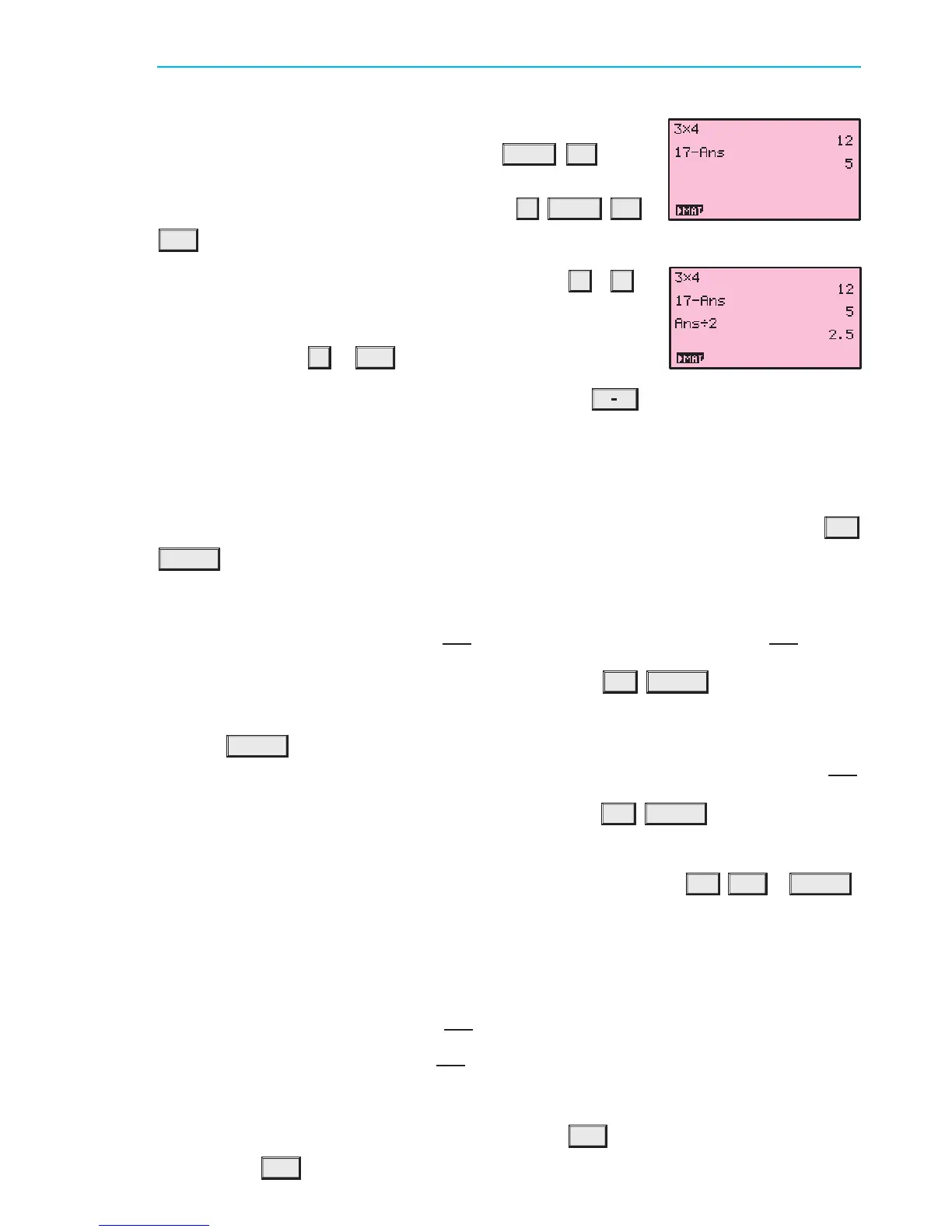
The variable Ans holds the most recent evaluated expression,
and can be used in calculations by pressing
SHIFT
(¡)
. For
example, suppose you evaluate 3 £ 4, and then wish to subtract
this from 17. This can be done by pressing 17
¡
SHIFT
(¡)
EXE .
If you start an expression with an operator such as
+
,
¡
,
etc, the previous answer Ans is automatically inserted ahead of
the operator. For example, the previous answer can be halved
simply by pressing
¥
2 EXE .
If you wish to view the answer in fractional form, press
F
J I
D .
RECALLING PREVIOUS EXPRESSIONS
Texas Instruments TI-83
The ENTRY function recalls previously evaluated expressions, and is used by pressing
2nd
ENTER .
This function is useful if you wish to repeat a calculation with a minor change, or if you have
made an error in typing.
Suppose you have evaluated 100 +
p
132. If you now want to evaluate 100 +
p
142, instead
of retyping the command, it can be recalled by pressing
2nd ENTER .
The change can then be made by moving the cursor over the 3 and changing it to a 4, then
pressing
ENTER .
If you have made an error in your original calculation, and intended to calculate 1500+
p
132,
again you can recall the previous command by pressing
2nd ENTER .
Move the cursor to the first 0.
You can insert the digit 5, rather than overwriting the 0, by pressing
2nd DEL 5 ENTER .
Casio fx-9860g
Pressing the left cursor key allows you to edit the most recently evaluated expression, and is
useful if you wish to repeat a calculation with a minor change, or if you have made an error
in typing.
Suppose you have evaluated 100 +
p
132.
If you now want to evaluate 100 +
p
142, instead of retyping the command, it can be recalled
by pressing the left cursor key.
Move the cursor between the 3 and the 2, then press
DEL 4 to remove the 3 and change it
to a 4. Press
EXE to re-evaluate the expression.
IB10 plus 2nd ed
magentacyan yellow black
0
0
5
5
25
25
75
75
50
50
95
95
100
100
0
0
5
5
25
25
75
75
50
50
95
95
100
100
Y:\HAESE\IB_10_PLUS-2ed\IB_10P-2ed_00a\017IB_10P-2_00a.CDR Thursday, 24 January 2008 10:31:33 AM PETERDELL


 To Next Page