Need help?
Do you have a question about the The GigRig G3 and is the answer not in the manual?
Overview of connections on the rear panel of the G3 unit.
Identification of controls and features on the top panel of the G3 unit.
Step-by-step instructions for connecting effects and amplifiers to the G3.
Guide to basic preset programming and saving configurations on the G3.
Explanation of how to use presets in Stompbox Mode for flexible sound creation.
Instructions on accessing and navigating the advanced Deep Edit Menu on the G3.
Details on all physical connection points on the G3, including instrument, tuner, MIDI, and power.
Information on using effects loops and connecting remote switches.
How to connect and utilize expression pedals.
Diagrams and explanations for connecting mono and stereo effects pedals to the G3.
Guide to connecting the G3 to an amplifier's effects loop for advanced routing.
Step-by-step guide to creating, saving, and managing presets on the G3.
How to add functions or loops on top of a preset in Stompbox Mode.
Methods for navigating through the G3's 99 banks using different controls.
Overview of the advanced editing capabilities of the G3.
How to access and move through the Deep Edit menu system on the G3.
Settings for naming banks, limiting bank count, and using external bank switches.
Managing Bluetooth connectivity and updating the G3 firmware via the app.
Configuring stereo loop pairs and global phase settings for output.
Adjusting backlight brightness and visibility of the status bar.
Explanation of icons displayed on the G3 preset screen.
Procedures for resetting banks or the entire unit to factory defaults.
How to check the current software version and serial number.
Step-by-step guide to updating G3 firmware using the iOS app.
Details on the G3's physical dimensions, weight, and power requirements.
Technical data on input impedance, output types, and signal bandwidth.
Information on gain, bandwidth, and impedance of amplifier and buffer circuits.
Details on the 2-year warranty, coverage, and exclusions.
Guidelines for product disposal and copyright/trademark notices.
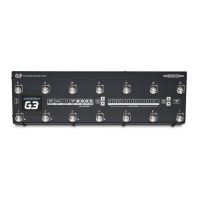
The GigRig G3 is an advanced pedalboard switching system designed to provide robust, fully featured, and tonally transparent control over guitar effects. It is available in two models: the G3 and G3 Atom. The system is engineered to offer extensive flexibility in creating and managing guitar sounds, catering to both traditional preset-based setups and on-the-fly sound building.
The G3's core function is to manage and switch between multiple effects loops and control functions, allowing users to create complex signal chains and recall them instantly. It features 12 mono effects loops that can be configured in various ways, including pairing them for stereo effects, integrating with an amplifier's effects loop (four-cable method), and reordering the signal path. The system supports parallel signal paths, wet/dry setups, and programmable stereo output voltage-controlled amplifiers, along with stereo trails for seamless effect transitions.
MIDI capability is a significant feature, allowing the G3 to send up to 15 individual MIDI messages per preset, including Program Change (PC), Control Change (CC), and Expression Pedal (EXP) MIDI messages. It also includes a MIDI Clock for syncing time-based effects and a dedicated MIDI Tap Tempo feature, which can be assigned to footswitches or remote switches.
The G3 provides two expression pedal inputs (TRS connectors) that can send MIDI CC information and control the system's PRE GAIN and POST GAIN levels, effectively functioning as volume controls for different stages of the signal chain.
Remote switching is another key function, with four remote switches configured into two TRS sockets. These are programmable and can be used for various controls such as changing amplifier channels, tap tempo, or controlling external devices like a Remote Loopy. A dedicated Bank Remote Switch input allows for remote bank navigation using a momentary switch.
The G3 is designed for intuitive use, with most programming done via its top panel. Presets are central to its operation, encompassing MIDI control, Stompbox Mode configurations, and effect loop selections. The system automatically saves changes after each step, eliminating the need for a separate "store" button.
Preset Programming: Users select a preset footswitch, then activate the desired effects loops and control functions. The G3 offers 14 standard presets and 14 hidden presets within each of its 99 banks, providing extensive storage for diverse sounds.
Stompbox Mode: This mode allows users to add any loop or combination of loops and control functions on top of an existing standard preset. This enables on-the-fly sound creation without being restricted to traditional presets. Stompbox Mode presets can be configured as:
Deep Edit Menu: Accessible via a dedicated button, this menu provides advanced editing options for each preset. It allows users to:
Global Setup: This utility menu contains global parameters that apply to all presets. Settings here include:
Connections: All connections are located on the back panel:
The G3 includes features for system maintenance and data management:
Software Updates: The G3 iOS app facilitates software updates, ensuring the device runs on the latest firmware. Updates are downloaded via the app and transferred to the G3 via Bluetooth.
Backup and Restore: The G3 iOS app allows users to back up their G3 settings to their iOS device and restore them when needed. This is crucial for preserving custom configurations.
Factory Reset: This function wipes all settings and restores the G3 to its original factory state. Users are advised to back up their settings before performing a factory reset, as there is no other way to recover old configurations.
Bank Reset: Allows users to restore an entire bank of presets to factory settings without affecting other banks.
Version Information: The G3 displays its software version number and serial number, making it easy to verify the installed software version.
Bluetooth Connectivity: The G3 connects to iOS devices via Bluetooth for app functionality. The Bluetooth connection automatically turns off after 2 minutes of inactivity to prevent unwanted connectivity.
The GigRig G3 is designed to be a comprehensive and flexible solution for guitarists seeking advanced control over their pedalboards, offering a blend of intuitive operation and deep customization capabilities.
 General
| Type | Switching System |
|---|---|
| Power Supply | 9V DC |
| MIDI | Yes |
| Input Voltage | 9V DC |
| Current Draw | 100 mA |
| Switching Type | True Bypass |
| Power Output | 9V DC |
| Outputs | Stereo |

 To Next Page