— E27 —
Operation
Using the LINE IN Jack (Continued)
6
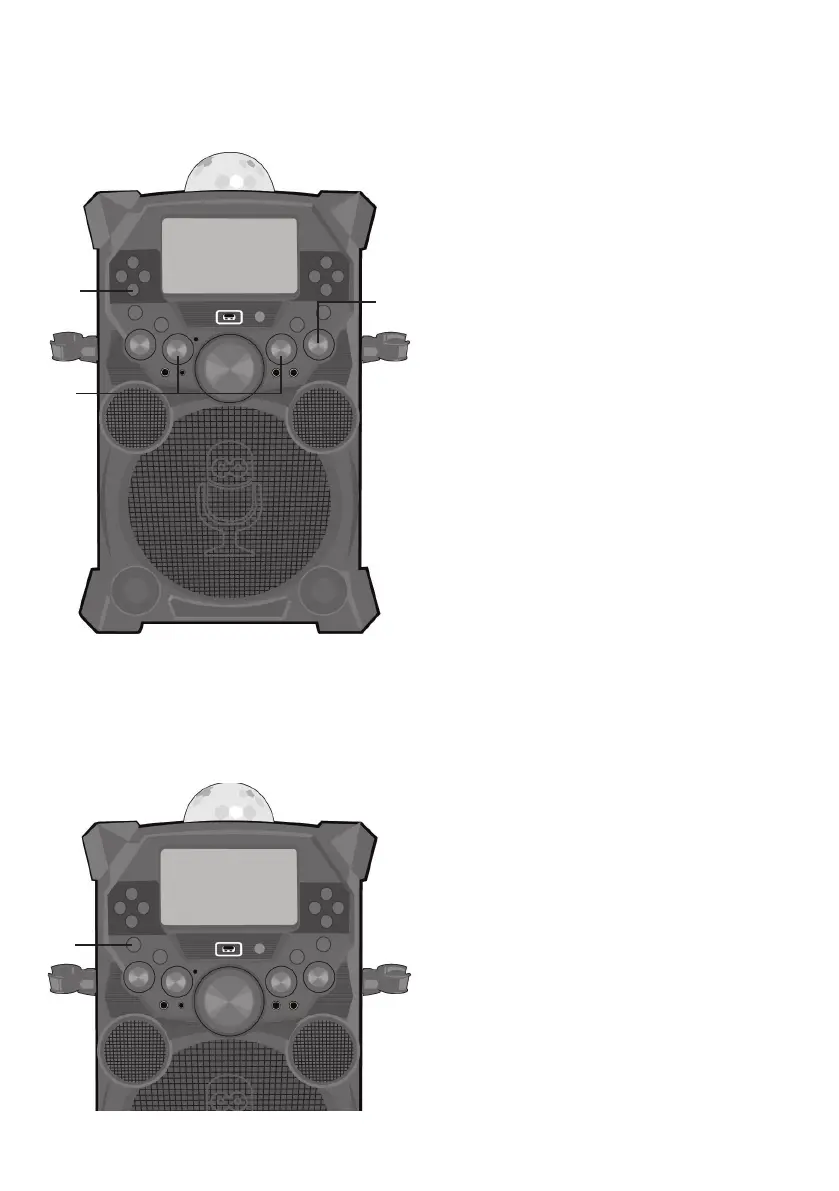
Adjust the MIC VOLUME 1 or 2
control as desired. Increasing this will
increase the volume of the respective
microphone.
7
Rotate the ECHO control to add an
echo effect to your voice. Rotate
towards MAX to increase the echo
effect.
8
RECORDING YOUR SINGING:
To record your singing as well as the
music, press the RECORD button;
recording will begin and the record icon
at the bottom right of the monitor will
blink red and blue.
When done recording, press the
RECORD button again; the Record icon
will stop blinking.
Notes:
• The recorded audio file will record onto
the USB drive.
• The recorded audio file will be named
with the “LINEIN” prefix.
• See page E24 to play back your recorded
files.
9
Press the ON/OFF button to turn the
unit off.
X










 To Next Page