
 Need help?
Do you have a question about the The Singing Machine iSM1020BT and is the answer not in the manual?
Essential safety guidelines, symbols, and cautions for safe operation.
Key safety instructions and recommendations for proper use and maintenance.
Instructions for securing the stand's feet using black screws.
How to insert and rotate the pedestal into the stand securely.
Fastening the speaker/pedestal to the stand with silver screws.
Guide to inserting and rotating the base into the pedestal assembly.
Instructions for attaching the monitor using silver screws.
Explains buttons for controlling playback, navigation, and basic functions.
Details controls for menu access, recording, power, volume, effects, and modes.
Describes the screen, indicators, and connection ports for peripherals.
Details audio and video input/output jacks for external connections.
Explains power input, antenna connection, and speaker output connections.
Instructions for linking audio and video outputs to external equipment.
Details on how to connect the unit to a power source.
Important guidelines for connecting the power cord safely and correctly.
Instructions for turning the unit off and indicator status.
Steps for searching, selecting, and pairing a device via Bluetooth.
Instructions for turning the unit off after Bluetooth connection.
Instructions for turning the unit off after using the AUX input.
Instructions for turning the unit off after listening to the radio.
Pressing RECORD, viewing REC status, and singing into the mic.
How to stop the recording and save the content to USB.
Turning the unit off after completing the recording session.
Steps to resolve issues with pairing or connecting Bluetooth devices.
 General
| Brand | The Singing Machine |
|---|---|
| Model | iSM1020BT |
| Category | Karaoke System |
| Language | English |
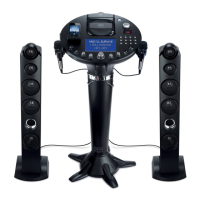
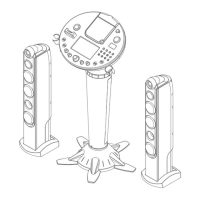


 To Next Page