
 Need help?
Do you have a question about the The Singing Machine iSM1028XA and is the answer not in the manual?
Crucial safety precautions for electrical shock, voltage, laser, and environmental hazards.
Key operational and maintenance safety instructions listed numerically for user guidance.
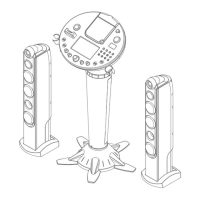
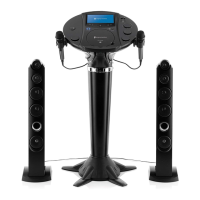
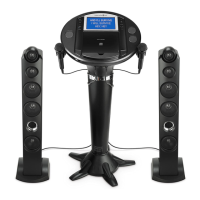
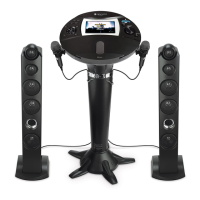
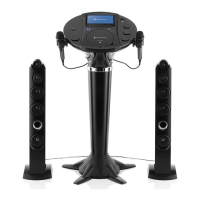
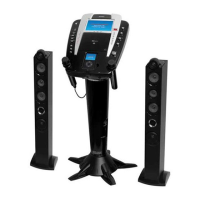
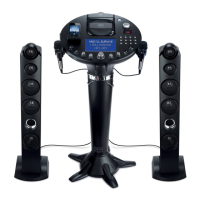
Lists main components included with the Singing Machine iSM1028XA.
Step-by-step instructions for connecting the pedestal to the unit's base stand.
Guide for installing the power cord management clips onto the stand.
Instructions for attaching the main unit base and tower speakers to the stand.
Detailed labeling and description of all controls on the main unit's top and front.
Detailed labeling and description of all input/output ports on the unit's rear.
How to connect the iSM1028XA to external TVs or stereos using audio/video cables.
Steps for safely connecting the unit to a standard AC power outlet.
Guide for plugging in microphones and optional headphones.
Instructions for connecting the left and right speaker units.
How to connect iPhones and iPods to the unit's dock connector.
List of compatible Apple device models for the iSM1028XA.
Initial steps for playing music or karaoke discs, including power-on and disc insertion.
Explanation of the CD+G format for displaying lyrics on screen.
Using Play/Pause, Volume, Bass Boost, and microphone controls during CD playback.
Guide to modifying vocal key, activating Auto Voice Control, and adjusting audio balance.
How to skip tracks forward/backward and search within a song.
Instructions for setting up single-track or full-disc repeat and programming track order.
How to play tracks in a random order or pause playback temporarily.
Adjusting screen aspect ratio, brightness, and color for optimal viewing.
Procedures for stopping music playback and turning off the unit.
Initial setup for connecting iPhones and iPods for playback.
Switching the unit's input mode to support Apple devices.
Using the Monitor switch to control screen output for videos.
Mapping unit controls (Navigation, Select, Stop) to Apple device functions.
Choosing audio or video files on an Apple device for playback through the unit.
Adjusting the master volume and bass boost levels for Apple device audio.
Connecting and adjusting volume levels for microphones when using Apple devices.
Using the Echo control to add vocal effects to the microphone.
Using unit controls to skip tracks or search within songs on connected Apple devices.
How to temporarily pause audio or video playback from an Apple device.
Setting the screen's aspect ratio (4:3 or 16:9) for Apple device content.
Fine-tuning screen brightness and color saturation for Apple device content.
Guide to connecting external audio/video devices to the unit's input jacks.
Switching the unit's function to the Auxiliary input mode for external devices.
Using the Monitor switch to enable or disable video display from external sources.
How external devices output audio and video through the Singing Machine.
Connecting and configuring microphones for use with external audio/video inputs.
Adjusting the volume levels for connected microphones when using external inputs.
Fine-tuning vocal effects and audio balance for external sources.
Setting the screen's aspect ratio (4:3 or 16:9) for external video sources.
Adjusting screen brightness and color saturation for external input sources.
Initial steps for activating and using the built-in FM radio function.
Switching the unit's function to the FM Radio tuner mode.
Disabling the main display while listening to the FM radio.
Using the Tuning control to select desired radio frequencies.
Extending the FM antenna for the best possible radio signal.
Adjusting the left-right audio balance for FM radio playback.
Proper techniques for handling, cleaning, and storing CDs to prevent damage.
Information on compatible disc types and best practices for CD storage.
Instructions for safely cleaning the exterior of the Singing Machine unit.
Solutions for problems related to no power or lack of general audio output.
Resolving problems with audio not playing or lyrics not appearing on TV.
Steps to fix common issues with the CD player not functioning correctly.
Addressing problems with microphones not producing sound or having low volume.
Technical details for audio output, CD playback capabilities, and frequency response.
Technical details for FM radio frequency range and input/output jack types.
Overall unit dimensions, weight, power requirements, and monitor details.
 General
| Brand | The Singing Machine |
|---|---|
| Model | iSM1028XA |
| Category | Karaoke System |
| Language | English |

 To Next Page