
 Need help?
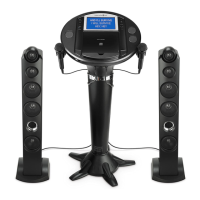
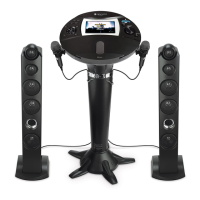
Do you have a question about the The Singing Machine iSM1090 and is the answer not in the manual?
Covers electrical shock, voltage, dripping, ventilation, and plug safety warnings.
Includes FCC and Industry Canada compliance statements for radio frequency energy.
Detailed instructions for safe operation, handling, and maintenance of the unit.
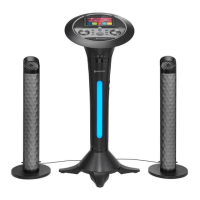
Connect microphones to designated jacks and tower speakers to the unit.
Insert DC plug into DC IN Jack and AC adapter into a power outlet.
Use LINE OUT jack with AUX cord for connection to other audio systems.
Use HDMI cable to connect the unit to a TV for video and lyrics display.
Information on TFT touch screen activation and selecting different light modes.
Details on the Auto Power System (APS) for screen saver and auto-off functions.
Connect to a Wi-Fi network using the touch screen or control panel and enter password.
Adjust display, security, language, date/time, and system backup/reset options.
Sign up and log in to access the Karaoke Store, browse, and select songs for playback.
Control music volume and microphone volume/echo using dedicated controls.
Use RETURN and HOME buttons for screen navigation and menu access.
Press the RECORD button to start and stop recording vocals with music. Requires USB drive.
Access and launch built-in applications (Apps) via the touch screen or control panel.
Pair your Bluetooth device by turning on Bluetooth and selecting 'Singing Machine' from results.
Use playback controls and volume adjustments for Bluetooth audio playback.
Adjust music volume and microphone volume/echo for Bluetooth audio.
Connect external audio devices via 3.5mm AUX cable to the LINE IN jack for playback.
Adjust music volume and microphone volume/echo for LINE IN audio.
Record singing with music via LINE IN. Requires USB drive for storage.
Insert USB drive, select RECORDINGS, choose a file, and press PLAY/ENTER to playback.
Use playback controls, volume, and echo adjustments for recorded audio files.
Press and hold a file on the touch screen to access the menu for deletion.
Adjust music volume and microphone volume/echo during playback of recorded files.
Check power, sound, microphone connections, and restart product for interference.
Troubleshoot USB file format, corruption, unsupported devices, and Bluetooth pairing problems.
Ensure correct password, signal strength, router settings, and try mobile hotspot for Wi-Fi connection.
 General
| Brand | The Singing Machine |
|---|---|
| Model | iSM1090 |
| Category | Karaoke System |
| Language | English |

 To Next Page