— E15 —
Operation
Applications
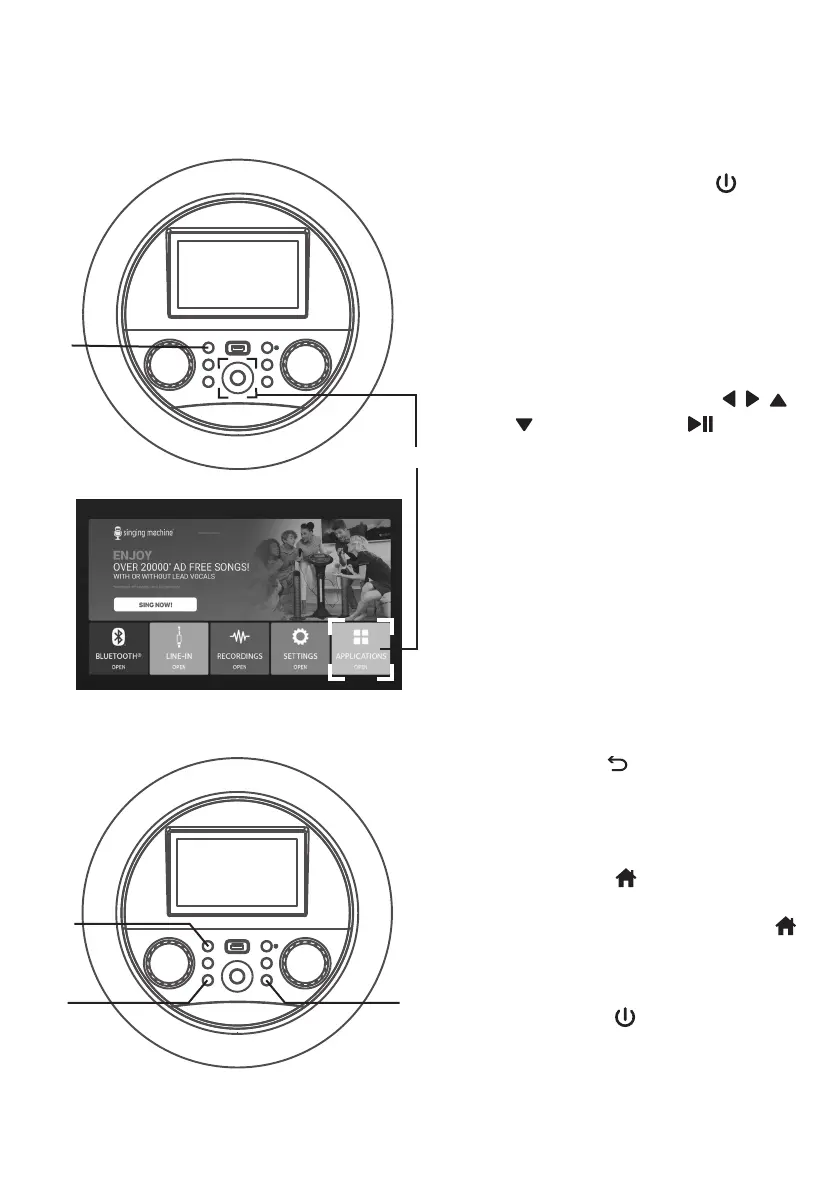
1
Connect the unit as described
previously. Press the (ON/
STANDBY) button to turn the unit
on. The function indicator will light
up.
2
Select APPLICATIONS icon using
the touch screen or / / /
navigation and (PLAY/
PAUSE/ENTER) buttons on the
control panel. All the built-in Apps
will be shown.
3
Press the (RETURN) button
on the panel to go back to the
previous screen.
4
Press the (HOME) button
on the panel to go to the home
screen. Press and hold the
(HOME) button to go to menu.
5
Press the (ON/STANDBY)
button to turn off the unit. The
function indicator will turn off.
u
v
x w
y




 To Next Page