
 Need help?
Do you have a question about the The Singing Machine iSM990BT and is the answer not in the manual?
Essential safety guidelines for operating the unit, including warnings and precautions.
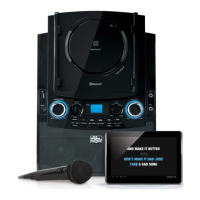
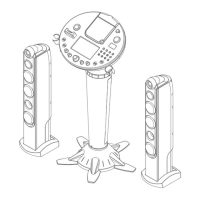
Detailed identification and description of all controls on the front of the iSM990BT unit.
Identification of rear panel connections and explanation of the unit's display elements.
Steps to connect the Singing Machine to external TVs or stereos using RCA cables for audio and video output.
Instructions on how to connect one or two microphones to the unit's designated microphone jacks.
Step-by-step guide for securely docking an iPad into the unit's rotary dock.
Instructions for docking an iPhone or iPod using the provided bracket.
Guidance on how to rotate the rotary dock for optimal viewing angles.
How to play music from CDs, CD+G discs, or USB flash drives, including initial setup.
Details on adjusting master volume, microphone volume, echo effects, and key for vocal performance.
Explains Auto Voice Control (AVC), Balance, Skip, and Search functions for enhanced playback.
Covers skipping multiple tracks, repeat modes (track, folder, all), and programming playback sequences.
Instructions for pausing playback, stopping the unit, and powering the unit off.
Step-by-step guide to connect and pair your Bluetooth-enabled device with the Singing Machine.
How to play audio wirelessly via Bluetooth and adjust associated volume and microphone settings.
Covers balance, skipping tracks, pausing playback, and automatic reconnection of Bluetooth devices.
Instructions for connecting external devices like MP3 players or phones via the LINE IN jack for playback.
Details on adjusting echo, balance, and powering off the unit after using the LINE IN function.
Guide on how to purchase, download, and transfer MP3+G karaoke files from the Singing Machine store to a USB drive.
Instructions for handling, cleaning, and storing compact discs to ensure optimal performance.
Guidelines for safely cleaning the exterior of the Singing Machine unit with a dust cloth.
Solutions for frequent problems such as power, sound, CD, microphone, and Bluetooth connectivity issues.
Lists detailed technical specifications for audio, CD player, Bluetooth, power, dimensions, and USB support.
 General
| Product Type | Karaoke System |
|---|---|
| Model | iSM990BT |
| Bluetooth | Yes |
| Microphone Included | Yes |
| Display | LCD |
| USB Port | Yes |
| CD Player | Yes |
| Microphone Inputs | 2 |
| Built-in Speakers | Yes |
| SD Card Slot | No |
| Power Source | AC Adapter |
| Battery Operated | No |
| Compatible Media | CD+G |
| Audio Output | Auxiliary |

 To Next Page