— E21 —
Operation
Using the LINE IN Jack (Continued)
RECORD YOUR VOCAL PERFORMANCE:
9
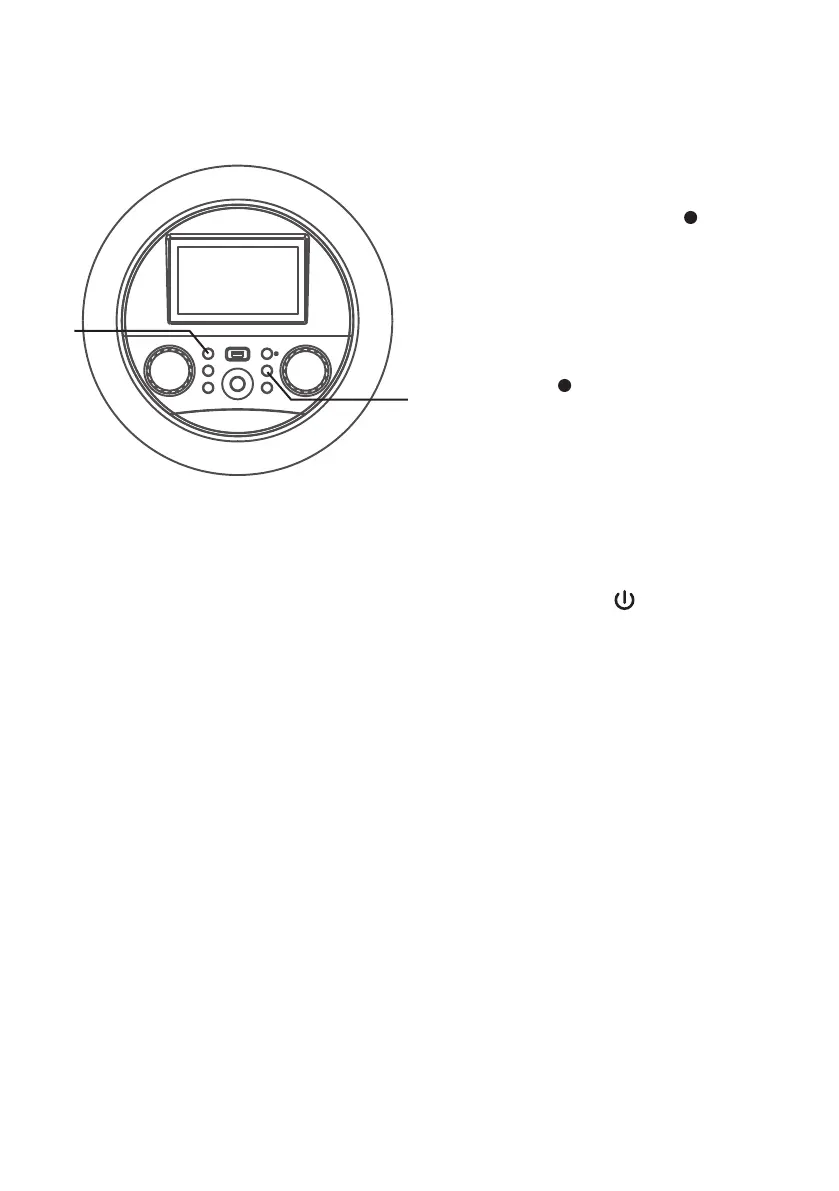
To record your singing as well as
the music, press the (RECORD)
button. Recording will begin
and the recording indicator will
begin flashing red on-screen and
the function indicator will begin
flashing red.
When done recording, press
the (RECORD) button again;
the function indicator will stop
flashing.
Notes:
• You cannot start recording until the USB
drive is inserted.
• Insert the USB flash drive into the USB
slot on the unit.
10
Press the (ON/STANDBY)
button to turn off the unit. The
function indicator will turn off.
at
X




 To Next Page