— 21 —
Operation
Using a Bluetooth Device (Continued)
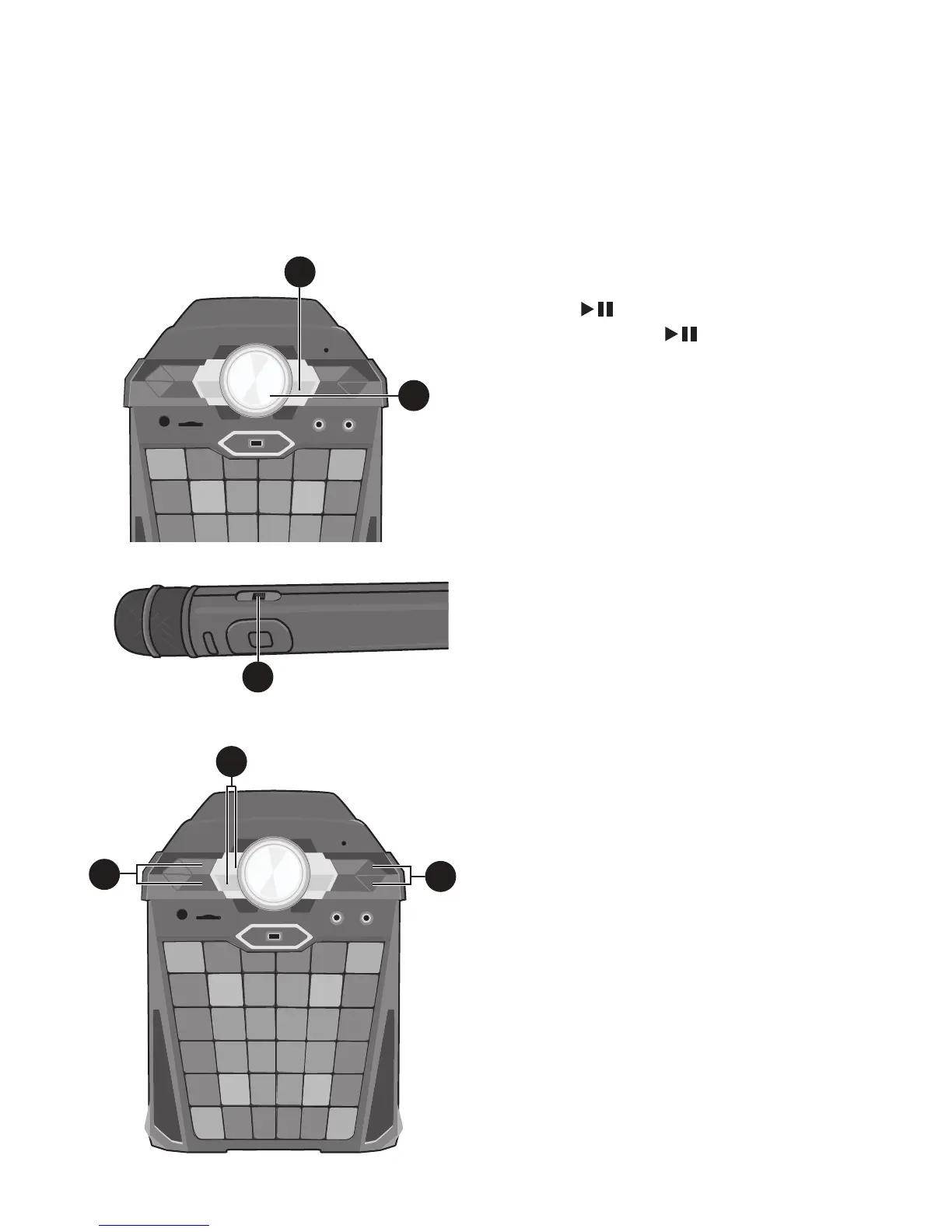
5
You can control your Bluetooth device
to start the music playback OR press the
ENTER button to start playback.
Press the ENTER button during
playback to pause the song.
6
Adjust the volume to a comfortable level
using the MASTER VOLUME control on
this unit as well as the Volume on your
Bluetooth device.
Note: If connected to a TV, you can
adjust the TV’s volume as well.
7
Connect the microphone(s) as shown on
page 6. Slide the Mic’s ON/OFF switch
to the ON position.
8
Adjust the MIC VOLUME control as
desired. Increasing this control will
increase the volume of the connected
microphone(s).
9
Press the ECHO +/- buttons to add an
echo effect to your voice. The higher the
number, the more echo effect.
10
SKIP: Advance or go back one track by
pressing the Navigation Right or
Left button.
Note: Pairing remains intact when the unit
and/or your Bluetooth device is taken out of
communication range. An active connection
will be re-established when your Bluetooth
device returns within range. When the unit
is turned on again, it will automatically try
to reconnect with the most recently paired
Bluetooth device.
5
6
Note: You can view the lyrics on your mobile device/tablet and get more songs by
downloading the “The Singing Machine Mobile Karaoke App”; see the Welcome Kit for full
instructions and to get your ten free downloads.
7
9
10
8











 To Next Page