— E14 —
Operation
Voice Effects
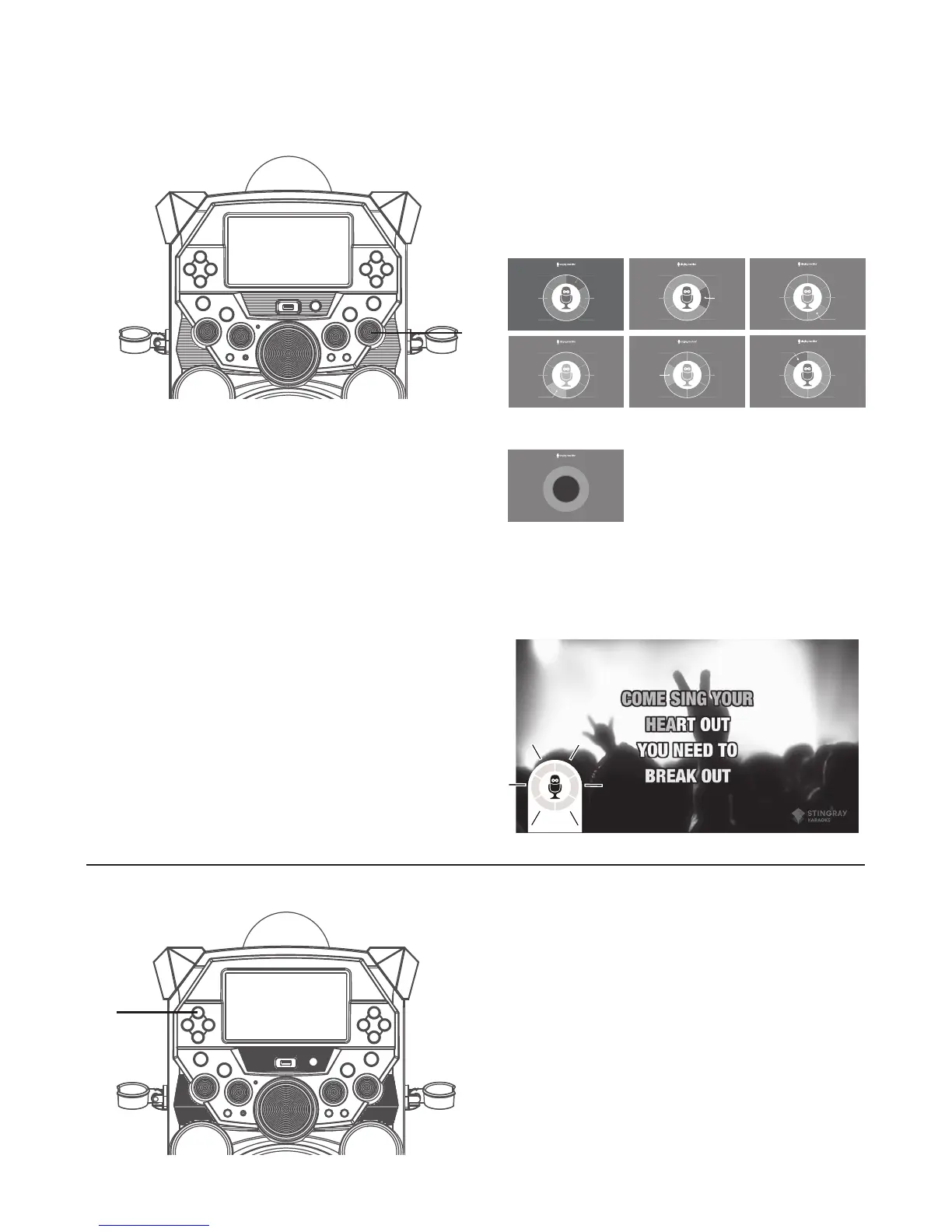
Rotate the VOICE EFFECTS control u to
select ECHO, FEMALE, MALE, CHIPMUNK,
ROBOT or RADIO to transform a singer’s
voice. TFT screen will show:
When no voice effect is selected.
OFF
Note: Voice Effects selections will appear
on bottom left corner of screen if VOICE
EFFECTS knob is turned while video is
playing.
u
Female
Voice
Male
Voice
Radio
Robot
Chipmunk
Echo
Echo
Female
Voice
Male
Voice
Radio
Robot
Chipmunk
Echo
Male
Voice
Radio
Robot
Chipmunk
Female
Voice
Echo
Female
Voice
Male
Voice
Radio
Robot
Chipmunk
Echo
Female
Voice
Male
Voice
Radio
Robot
Chipmunk
Echo
Female
Voice
Male
Voice
Radio
Robot
Chipmunk
OFF
Turning the TFT Monitor Off
1
To turn the built-in TFT monitor Off;
press and hold the FUNCTION button
until the built in TFT monitor turns
off. Repeat the same step to turn the
built-in TFT monitor ON.
u










 To Next Page