EasyManua.ls Logo

The Singing Machine SMG-901 - User Manual

The Singing Machine SMG-901
16 pages
Print Icon
To Next Page IconTo Next Page
Loading...
SMG-901
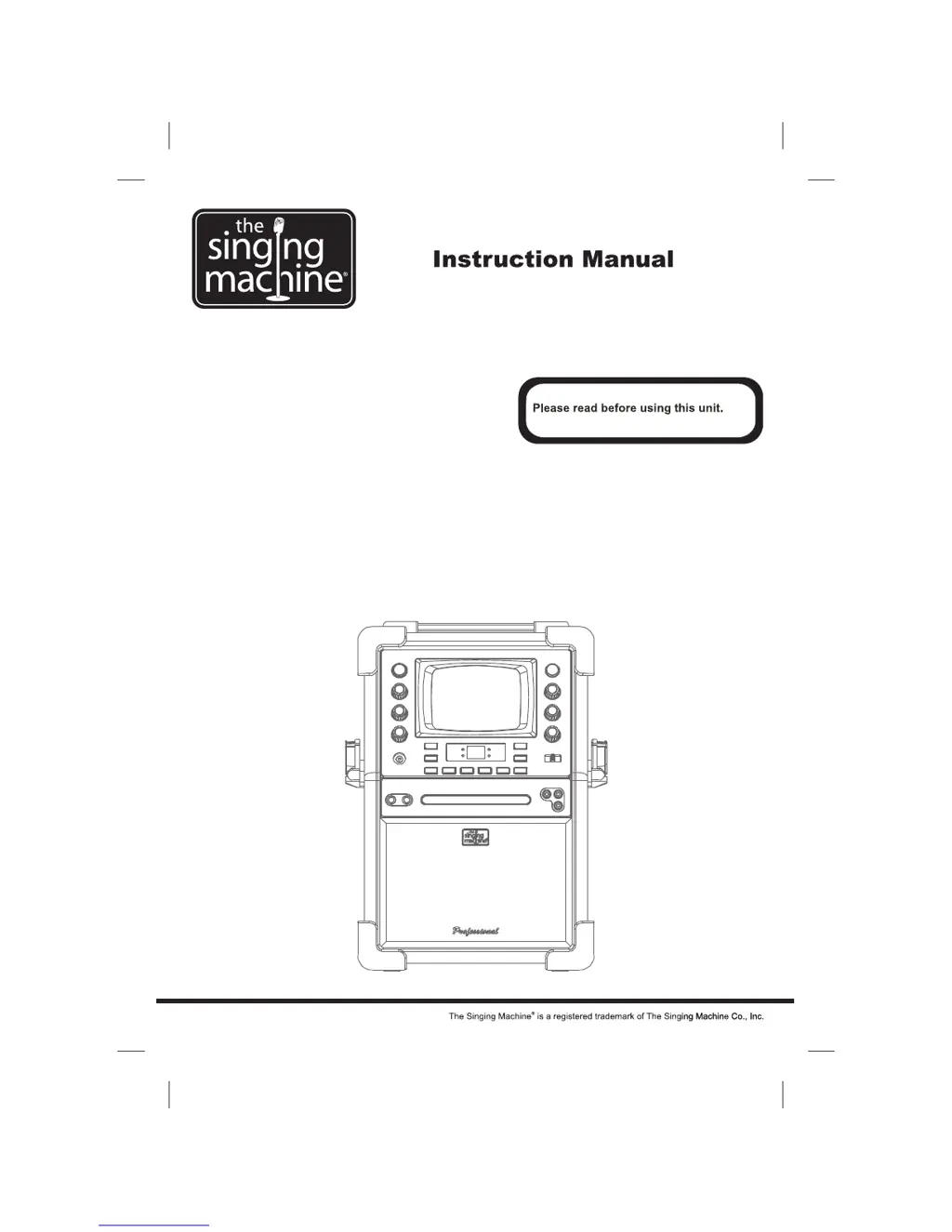
Professional Karaoke System

Questions and Answers

  • Z
    zarmstrongAug 14, 2025
    What to do if The Singing Machine Karaoke System has no sound?
    • N
      Nancy CooperAug 15, 2025
      If your Singing Machine Karaoke System has no sound, there are several things to check: * Ensure the volume control is not set to the minimum; turn it up. * If connected to a TV or PA system, make sure their volume is also turned up and the power is on. * Verify that the AUX OUT jacks are properly connected, referring to the ‘Audio Connection’ page for guidance.
  • G
    Gregory LopezAug 18, 2025
    Why does The Singing Machine SMG-901 Karaoke System have no power when plugged in?
    • K
      Kathleen TaylorAug 18, 2025
      If your Singing Machine Karaoke System does not power on when plugged in, the issue might be: * The AC outlet may not be working. Test the outlet with another device. * The AC plug might not be securely connected to the back of the unit. Ensure it is properly plugged in.
  • D
    Donald VelezAug 21, 2025
    How to fix The Singing Machine SMG-901 when CD player does not work?
    • J
      Jennifer ThompsonAug 21, 2025
      If the CD player on your Singing Machine Karaoke System isn't working correctly or the LED displays an error message, consider the following: * Make sure the disc is inserted correctly, label-side up. * Check if the disc is dirty; if so, wipe it with a soft cloth. * The disc may be scratched or warped, try using a new disc. * Ensure you are using a standard disc with the appropriate logo. * The lens may be dirty, use a CD lens cleaner. * If moisture has formed inside the CD deck, wait 20-30 minutes for it to dry out. * Try resetting the Singing Machine by disconnecting it from the power source for 30 seconds.
  • F
    frank92Aug 25, 2025
    What to do if The Singing Machine Karaoke System has no song lyrics on TV?
    • L
      Linda EvansAug 25, 2025
      If song lyrics aren't appearing on your TV screen while using The Singing Machine Karaoke System: * Check the video cable connection from the Singing Machine’s VIDEO OUT to the TV VIDEO IN. * Ensure your TV's source selector is set to VIDEO input using your TV remote. * If your TV lacks a video line input, connect the system's VIDEO OUT to the VIDEO IN on your VCR, or use an RF Modulator connected to the TV cable input. * Confirm that the disc is a CDG and clean.
  • K
    kylevelezAug 28, 2025
    How to fix no sound from mic on The Singing Machine SMG-901?
    • J
      Jacqueline BowmanAug 28, 2025
      If there is no sound coming from the microphone on your Singing Machine Karaoke System: * Adjust the mic volume control to maximum, then readjust to a comfortable level. * Ensure the microphone is turned on using the ON/OFF switch located on the microphone itself.
  • O
    Omar HarveyAug 31, 2025
    What to do if The Singing Machine SMG-901 Karaoke System has no power when ON/OFF button is on?
    • S
      Stephanie ArnoldAug 31, 2025
      If your Singing Machine Karaoke System has no power even when the ON/OFF button is activated, make sure the power plug is properly inserted into the AC outlet.
  • T
    Thomas AdamsSep 3, 2025
    What to do if The Singing Machine SMG-901 Karaoke System audio cuts out while singing?
    • T
      Tony ThompsonSep 4, 2025
      If the music or vocals cut out while playing a CDG and singing with the microphone on your Singing Machine Karaoke System: * Adjust the AVC (Automatic Voice Control) to the minimum setting. * Ensure you are playing a track that includes both music and vocals, not just a music-only track.
  • N
    nathan42Sep 7, 2025
    What to do if The Singing Machine SMG-901 has no sound through TV, VCR, or stereo?
    • N
      Nicole HooperSep 7, 2025
      If you're not getting any sound from your Singing Machine Karaoke System when routing audio through a TV, VCR, or home stereo: * Check that the source selection on your TV, VCR, or home stereo is correctly set to AUX IN. * Ensure proper connection to the stereo system or PA, referring to the ‘Audio Connection’ page for guidance.
  • J
    Jacob MarquezSep 12, 2025
    How to fix picture jumping up and down on The Singing Machine Karaoke System?
    • A
      aliciarobinsonSep 12, 2025
      If the picture is jumping up and down on your Singing Machine Karaoke System, adjust the VERTICAL HOLD Control until the picture stabilizes.

Summary

Safety and Warnings

Electrical Hazard & Laser Safety

Covers electrical safety, moisture warnings, laser product classification, and beam exposure precautions.

Regulatory Compliance

Details on FCC compliance, radio interference, and warnings against unauthorized unit modifications.

Important Safety Instructions

General Operation and Handling

Essential guidelines for operating and handling the Singing Machine safely, including power, environment, and maintenance.

Control Locations

Front Panel Controls

Identification and brief description of all buttons, jacks, and indicators on the front panel of the unit.

Rear Panel Controls

Details on the controls and connections located on the rear panel of the Singing Machine.

Making Connections

Connecting Power

Instructions for connecting the unit to a standard AC power outlet using the provided power cord.

Connecting to Display Devices

Guide to connecting the Singing Machine to a TV or VCR/DVD player using RCA cables for video and audio output.

Selecting Source;Input on TV

Guidance on selecting the correct input source on your TV or VCR/DVD player to view lyrics.

Audio Connection to Stereo Systems

Steps for connecting the unit's audio outputs to external audio systems like TVs, VCRs, or home stereos.

CD and CD+G Operation

Power and Function Selection

Instructions for turning the unit on/off and selecting the CDG function for karaoke playback.

Loading and Playing Discs

Steps for loading discs, starting playback, pausing, stopping, and adjusting master volume for CD/CD+G discs.

Navigation and Search Functions

How to skip tracks forward/backward and search within audio CDs for desired songs.

Playback Control Features

Functions for repeating tracks, programming playback order, and random play mode for CDs.

External Input Operation

Connecting and operating external audio devices, including input volume and function selection.

Karaoke Functions

Microphone Volume and Echo

Adjusting microphone volume and echo effect levels for optimal vocal performance.

Key and Balance Control

Using key control to adjust song pitch and balance control for multiplex recordings.

Auto Voice Control (AVC)

How Auto Voice Control mutes vocals on multiplex tracks when a singer uses the microphone.

Troubleshooting Guide

Power and Sound Issues

Solutions for problems related to no power, no sound, and incorrect volume settings.

CD Player and Disc Errors

Troubleshooting steps for CD player malfunctions, disc errors, and dirty lenses.

Audio and Video Playback Issues

Resolving issues with audio through external systems, missing lyrics, mic problems, and picture stability.

Specifications

Technical Specifications Overview

Detailed technical specifications for audio, CD player, monitor, microphone, power, dimensions, and weight.

Karaoke Glossary

Karaoke Terminology Explained

Definitions of karaoke-specific terms like Echo, Multiplex, AVC, Pitch Control, Key Controller, and CDG.

The Singing Machine SMG-901 Specifications

General IconGeneral
TypeKaraoke System
MicrophoneYes
Power SourceAC Adapter
DisplayLCD
Microphone InputYes
Number of Microphone Inputs2
Echo ControlYes
AVC (Auto Voice Control)Yes
Built-in SpeakersYes
USB PortYes
SD Card SlotYes
ConnectivityBluetooth
Disc CompatibilityCD+G
Audio OutputRCA

Related product manuals