EasyManua.ls Logo

The Singing Machine SMG-903 - User Manual

The Singing Machine SMG-903
20 pages
Print Icon
To Next Page IconTo Next Page
Loading...
SMG-903
Professional Recording Karaoke System

Questions and Answers

  • W
    William OwenAug 18, 2025
    Why is there no sound coming from The Singing Machine Karaoke System?
    • M
      Mark SantosAug 18, 2025
      If your Singing Machine Karaoke System isn't producing any sound, first, make sure the volume isn't set too low. Also, check if you're using a TV or PA system, and ensure its volume is also turned up and the power is on. Finally, verify that the AUX OUT jacks are correctly connected, referring to the “Audio Connection” page for guidance.
  • M
    Martin LewisAug 20, 2025
    How to display song lyrics on TV screen using The Singing Machine Karaoke System?
    • D
      David ShepherdAug 21, 2025
      If your Singing Machine Karaoke System isn't displaying lyrics on the TV screen, ensure the video cable is properly connected from the Karaoke System's VIDEO OUT to the TV's VIDEO IN. Also, use your TV remote to select the correct VIDEO input. If your TV lacks a video line input, connect from the system's VIDEO OUT to the VIDEO IN on your VCR, or use an RF Modulator connected to the TV cable input. Finally, ensure the disc is a CDG and clean.
  • W
    William HillAug 23, 2025
    What to do if The Singing Machine Karaoke System has no power when plugged in?
    • L
      Luke KramerAug 23, 2025
      If your Singing Machine Karaoke System isn't powering on, even when plugged in, the AC outlet might not be working. Test the outlet with a working lamp or another electrical appliance. Also, make sure the AC plug is securely connected to the back of the unit.
  • T
    Tammy JordanAug 26, 2025
    How to fix The Singing Machine Karaoke System CD player when it displays 'ERR DISC' or 'NO DISC'?
    • P
      Pamela TorresAug 26, 2025
      If your CD player on The Singing Machine Karaoke System isn't working correctly or shows 'ERR DISC' or 'NO DISC', make sure the disc is inserted correctly, with the label facing up. If it’s dirty, gently wipe it with a soft cloth. If the disc is scratched or warped, try a new one. Ensure you're using a disc with a standard logo. If the lens is dirty, use a CD lens cleaner. If moisture has formed inside the CD deck, wait 20-30 minutes for it to dry out. As a last resort, disconnect the machine from the power source for 30 seconds to reset it.
  • C
    carlospetersonAug 28, 2025
    Why is there no sound from the mic on The Singing Machine Karaoke System?
    • D
      Danielle BridgesAug 28, 2025
      If you're not getting any sound from the microphone on your Singing Machine Karaoke System, first, adjust the mic volume to the maximum level and then readjust it to a comfortable level. Also, make sure the microphone is turned on using the ON/OFF switch located on the microphone itself.
  • R
    Ruben MosleyAug 30, 2025
    What to do if there is no sound going through TV, VCR or home stereo from The Singing Machine Karaoke System?
    • N
      nicole55Aug 30, 2025
      If you're not getting any sound when routing audio through your TV, VCR, or home stereo with your Singing Machine Karaoke System, make sure the source selection on your TV, VCR, or home stereo is correctly set to AUX IN. If that doesn't work, check the “Audio Connection” page for the proper way to connect to a home stereo system.
  • W
    westlisaSep 1, 2025
    Why does the music or vocals cut out on The Singing Machine Karaoke System while playing a CDG?
    • R
      Randy WadeSep 1, 2025
      If the music or vocals cut out while playing a CDG and singing with the microphone on your Singing Machine Karaoke System, it might be because the AVC (Automatic Voice Control) is set too high. Try adjusting the AVC to the minimum setting. Also, ensure you are playing a track that includes both music and vocals, not just a music-only track.
  • B
    Brittany GriffinSep 4, 2025
    Why are the music and vocals playing at a high speed on The Singing Machine Karaoke System?
    • T
      Tyler MosleySep 4, 2025
      If the music and vocals are playing too fast on your Singing Machine Karaoke System, the key control might be set to +4. Adjust the key control back to 0.
  • M
    Ms. Kayla JosephSep 6, 2025
    Why do only music or vocals play on The Singing Machine Karaoke System while playing a CDG track?
    • J
      Jodi WalshSep 6, 2025
      If you only hear music or vocals, but not both, when playing a CDG track with music and vocals on your Singing Machine Karaoke System, it's likely that the balance is set entirely to the left or right. Adjust the balance to the midpoint to hear both.
  • A
    Austin MoraSep 8, 2025
    What to do if The Singing Machine Karaoke System has no power when the ON/OFF button is on?
    • C
      Christopher FrancisSep 8, 2025
      If your Singing Machine Karaoke System isn't powering on when you press the ON/OFF button, make sure the power plug is fully inserted into the AC outlet.

Summary

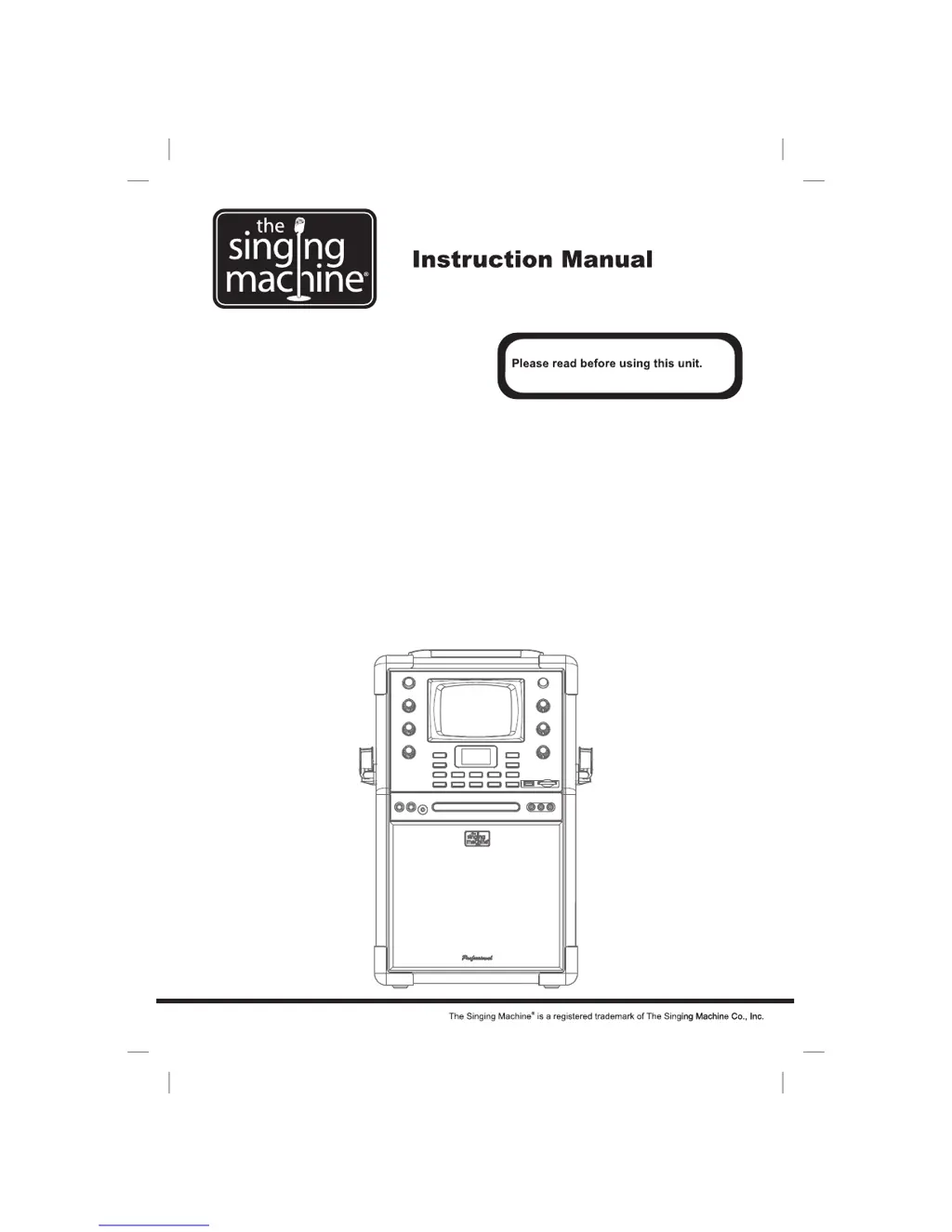
Instruction Manual

WARNINGS

IMPORTANT SAFETY INSTRUCTIONS

Provides crucial safety guidelines for preventing fire, electric shock, and ensuring proper operation.

CONTROL LOCATIONS

FRONT VIEW

Details the location and function of all controls and ports on the front panel of the unit.

CONTROL LOCATIONS

REAR VIEW

Details the location and function of controls and ports on the rear panel of the unit.

LCD DISPLAY

Explains the function icons and display elements shown on the unit's screen.

MAKING THE CONNECTIONS

CONNECTING POWER

Instructions on how to power the system using the supplied AC power cord.

CONNECTING TO YOUR TV OR VCR;DVD PLAYER

Guides users on connecting the unit to external video devices for displaying lyrics.

MAKING THE CONNECTIONS

SELECTING YOUR SINGING MACHINE AS YOUR SOURCE;INPUT

Explains how to select the Singing Machine as a source/input on a TV or VCR/DVD player.

AUDIO CONNECTION

Details how to connect the unit's audio output to a TV, VCR, or home stereo system.

CD OR CD+G OPERATION

Basic Disc Operations

Covers power, function select, loading discs, playing, pausing, stopping, and volume adjustment.

Playback Control Features

Details skip, search, repeat, program, and random playback functions.

CD OR CD+G OPERATION

External Input and Monitor

Covers monitor settings and connecting/controlling external audio inputs.

USB AND CARD OPERATIONS

Memory Device Playback and Recording

Covers inserting, playing, and recording files to USB drives and SD/MMC cards.

USB AND CARD OPERATIONS

File Management and Direct Recording

Details direct recording, file deletion, and folder management on memory devices.

KARAOKE FUNCTIONS

Microphone and Echo Control

Adjusting microphone volume, echo effect, and avoiding feedback.

Key and Balance Control

Adjusting music key and balancing vocals with music on multiplex discs.

Auto Voice Control

How to use the AVC feature to automatically mute vocals on multiplex recordings.

TROUBLE SHOOTING GUIDE

SPECIFICATIONS

THE SINGING MACHINE KARAOKE GLOSSARY OF TERMS

The Singing Machine SMG-903 Specifications

General IconGeneral
TypeKaraoke System
ModelSMG-903
Microphone Inputs2
Built-in SpeakersYes
ConnectivityBluetooth
Audio OutputRCA Audio Output
Audio Input3.5mm Aux Input
Disc CompatibilityCD
Video OutputRCA
USB PortYes
Power SourceAC Power

Related product manuals