
 Need help?
Do you have a question about the The Singing Machine SMC2068 and is the answer not in the manual?
Addresses electrical shock, moisture, ventilation, and heat hazards for safe operation.
Details FCC compliance rules and guidelines for radio frequency exposure limits.
Provides critical safety instructions for proper product use, handling, and maintenance.
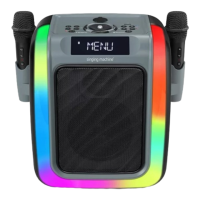
Lists all components included in the product packaging, such as the main unit and accessories.
Step-by-step instructions for assembling the microphone stand and attaching the cradle securely.
Identifies all buttons, knobs, and indicators located on the top surface of the main unit.
Details the connectors on the rear panel and the operational controls of the wireless microphone.
Provides instructions for charging the unit's internal battery and tips for optimizing battery life.
Offers guidance on the proper and environmentally responsible recycling and disposal of batteries.
Instructions on how to connect the AC adapter to the unit for charging the rechargeable battery.
Steps for connecting the unit to a television via HDMI for audio and video output.
Guidance on pairing wireless microphones with the unit and procedures for battery replacement.
Explains how to connect a wired microphone and control the unit's built-in lighting effects.
Instructions on how to properly install and use the cradle for holding mobile devices.
Step-by-step instructions to connect the unit to a wireless Wi-Fi network.
Verifies successful Wi-Fi connection and provides steps to switch to a different network.
Details how to configure Wi-Fi, update software, and perform a factory reset on the unit.
Steps to begin casting content to a TV using the SingCast feature and mobile app.
Adjusting microphone volume, applying vocal effects, and recording performances.
Guide for establishing a Bluetooth connection with external audio devices for playback.
Managing music playback and adjusting volume levels from a connected Bluetooth device.
Utilizing recording features and applying vocal effects with audio from Bluetooth devices.
Instructions for inserting a USB drive and playing music files.
Controls for playing, pausing, stopping, skipping tracks, and applying voice effects from USB.
How to connect and play audio from external devices using the AUX IN jack.
Managing playback, microphone input, and vocal effects when using the AUX IN connection.
A list and explanation of available sound effects for vocal modification and enhancement.
Solutions for issues related to power supply, audio output, and microphone functionality.
Guidance on resolving common problems with Bluetooth pairing and Wi-Fi network connection.
Steps to resolve issues with QR code scanning and achieving a stable internet connection.
Solutions for when the unit is not found in the app or casting to the TV fails.
Details on audio output, Bluetooth version, Wi-Fi frequency, power, dimensions, and weight.
Legal information regarding the use of HDMI and Bluetooth trademarks and logos.
 General
| Brand | The Singing Machine |
|---|---|
| Model | SMC2068 |
| Type | Karaoke System |
| Display | LED |
| Microphone Inputs | 2 |
| Connectivity | Bluetooth |
| Built-in Speakers | Yes |
| USB Port | Yes |
| SD Card Slot | Yes |
| Power Source | AC Adapter |
| Input | AUX |
| Speaker Output | 5W |
| Microphone | 1 wired microphone included |









 To Next Page