— E17 —
Operation
Using a Bluetooth Device (Continued)
10
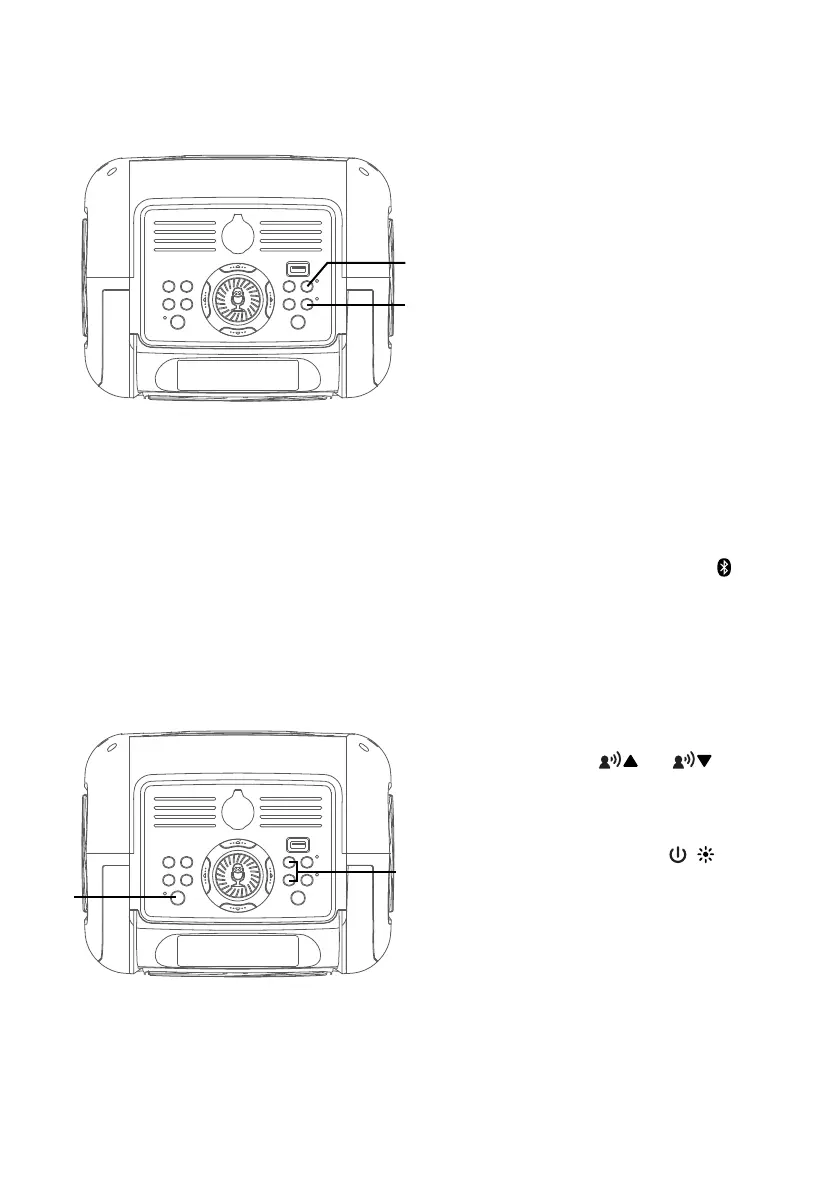
RECORD YOUR SINGING
PERFORMANCE
To record your singing as well as
the music, press the REC button.
Recording will begin and the
record indicator will light solid.
When done recording, press the
REC button again; the record
indicator will turn off.
NOTES:
• A USB drive (not included) must be
inserted into USB slot to record.
• The recorded audio file will record onto
the USB drive.
11
To sing without the lead singer on
the recording, press the button.
To resume the lead singer, press
again.
NOTE: Lead vocal removal might work
better on some songs than others.
12
Press the or button to
select a voice effect.
13
Press and hold the / button to
turn off the unit.
at
am
ak
al



 To Next Page