
 Need help?
Do you have a question about the The Singing Machine SMC3093SP and is the answer not in the manual?
Covers cautions for shock, voltage, dripping, ventilation, plug, and weather exposure.
Details FCC warnings, interference, and RF exposure compliance limits.
Essential safety directives for operating the apparatus, including usage, maintenance, and environment.
Lists the primary components included in the product package.
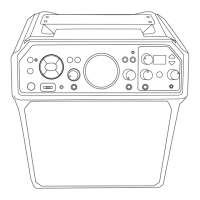
Detailed overview and labeling of all controls located on the front of the unit.
Detailed overview and labeling of all controls located on the rear and top of the unit.
Identifies controls and features specific to the interactive and standard microphones.
Explains the automatic standby mode for energy conservation.
Guides on how to connect microphones and output audio/video to a television.
Instructions for connecting the unit to AC power and headphones for audio output.
Steps for changing the battery in the interactive microphone and related safety precautions.
Information on the built-in battery, charging, and maintenance recommendations.
Instructions for recycling electronic devices and lead-acid battery warnings.
How to use the microphone as a remote control for the unit.
Explains the three available light modes and how to cycle through them.
Describes the function indicator colors and the use of the device cradle.
Initial steps and instructions for connecting the unit to a WiFi network.
Continues WiFi setup, explains casting, and how to disconnect/reconnect networks.
Navigating menus to manage WiFi settings, software updates, and factory resets.
Steps to connect the unit and mobile device for casting karaoke videos.
Adjusting music volume, connecting microphones, and recording vocal performances.
Instructions for activating and selecting different Pitch Tune vocal effects.
How to use the effects buttons to choose various vocal enhancements.
A list of available Pitch Tune effects with their names and descriptions.
Setting the strength of chosen effects and using headphones for monitoring.
Steps for inserting a USB drive and accessing media playback.
How to browse, play, pause, and navigate songs from a USB drive.
Adjusting music volume and connecting microphones for USB playback.
Using the vocal removal feature and skipping tracks on USB playback.
Utilizing Pitch Tune and recording vocal performances from USB content.
Steps to enable Bluetooth mode and connect a Bluetooth-enabled device.
Turning on device Bluetooth, searching, and selecting the Singing Machine.
Controlling music playback and adjusting volume from the unit or device.
Adjusting microphone volume, skipping tracks, and using Pitch Tune with Bluetooth.
Instructions for connecting audio sources using the AUX IN jack.
Adjusting volume and using microphones with AUX IN audio sources.
How to connect and play audio from external devices using the dedicated input jack.
Solutions for power, no sound, and lyric display issues.
Addresses issues with microphone connection and USB file playback.
Guides for resolving problems with Bluetooth pairing and music availability.
Solutions for WiFi connection failures and QR code scanning issues.
Troubleshooting advice for internet connection and finding/casting to SingCast.
Technical details regarding audio output, Bluetooth version, and WiFi frequency.
Specifications for USB format, recording encoding, jack types, and unit dimensions.
 General
| Brand | The Singing Machine |
|---|---|
| Model | SMC3093SP |
| Category | Karaoke System |
| Language | English |









 To Next Page