— E18 —
Operation
Playing songs from USB drive
1
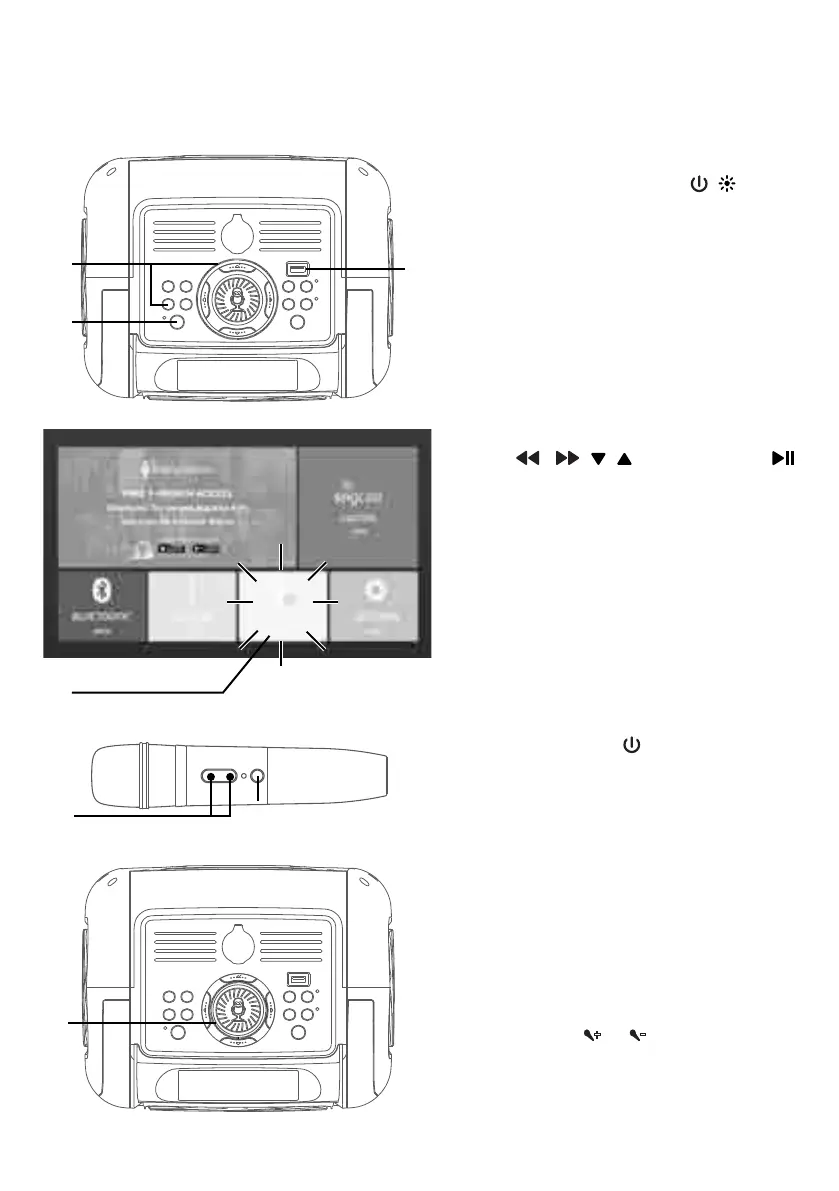
Connect the unit as described
previously. Press the / button
to turn the unit on.
2
Insert a USB flash drive into the
USB port on the unit.
Make sure to download music
from the Karaoke store.
3
Press the USB button or using the
, , , Navigation and
button to select the USB OPEN in
the main menu (the unit should be
connected to a TV). “READ”
appears on the display.
NOTE: The USB mode cannot be accessed
until a USB drive with songs is inserted.
4
Press the button on the
microphone to turn on the mic.
5
Adjust the volume to a comfortable
level using the MUSIC VOLUME/
MIC VOLUME control.
6
Toggle the MUSIC VOLUME/MIC
VOLUME control on unit or press
the the
or
buttons on mic as
desired.
Increasing this control will increase
the volume of the microphone.
v
u
w
w
x
U
y
U



 To Next Page