— E19 —
Operation
Playing songs from USB drive (Continued)
7
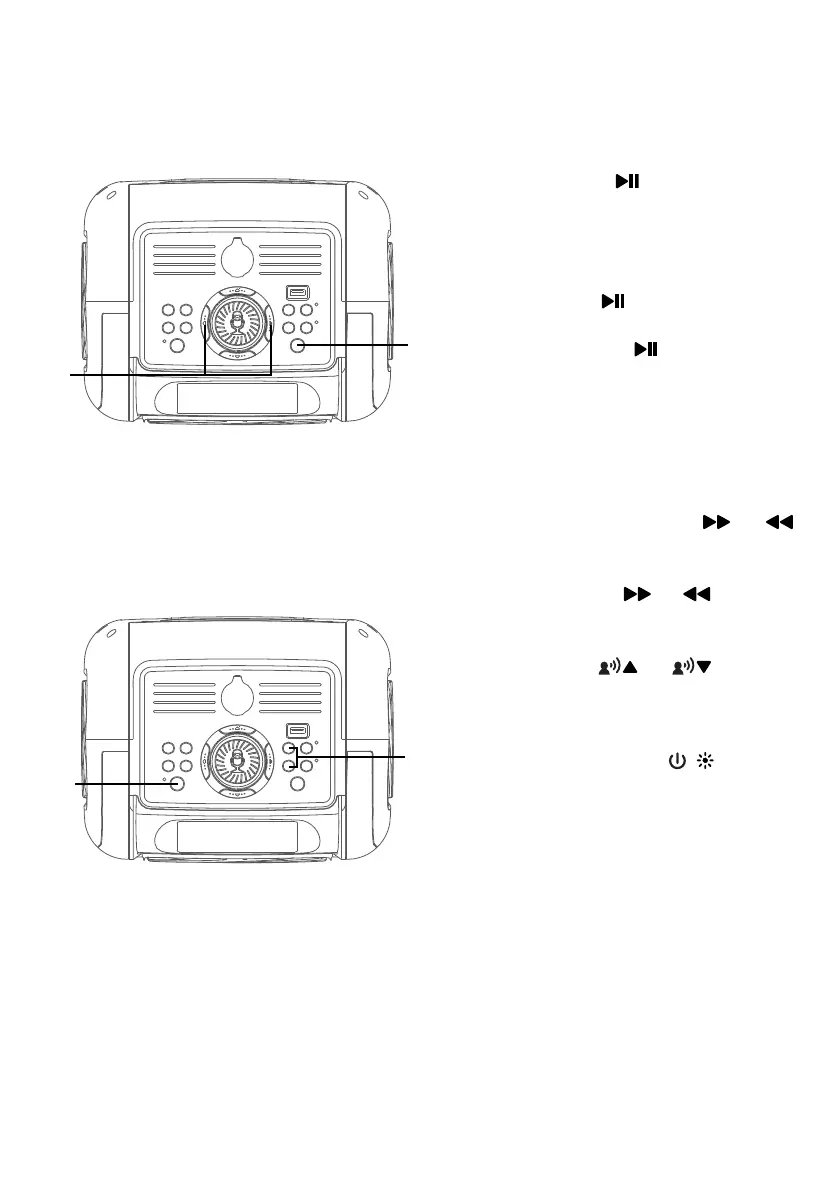
Press the button to start
playback; if listening to an MP3
file.
During playback, if you wish to
pause the music momentarily,
press the button. Press again
to resume normal playback. Press
and hold the button to stop
playback.
8
SKIP: Advance or go back one
track by pressing the or
button. You can also skip forward
or backward 10 files/ tracks press
and hold the or button.
9
Press the or button to
select a voice effect.
10
Press and hold the / button to
turn off the unit.
W
X
V
at




 To Next Page