EasyManua.ls Logo

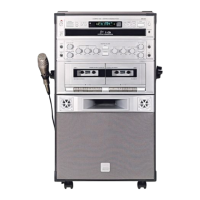
The Singing Machine SMG-301 - User Manual

The Singing Machine SMG-301
25 pages
Print Icon
To Next Page IconTo Next Page
Loading...
SMG-301
Please read before using this unit.
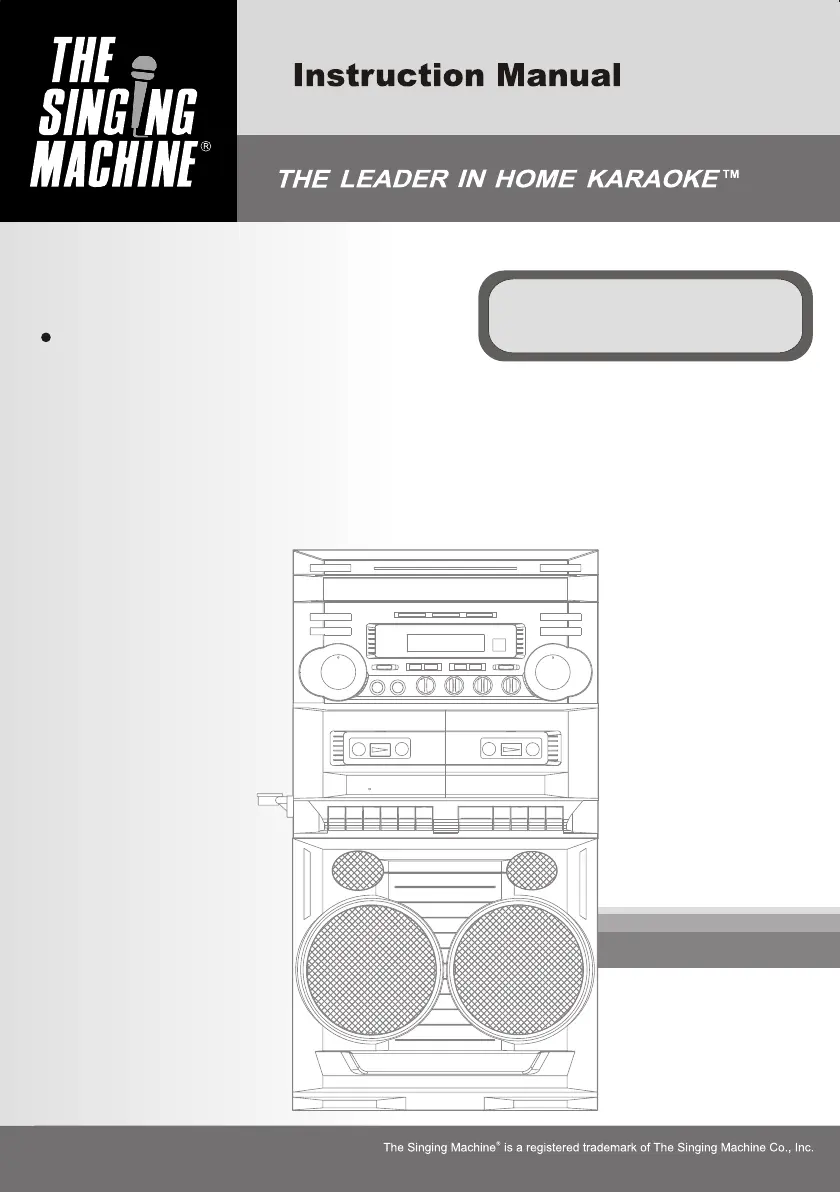
Compact Disc + Graphic
Karaoke Center

Questions and Answers

  • V
    Vincent KnightAug 16, 2025
    What to do if The Singing Machine SMG-301 has no sound?
    • M
      Monica HickmanAug 17, 2025
      If there is no sound, first ensure that the volume control on the Karaoke System is not set to the minimum; increase it. Also, check the volume on your TV or PA system and ensure it is turned up. Verify that the TV or PA system is powered on. Make sure that the AUX OUT jacks are properly connected. Finally, confirm that the correct function is selected on the Karaoke System.
  • T
    toddjacksonAug 19, 2025
    Why is The Singing Machine Karaoke System CD player not working normally?
    • W
      William CuevasAug 19, 2025
      The CD player might not work normally because the disc is inserted upside down; ensure it's correctly inserted. The disc could be dirty, so wipe it clean with a soft cloth. If the disc is scratched or warped, use a new one. Also, only use discs bearing a standard logo. If moisture has formed inside the CD deck, wait 20-30 minutes for it to dry out. As a last resort, unplug the machine for 30 seconds to reset it.
  • W
    Wendy WhiteAug 22, 2025
    Why is there no sound from The Singing Machine Karaoke System when connected to a home stereo?
    • T
      Teresa HallAug 22, 2025
      If you're not getting sound through your home stereo, ensure that the source selection on your stereo is set to AUX IN. Also, verify that the connection to the stereo system is correct.
  • J
    jenniferstewartAug 25, 2025
    What to do if The Singing Machine SMG-301 Karaoke System has no power when plugged in?
    • S
      scottjaniceAug 26, 2025
      If the Karaoke System has no power when plugged in, the AC outlet may not have power. Check the outlet by plugging in a working lamp or another electrical appliance.
  • S
    stevenshepherdAug 27, 2025
    How to troubleshoot no sound on The Singing Machine SMG-301 Karaoke System when using TV or VCR?
    • R
      Robert KirbyAug 27, 2025
      If you're experiencing no sound when the audio is going through a TV or VCR, make sure the source selection on the TV or VCR is correct.
  • R
    Riley ThomasAug 30, 2025
    How to display song lyrics on The Singing Machine SMG-301 Karaoke System?
    • A
      andrewjordanAug 30, 2025
      First, ensure the video cable is correctly connected from the Karaoke System's VIDEO OUT to the TV's VIDEO IN. Next, use your TV remote to select the VIDEO input. If your TV lacks a video line input, connect the system's VIDEO OUT to the VIDEO IN of your VCR, or use an RF Modulator connected to the TV cable input. Finally, confirm that the disc is a CDG and is clean. A dirty disc or incorrect connections can prevent lyrics from appearing.
  • R
    Rachel MaldonadoSep 2, 2025
    How to resolve unsteady tape sound on The Singing Machine Karaoke System?
    • J
      Joe HoffmanSep 2, 2025
      If the cassette tape sound is unsteady, the capstan might be dirty; clean it. Alternatively, the cassette tape winding may be irregular, so replace the tape. Also, check the pitch knob position and adjust it if necessary.
  • Y
    ywangSep 5, 2025
    Why can't I record on The Singing Machine SMG-301 Karaoke System?
    • J
      Jennifer TorresSep 5, 2025
      If you cannot record, check if the erasure prevention tabs on the cassette tape are broken out. If they are, replace the tape or cover the tab openings with adhesive tape. Also, when recording, ensure that both the Record and Play buttons are pressed down simultaneously.
  • M
    mckinneysusanSep 7, 2025
    What causes distorted recorded tape sound on The Singing Machine SMG-301?
    • J
      Jeffrey ButlerSep 7, 2025
      Distorted recorded tape sound can be caused by a dirty head; clean it. Alternatively, the cassette tape may be faulty; replace it.
  • S
    scott50Sep 10, 2025
    Why can't I copy from DECK 2 to DECK 1 on The Singing Machine SMG-301?
    • A
      Adam PhillipsSep 10, 2025
      If you cannot copy from DECK 2 to DECK 1, an unrecorded tape may be inserted into DECK 2; insert a pre-recorded tape. Also, ensure the FUNCTION SELECTOR is in TAPE Mode.

Summary

Important Safety Instructions

General Instruction Guidelines

Read, retain, heed, and follow all instructions.

Environmental and Usage Precautions

Cleaning, water, ventilation, and placement advice.

Power and Connection Safety

Power sources, grounding, cord protection.

Installation and Placement Safety

Antenna grounding, power lines, mounting, heat.

Servicing and Damage Procedures

Guidelines for servicing, replacement parts, and damage.

Hazard Prevention

Avoiding overloading, object entry, and liquid spills.

Introduction to the Karaoke Center

Karaoke Center Features Overview

Overview of main features like lyrics display and audio controls.

Connectivity Options

Input/output jacks and speaker connections.

Disc Playback Capabilities

Information on CD and CDG disc playback.

Control Locations

Tape Deck Controls

Controls for tape playback, recording, and manipulation.

Front Panel and Main Unit Controls

Power, disc, microphone, and sound adjustment controls.

Rear Panel and Connectivity Ports

Ports for speakers, audio input/output, and video.

Display Information

VFD Display Icons

Icons shown on the unit's VFD display.

Remote Control Overview

Remote Control Buttons

Identification of buttons on the remote control.

Making the Connections

Connection to TV Set

How to connect for lyrics display on TV.

Connecting Audio Component for Input

Linking external audio sources to the unit.

DC Jack Operation

Details for using the 12V DC power input.

Connecting Audio Component for Output

Connecting the unit's audio out to other systems.

Master Volume Touch Control Attention

Important note on operating the master volume control.

CD or CD+G Operation

Preparation and Basic Operation

Pre-play steps, loading, power, and function selection.

Playback Operations

Disc selection, pause, skip, search, repeat, random, mega bass.

Programmed Playback Management

Programming, checking, and changing track sequences.

Cassette Operation

Cassette Handling and Playback

Loading, unloading, and basic playback of cassettes.

Advanced Cassette Operations

Consecutive play, microphones, sing-along, and recording.

Recording and Copying Features

Recording from discs, dubbing, and PA system use.

Care and Maintenance

General Unit Cleaning

Instructions for cleaning the unit exterior.

Tape Head and Deck Maintenance

Maintaining tape deck heads, capstans, and rollers.

Compact Disc Handling and Cleaning

Proper handling and cleaning of CDs.

CD Player Mechanism Care

Notes on the CD player mechanism.

Trouble Shooting Guide

No Power Issues

Troubleshooting power-related problems.

No Sound Issues

Diagnosing and resolving sound output problems.

CD Player Operation Issues

Fixing problems with CD playback and display.

Audio Output to Stereo Issues

Troubleshooting audio connection to home stereo.

Audio Output to TV;VCR Issues

Troubleshooting audio connection to TV or VCR.

Cassette Tape Sound Issues

Resolving issues with unsteady tape sound or distortion.

Recording and Copying Problems

Troubleshooting issues with recording and tape copying.

Video and Lyric Display Issues

Fixing problems with song lyrics display or image quality.

Specifications

Audio and Player Specifications

Output power, frequency response, sampling system.

Cassette and Microphone Specs

Tape speed, microphone impedance.

Power, Dimensions, and Accessories

Power source, unit size, weight, and included items.

Karaoke Glossary of Terms

Core Karaoke Feature Definitions

Explanations of Echo, AVC, Pitch, Key Controller.

Disc Format Explanations

Definitions of CDG and related terms.

Limited Warranty and Service

Warranty Coverage and Duration

Details on product warranty period and exclusions.

Obtaining Service and Support

Procedures for getting warranty or out-of-warranty service.

Service Center Contact Information

Addresses for service centers in the US and Canada.

The Singing Machine SMG-301 Specifications

General IconGeneral
TypeKaraoke System
ModelSMG-301
Power SupplyAC Adapter
Display TypeLED
Microphone Inputs2
Built-in SpeakersYes
USB PortYes
SD Card SlotYes
Power SourceAC Adapter
Weight5.5 lbs
Disc CompatibilityCD+G
Audio OutputRCA

Related product manuals