
 Need help?
Do you have a question about the The Singing Machine SML388BK and is the answer not in the manual?
General safety warnings, electrical hazards, ventilation, and FCC compliance.
Key safety guidelines for operating the appliance.
Information regarding the Class 1 laser product classification.
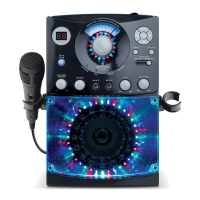
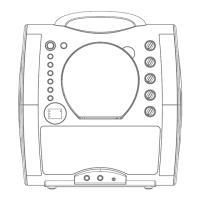
Identifies controls and displays on the front panel of the unit.
Details connection ports and features on the side and rear panels.
Instructions for connecting the power adapter to the unit.
Guides for connecting the unit to a TV and other audio devices.
Guidance on adjusting the master volume for optimal sound.
Instructions for turning the unit on/off, loading discs, and USB media playback.
Details playback controls like play, pause, stop, skip, and track navigation.
Explains karaoke functions, microphone controls, key, echo, and disco lights.
Instructions and tips for purchasing and downloading karaoke music.
Lists common issues with the unit and their corresponding solutions.
Provides detailed technical specifications for audio, CD player, USB, and power.
 General
| Brand | The Singing Machine |
|---|---|
| Model | SML388BK |
| Product Type | Karaoke System |
| Microphone Inputs | 2 |
| Built-in Speakers | Yes |
| USB Port | Yes |
| SD Card Slot | No |
| Connectivity | Bluetooth |
| Speaker Output | 5 Watts |
| Display | LCD |
| Power Supply | AC Adapter |
| Playback Media | CD, CD+G, USB |
| Audio Output | RCA Output |
| Video Output | Composite Video Output |










 To Next Page