-4-
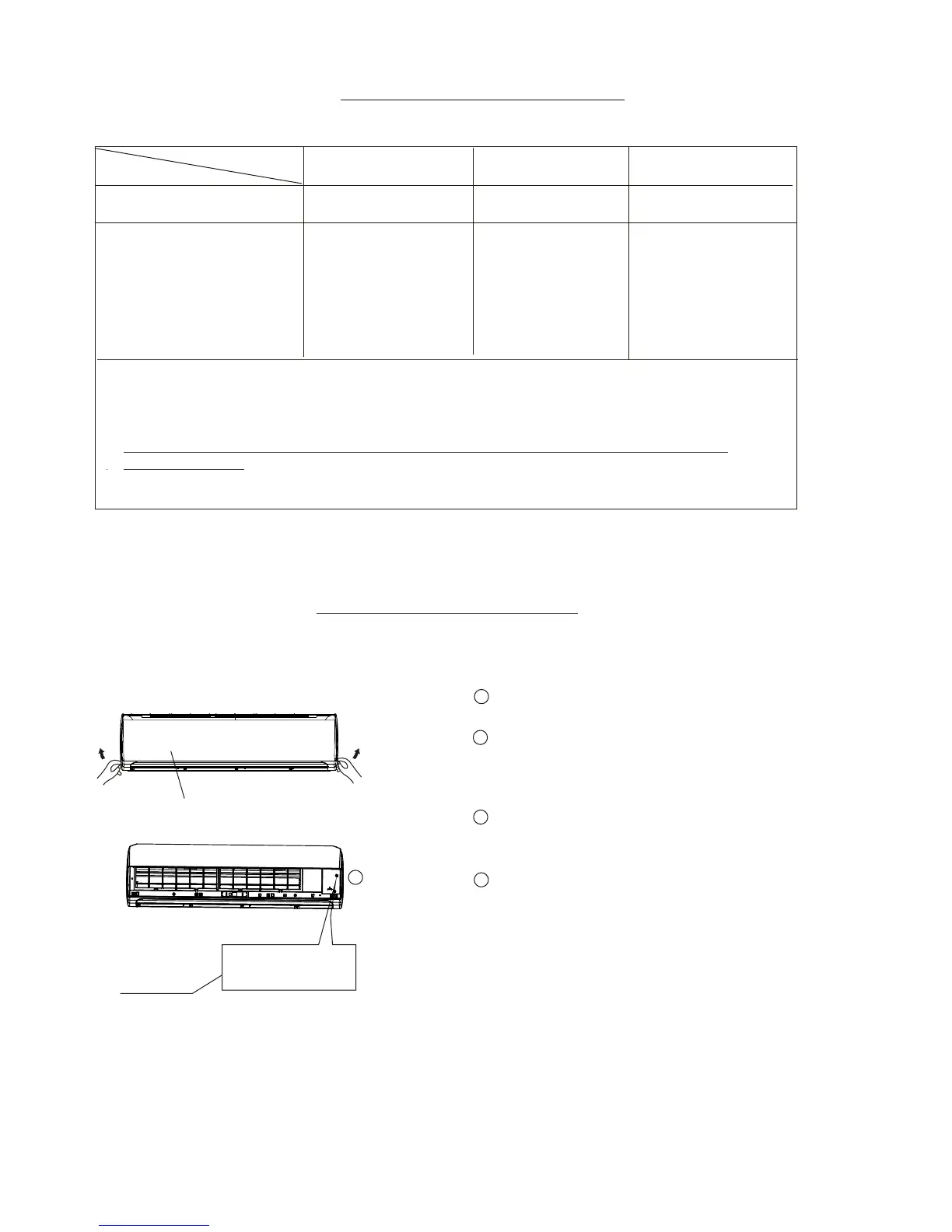
Emergency operation can be used temporarily in case of lost remote control or low battery.
EMERGENCY OPERATION
Manual control
button
Cover
AUTO FAN/COOL
Lift the front panel up until it remains
fixed with a clicking sound.
Push the button 1 time, “run” indicator
lights up, the unit will work in forced AUTO FAN
mode (the default setting temperature
is 76 °F).
Close the panel firmly to its original
position.
To restore the remote control operation,
use the remote control directly.
NOTE:
1
4
2
2
OPERATING TEMPERATURE
Mode
Cooling operation
Heating operation
Drying operation
Temperature
1. If the unit is used outside at the above conditions, certain safety and function protection
features (error codes) may cause the unit to function abnormally or stop.
3. Optimum performance will be achieved when operating in the specified temperature range.
Selectable temperature
Outdoor temperature
CAUTION:
62 °F ~ 86 °F 32 °F ~ 86 °F 50 °F ~ 86 °F
5 °F ~ 122 °F 5 °F ~ 86 °F 32 °F ~ 122 °F
2. If room relative humidity is more than 80%, condensation may form on the outer portion
of the indoor unit. Set the louvers to maximum opening and turn fan to HIGH.
3
Press button within 5 secs. and the unit will activate
the continuous cooling mode. Press again to turn
the unit off.



 To Next Page