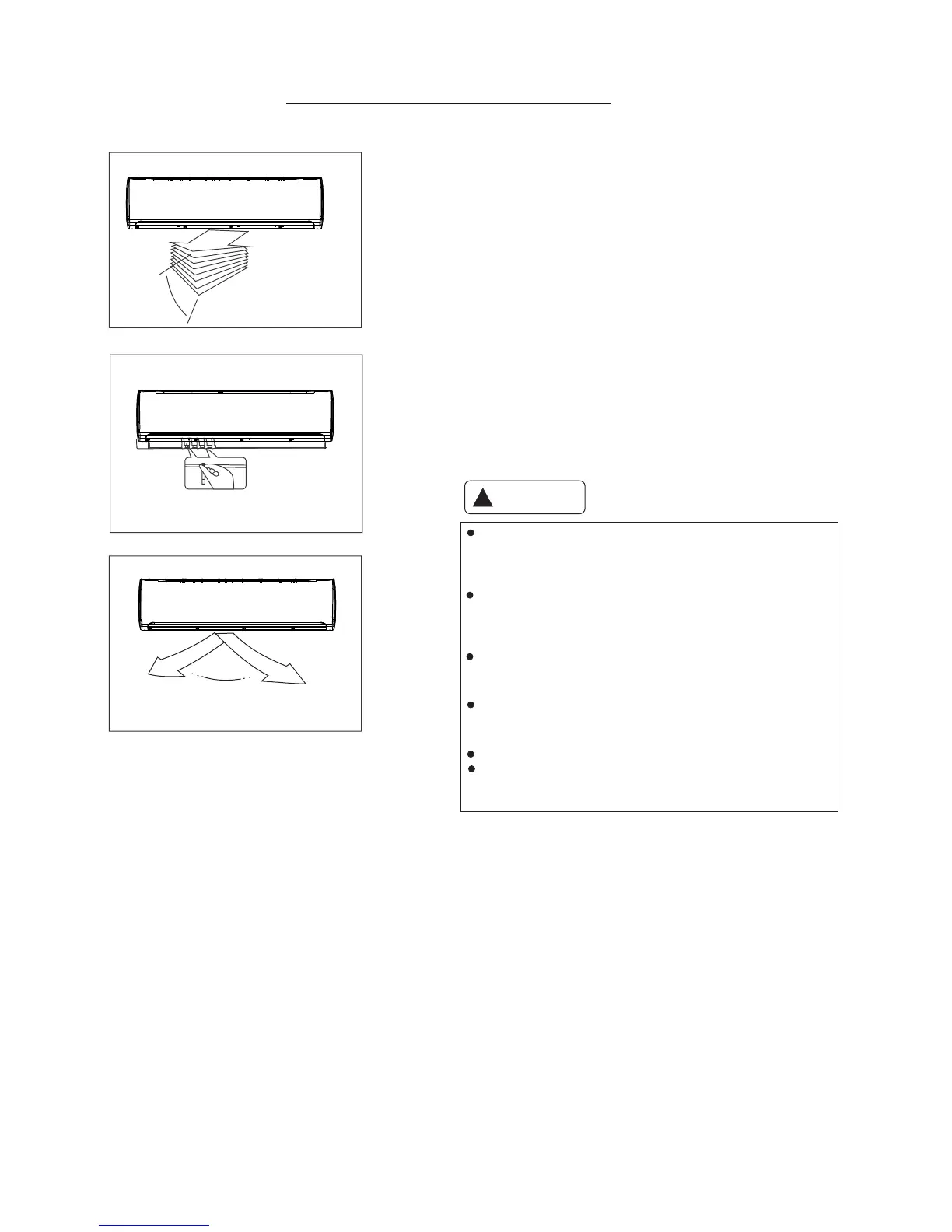
AIRFLOW DIRECTION CONTROL
Range
Range
Do not operate the unit for long periods with the air
flow direction set downward in cooling or dry mode.
Condensation may occur on the surface of the horizontal louver
causing moisture to drop onto the floor or furnishings.
Do not move the horizontal louver manually. Always use the
SWING button. If you move this louver manually, it may
damage the louver. If the louver malfunctions, stop the unit
and restart it.
When the unit is started immediately after it was stopped,
the horizontal louver might not move for approximately
10 seconds.
Open angle of the horizontal louver should not be set too small,
as COOLING or HEATING performance may be impaired due
to restricted air flow.
Do not operate unit with horizontal louver in closed position.
When the unit is initially connected to power, the horizontal
louver may generate a sound for about 10 seconds,
this is normal.
CAUTION
!
- Adjust the horizontal louver using the remote control.
- Adjust the vertical louver manually.
Setting the air flow direction (Up-Down)
Perform this function while the unit is in operation.
Use the remote controller to adjust the air flow direction.
The horizontal louver can be moved at an angle of 6° for
each quick press or hold down SWING button (2 seconds)
to set to auto SWING. Please refer to the REMOTE CONTROL
section for more details.
Setting the air flow direction (Left-Right)
Adjust the vertical louver manually by reaching through the
horizontal louvers and gently position the louver to desired
position.
-5-



 To Next Page