-7-
USING THE REMOTE CONTROL
25 ft.
TEMP
AUTO
COOL
DRY
HEA
T
FA
N
HIGH
MED
LOW
MODE
F
AN SPEED
SWING
TIMER
ON
ECONOMY
ON/OFF
TIMER
OFF
RESET
LOCK
SET T
EMPERATU
RE( C)
FO
LLOW
ME
LED
DISP
LAY
ION
TURBO
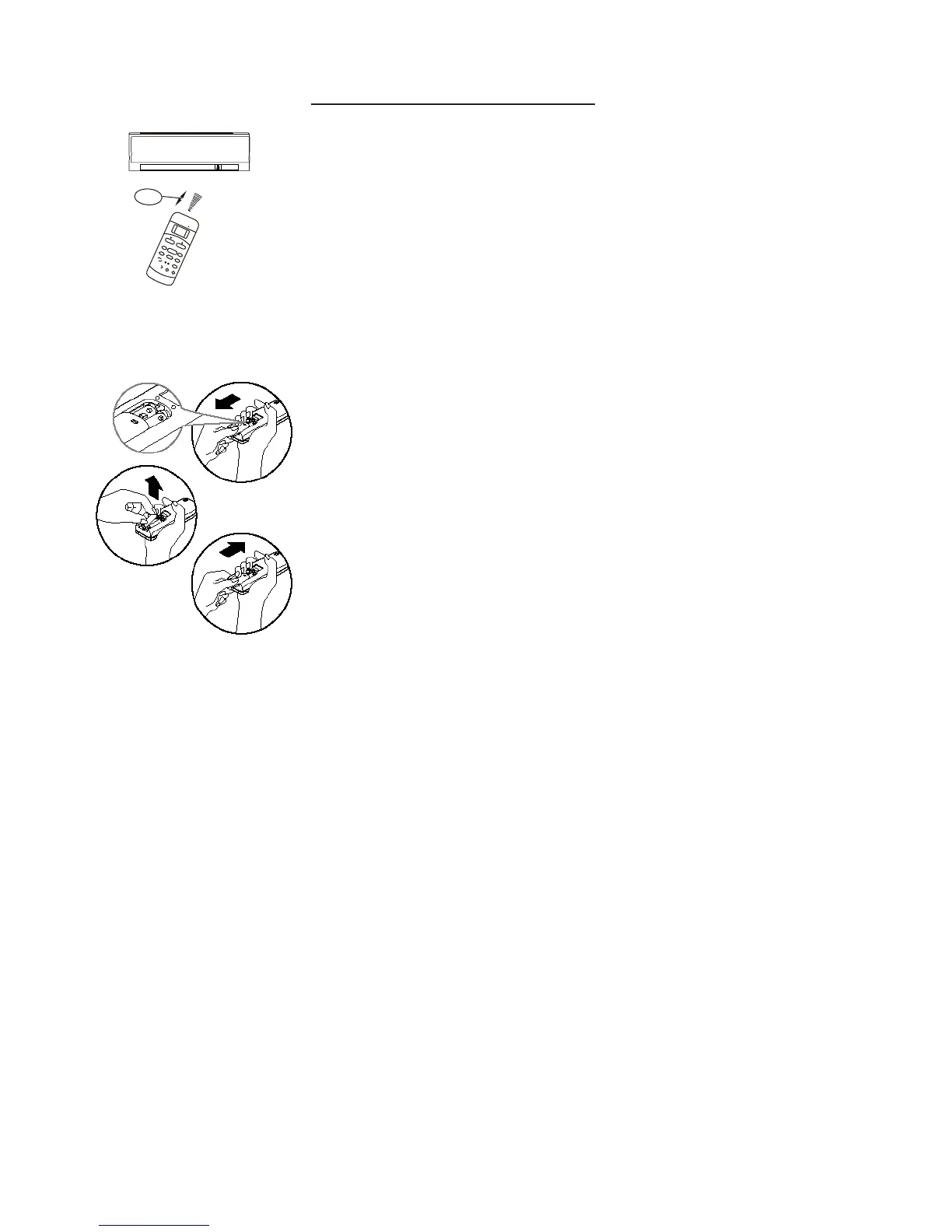
The remote control can be used from a distance up to 25 feet from the indoor unit.
When pressing a button on the remote, confirmation the command sent has been
received is when the unit beeps.
REPLACING THE BATTERIES.
The remote control is powered by 2 AAA batteries (included) and housed in the
back of the remote control.
- Turn the remote over and remove the cover by pressing and sliding off.
- Remove the old batteries and insert new batteries in the same direction
as the old batteries came out.
- Replace the cover.
- When replacing batteries, do not mix old and new batteries or types of batteries.
- Remove batteries if the remote control will not be used for an extended time.
- Please dispose old batteries properly.
NOTE: When the batteries are removed, all programming is erased.
After installing new batteries the remote must be reprogrammed.
REMOTE CONTROL FEATURES
1. Operating mode: AUTO, COOL, DRY, HEAT (Heat Pump models) and FAN.
2. 24 hour Timer On and Timer Off functions.
3. Indoor setting temperature range: 62 °F ~ 86 °F.



 To Next Page