TOWER 600 PERIPHERAL SETUP GUIDE
Monday through Friday
9:00am - 5:30pm PT
NEED ADDITONAL HELP? CONTACT US:
ttsupport@thermaltakeusa.com
888 - 570 - 5247
EXAMPLE OF FINAL CABLE WIRING ROUTE
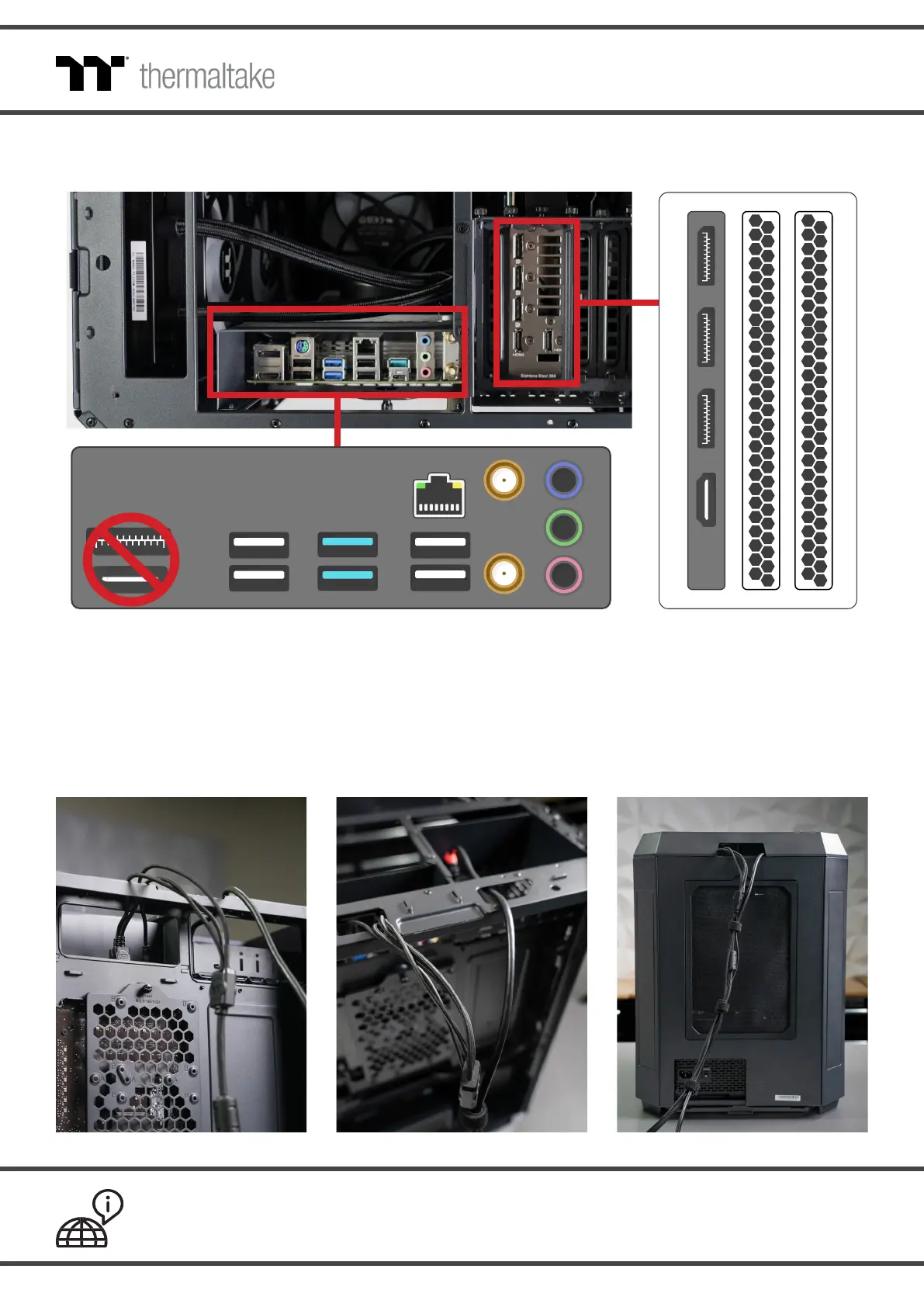
STEP 5 Connect your peripherals into the corresponding port(s) in the motherboard I/O.
For monitors and displays, connect directly to the appropriate port(s) on the graphics card/GPU.
Do NOT plug your monitor into the graphics port(s) on your motherboard, as it is disabled when
a graphics card is installed in your system.
** Images for reference only. Port layouts may vary based on the included components.





 To Previous Page